


1.What is ADXcloud?
ADXcloud is a quantitative indicator that applies a second smoothing to a standard indicator, ADX. It could be used in markets where trends slowly change. Gate offers strategy bots that allow users to quickly create and implement strategies.
2.ADXcloud Bot Instructions
Indicator Overview
RSI (Relative Strength Index): this indicator is the same as the traditional RSI and will not be discussed further.
ADXcloud
The ADXcloud indicator is a modified version of the traditional ADX, applying a second smoothing process. It includes the following parameters:
Alpha1: the weight coefficient for the first smoothing process
Alpha2: the weight coefficient for the second smoothing process
Period: the period for ADXcloud
adx_t: the period for the ADX
rsi_t: the period for the RSI
rsi_threshold: the threshold value for opening positions based on RSI
rsi_close_t: the threshold value for closing positions based on RSI
The specific calculations include many intermediate variables such as the price positive directional movement (+DM), price negative directional movement (-DM), true range (TR), positive directional index (+DI), and negative directional index (-DI).
(1) Calculate Directional Movement
up: Today's highest price - yesterday's highest price
down: Yesterday's lowest price - today's lowest price
+DM: If up is greater than max(down, 0), then +DM equals up; otherwise, it equals zero
-DM: If down is greater than max(up, 0, then -DM equals down; otherwise, it equals zero
(2) Calculate True Range
TR: Max (today's highest price - today's lowest price, |today's highest price - yesterday's closing price|, |today's lowest price - yesterday's closing price|)
(3) Calculate Directional Indicators
+DI(14): +DM(14)/TR(14)100
-DI(14): -DM(14)/TR(14)100
In these calculations, the number 14 in parentheses represents the value input for the parameter "period."
(4) Calculate Directional Indicators After Smoothing
First Smoothing:
Diplust = 2 × ( + DIt) + (alpha1 − 2) × ( + DIt−1) + (1 − alpha1) × Diplust−1
Diminust = 2 × ( − DIt) + (alpha1 − 2) × ( − DIt−1) + (1 − alpha1) × Diminust−1
Alpha1 is the weight coefficient for the first smoothing.
Second Smoothing:

Alpha2 is the weight coefficient for the second smoothing.
(5) Calculate ADXcloud

Opening Conditions:
(1) Opening Conditions of Long Position: Open a long position when ADXcloud > 0 and RSI > 50+
(2) Opening Conditions of Short Position: Open a short position when ADXcloud < 0 and RSI < 50+
Closing Conditions:
(1) Closing Conditions of Long Position: Close a long position when RSI > 50 + rsi_close_t or ADXcloud changes from positive to negative.
(2) Closing Conditions of Short Position: Close a short position when RSI < 50 - rsi_close_t or ADXcloud changes from negative to positive.
3.Parameters Configuration
Leverage Multiplier: The leverage multiplier used by the user for investments, used to calculate order quantities.
Total Investment Amount: The total amount of funds invested by the user, used entirely for margin.
Automatic Stop-Loss Ratio: When the loss of the total investment amount reaches this ratio, the bot will execute an exit and close positions.
ADX Smoothing Coefficient 1: Required, integer, range of [1, 99], 20 by default
ADX Smoothing Coefficient 2: Required, integer, range of [1, 99], 17 by default
ADX Period: Required, integer, range of [3, 50], 14 by default
RSI Period: Required, integer, range of [3, 50], 8 by default
OpeningThreshold of RSI: Required; integer; range of [1, 25], 5 by default
Closing Threshold of RSI: Required; integer; range of [1, 40], 25 by default; and the closing threshold of RSI entered must be greater than the opening threshold of RSI entered
Period: Standard MA parameter. Required; options include 1 minute, 5 minutes, 15 minutes, 30 minutes, 1 hour, 4 hours, 8 hours, 1 day; 1 hour by default
Order Quantity: The number of orders placed when a signal is triggered. Optional; empty by default
Futures Fee by Default: 0.00075
Inverse Futures Calculation:
s = (Margin ✖️ Lastest Price) / (2 ✖️ 0.00075 + (1/Leverage)) size = s / value per Contract
Forward Futures Calculation:
s = (Margin) / (2 ✖️ 0.00075 + (1/Leverage)) ✖️ Latest Price size = s / value per Contract
The actual order quantity will be the smaller value of the calculated value by default and the user-set value.
4.How to Create an ADXcloud Bot?
Web:
Bots - Create a Bot - Futures - CTA - ADXcloud - Backtest - Parameters Setup - Create
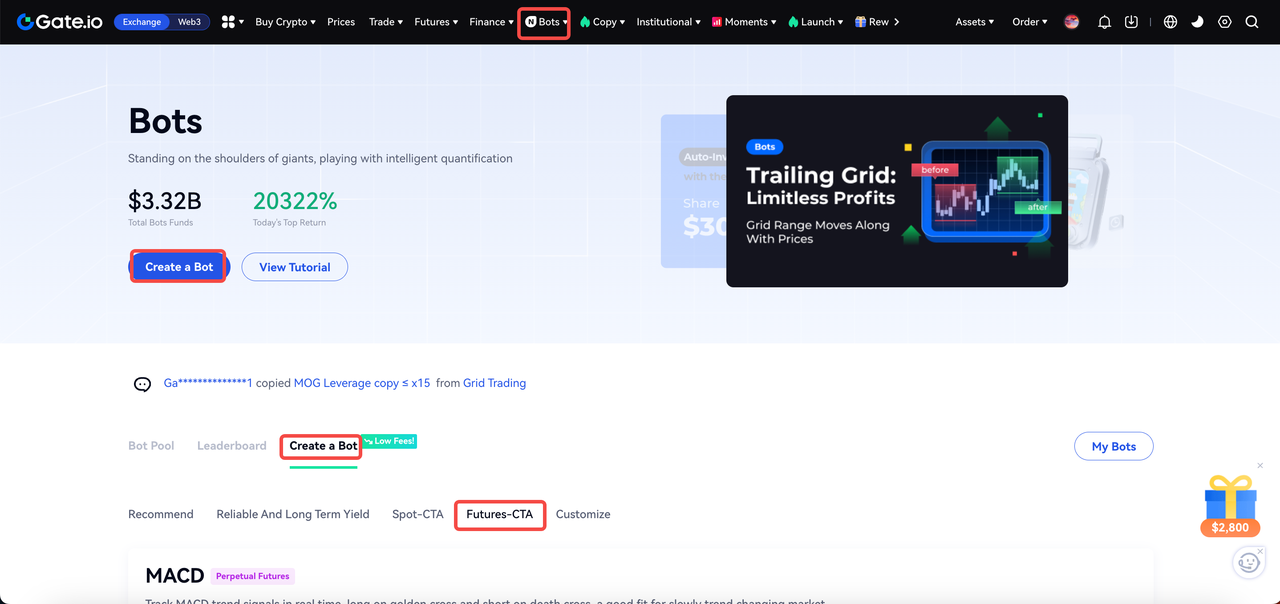
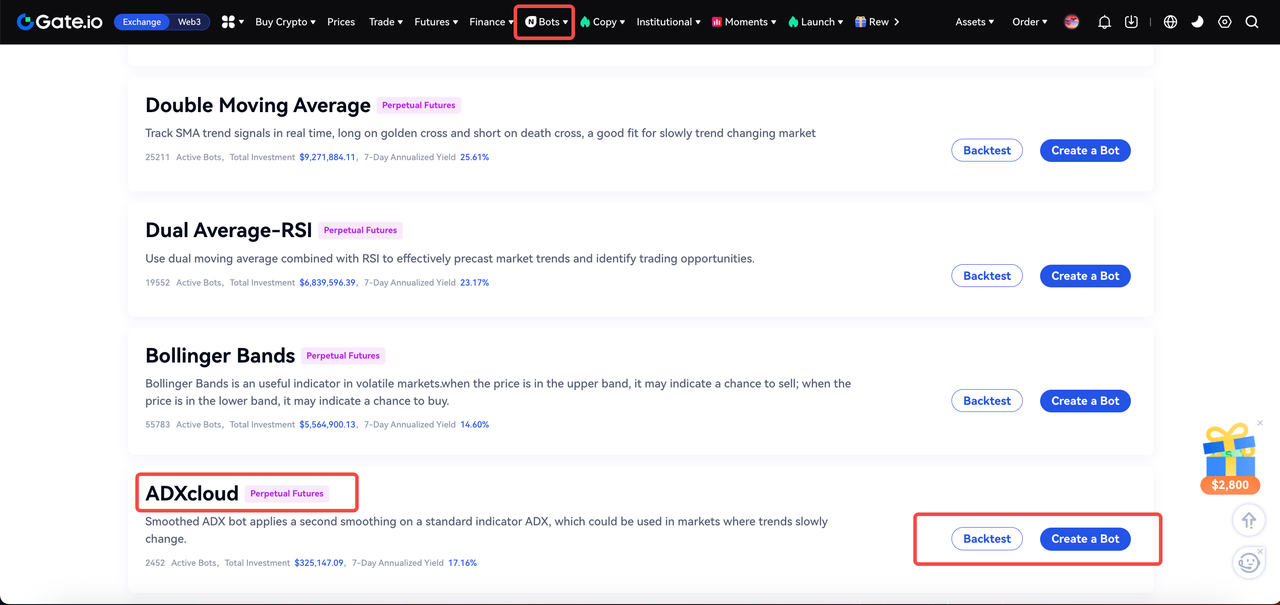
Backtesting Process: Click the "Backtest" button, enter the expected parameters, and click "Backtest" again. The system will automatically backtest the data (within one month by default) and generate a backtest record in the "Backtest Records" section for reference.
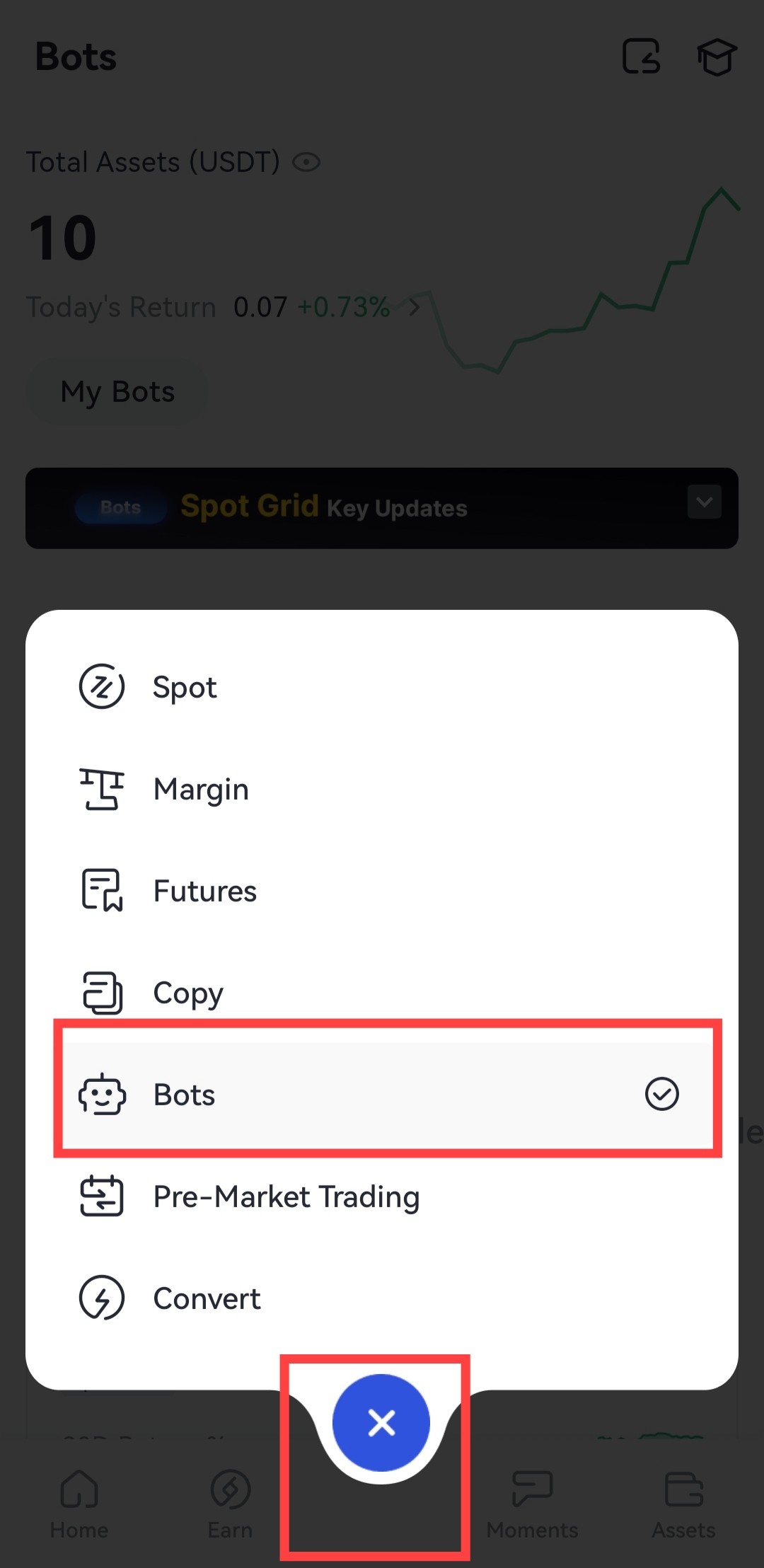
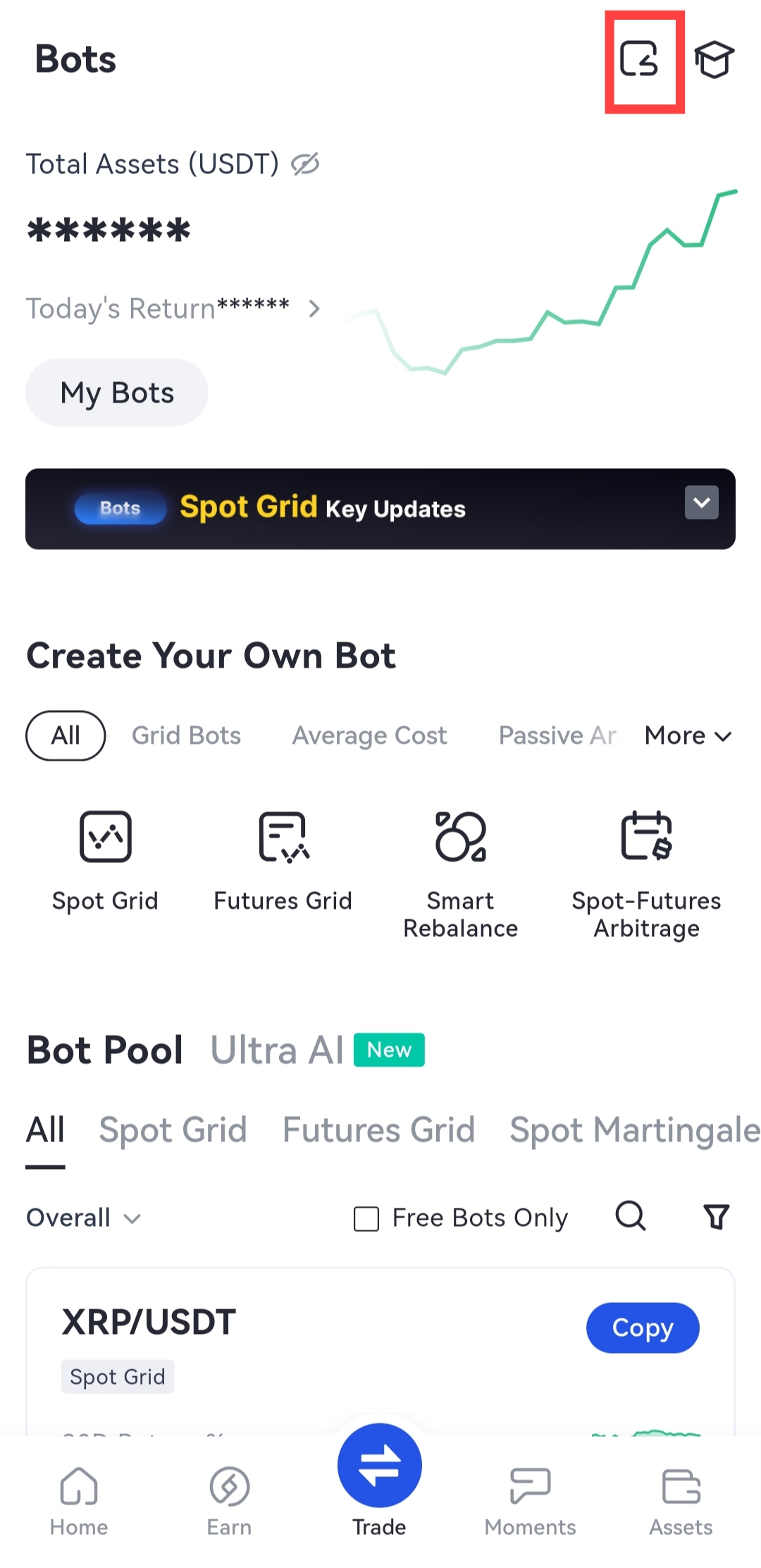
App:
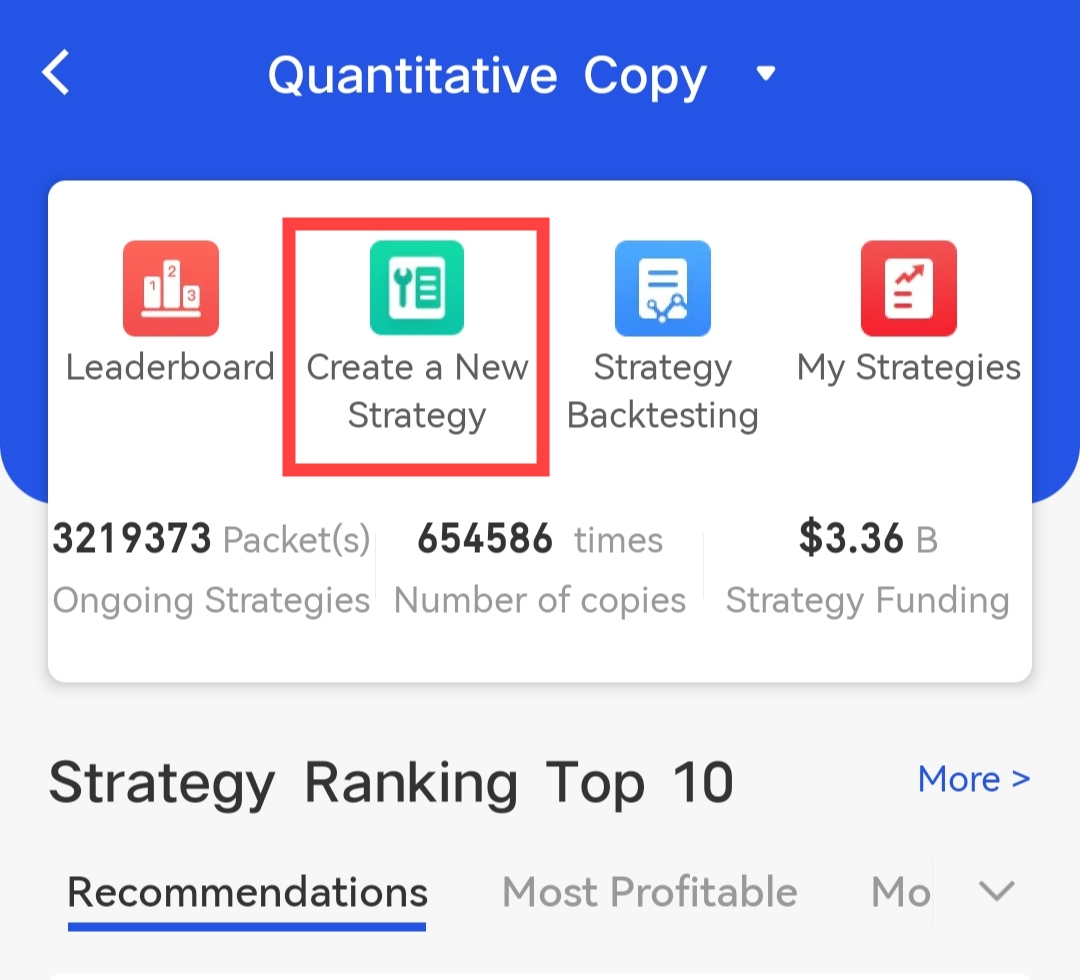
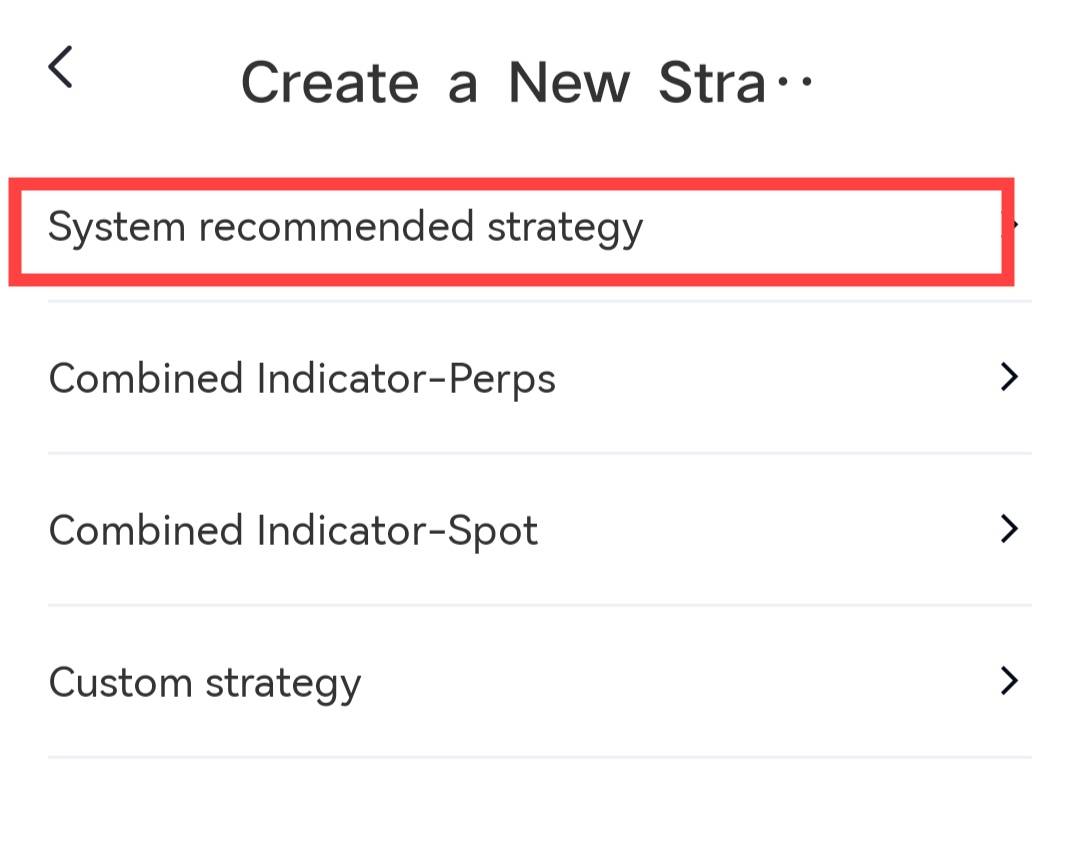
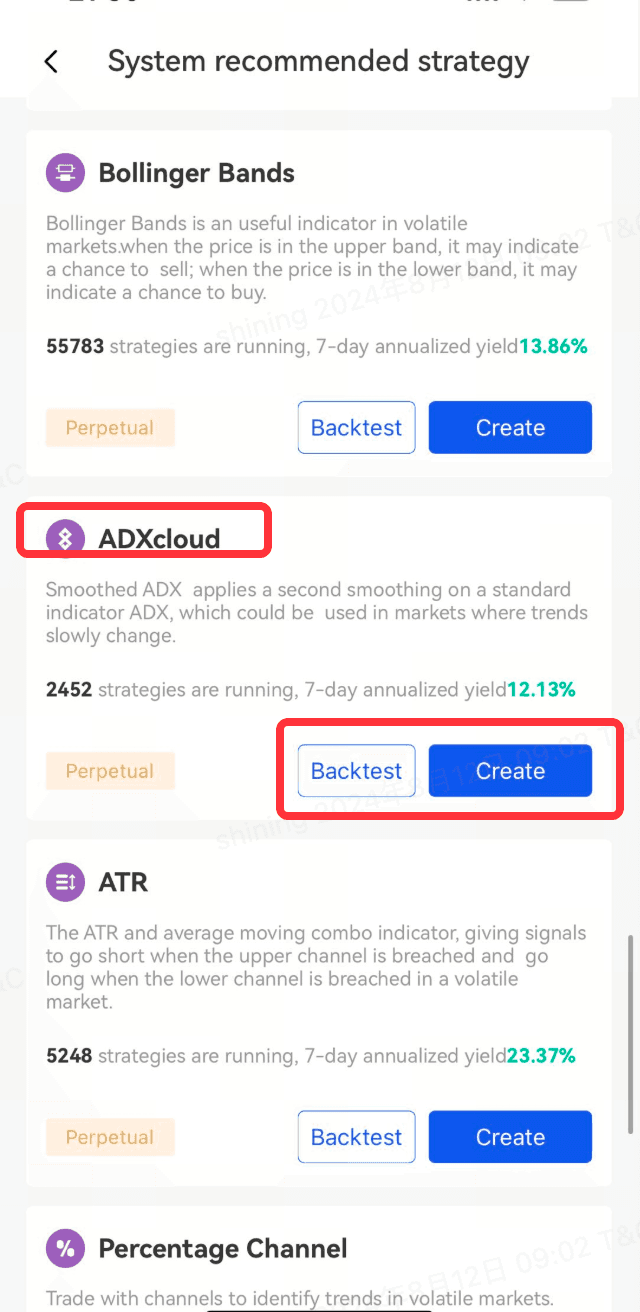
Trade - Bots - Click on the first icon in the upper right corner - Create a New Strategy - System recommended strategy - ADXCloud - Backtest - Set the Parameters - Createeters - Create
Gate reserves the final right to interpret the product.
For further assistance, please visit the Gate official support page or contact our customer support team.
Disclaimer
The content provided herein is for reference and educational purposes only and does not constitute any financial, investment, trading, or legal advice, nor does it constitute an offer or solicitation to buy or sell any digital assets. Gate makes no express or implied representations or warranties regarding the accuracy, completeness, or timeliness of the information contained herein. Product features, interfaces, rules, and fee structures may be updated or adjusted at any time. Please refer to the latest announcements and the actual information displayed on the Gate platform for the most accurate details.
Digital asset investments involve significant risk, and prices may fluctuate substantially. You may lose the entire amount of your investment. Please make decisions cautiously based on your own financial situation and risk tolerance after fully understanding the associated risks. If necessary, you are advised to consult an independent professional financial or legal advisor.
For more information about potential risks, please refer to Gate's Risk Disclosure and User Agreement.
