


Applicable Scope
This guide applies to Gate Web
Before you start: You must have a Gate account and an existing NFT collection on the Gate NFT platform
Estimated time: 10 m
Objective
This guide will walk you through how to create and mint your own NFTs on the Gate NFT platform on Gate Web.
Steps
Step 1: Create an NFT Collection
Before creating NFTs, you must first create an NFT collection on the Gate NFT platform.
Please refer to the Guide on "How to Create an NFT Collection" to complete this prerequisite step.
Step 2: Access the NFT Creation Page
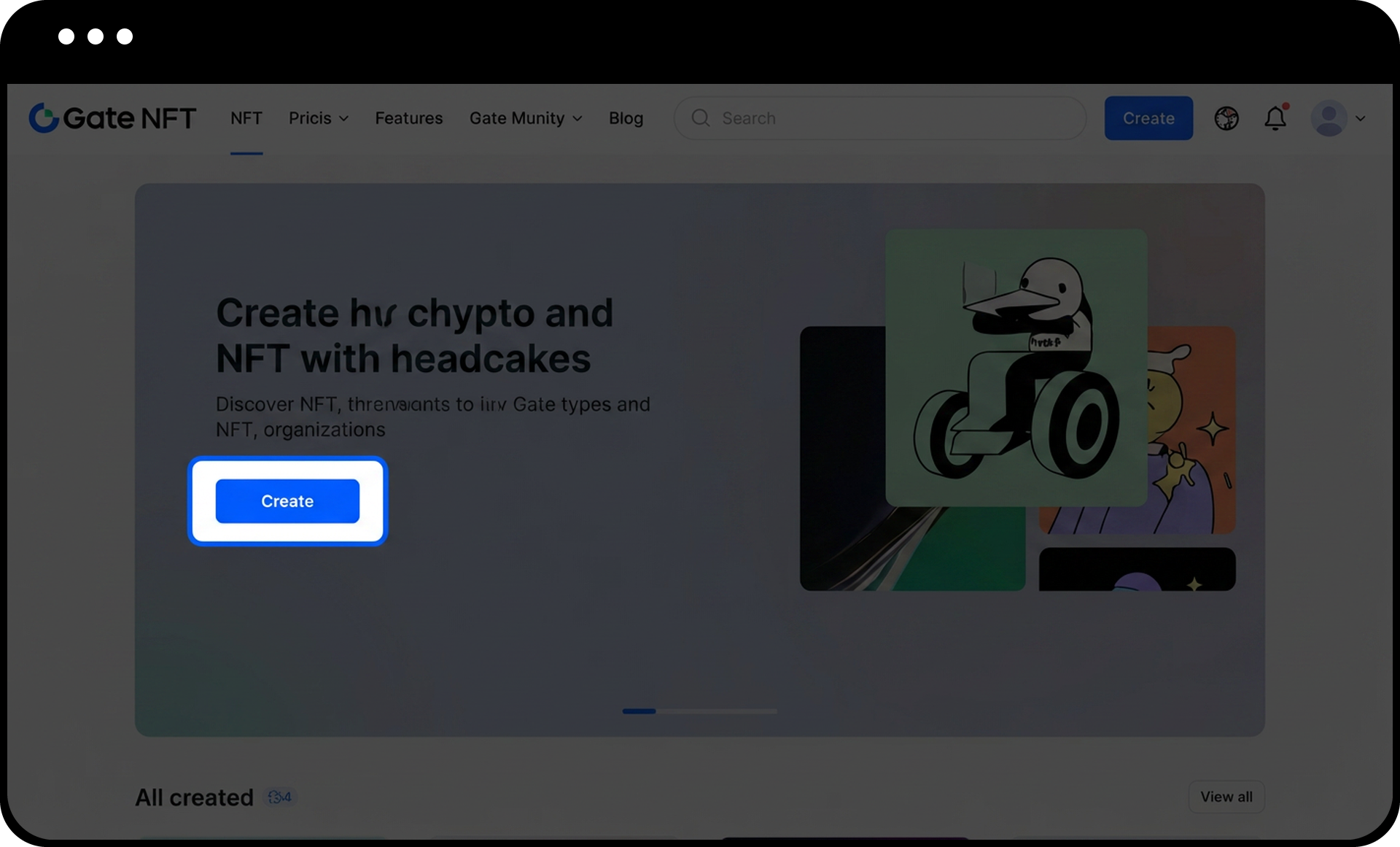
- Navigate to the Gate NFT homepage.
- Click the "Create" button to enter the creation page.
Step 3: Upload and Configure Your NFT
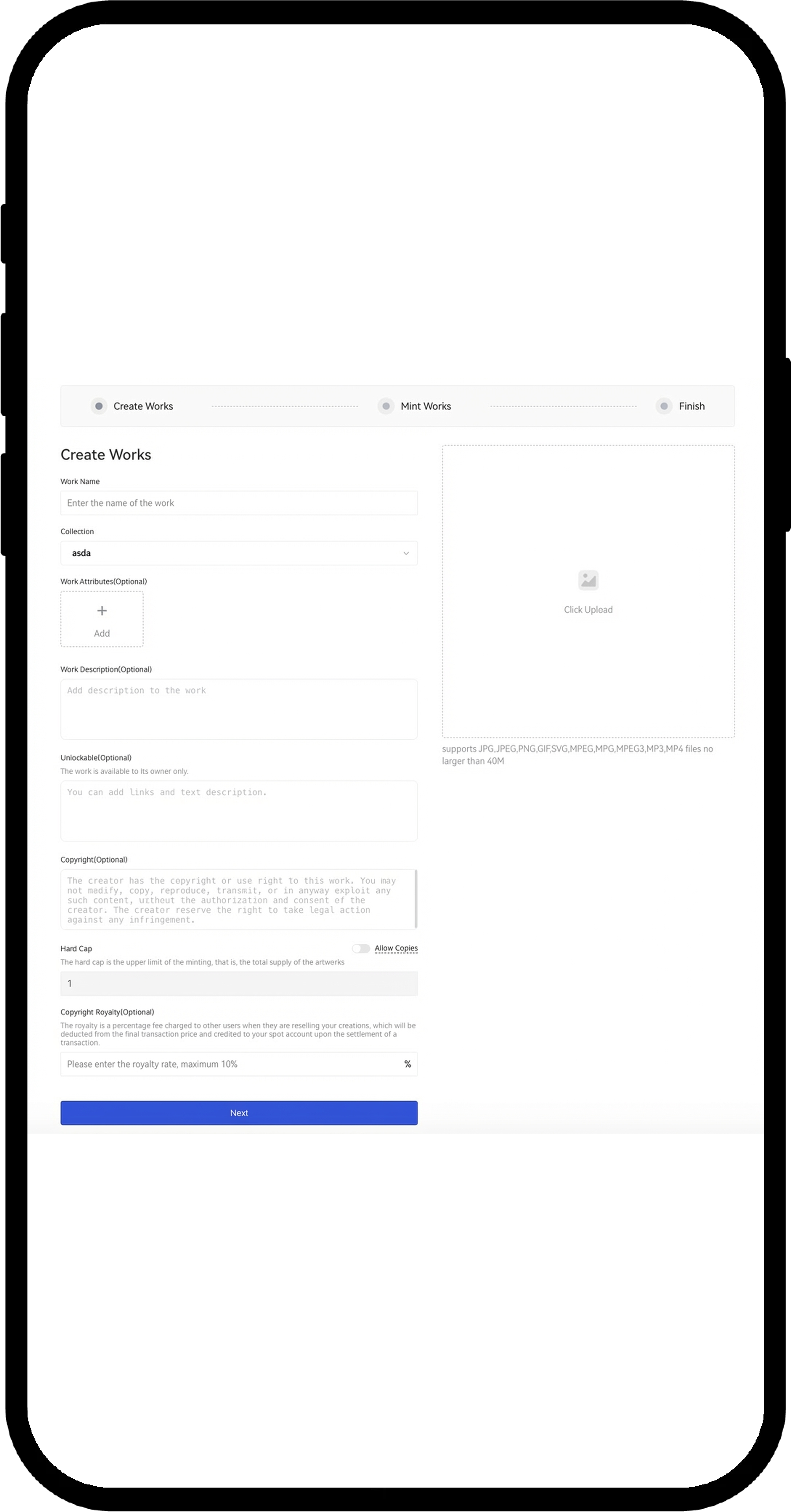
- On the work creation page, upload your work file (supported formats: JPG, JPEG, PNG, GIF, SVG, MPEG, MPG, MP4, MP3).
- Fill in the work name.
- Select the collection the work belongs to.
- Customize your NFT by configuring the following optional settings:
Unlockable Content:
Add additional value to your NFT by inserting content such as links or work descriptions. Once the NFT is sold, buyers can unlock this content.
Hard Cap (Allow Copies):
The default quantity is 1 to maintain NFT uniqueness and indivisibility. If you need multiple copies of the work, enable the "Allow Copies" function.
Copyright Royalty:
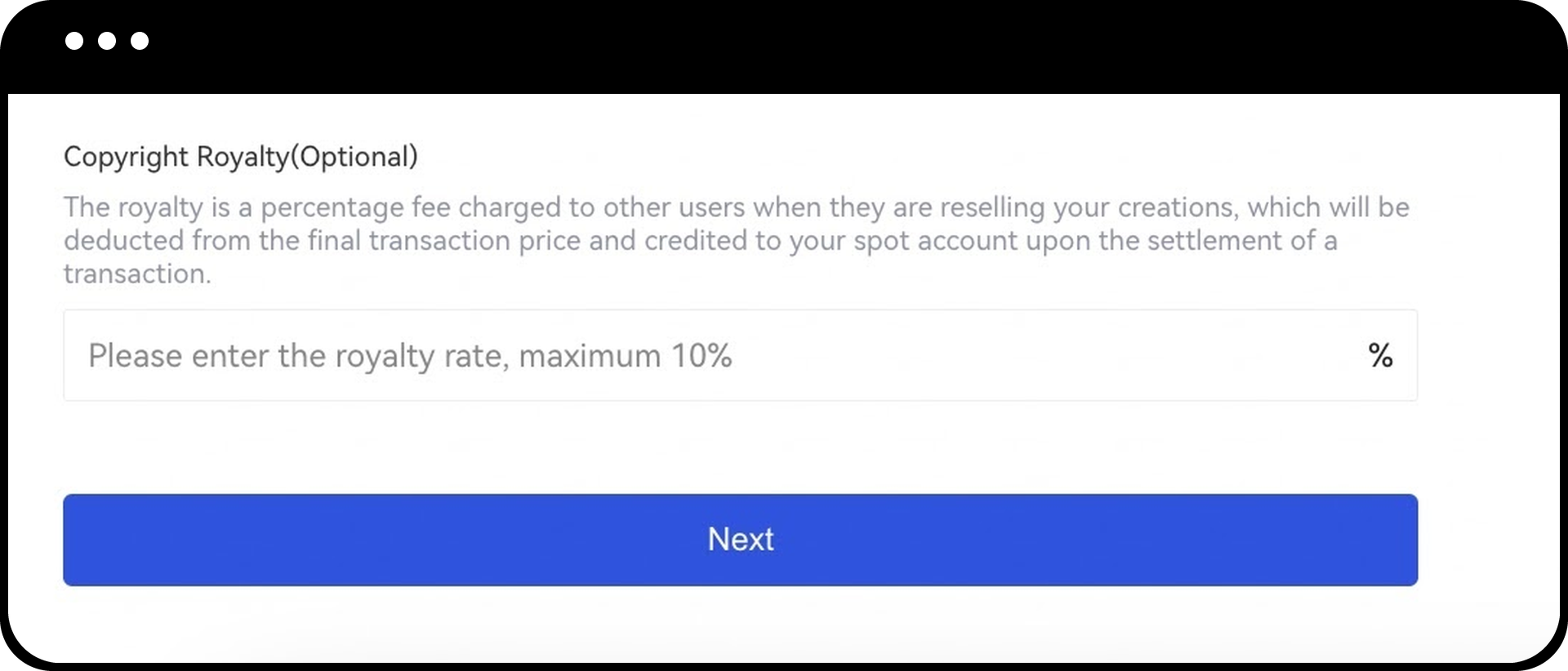
Set royalties for the resale of your work at a rate between 0-10%. This represents the percentage of profit you will receive from future resales by other users. Royalties are credited to your account immediately after each resale.
Step 4: Proceed to Minting Interface
Click "Next" to enter the work minting interface.
Step 5: Mint Your NFT
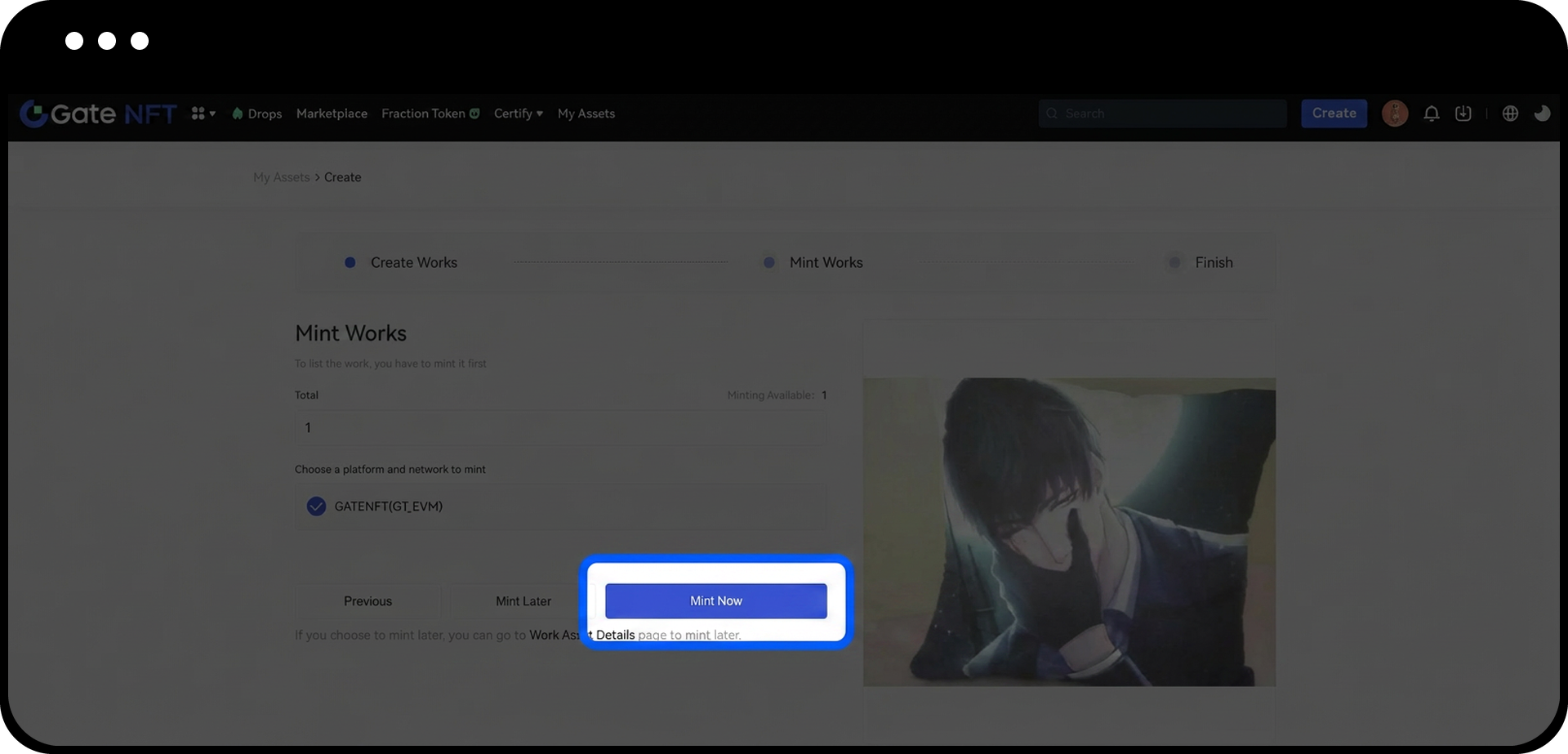
- Fill in the quantity of NFT works you plan to mint.
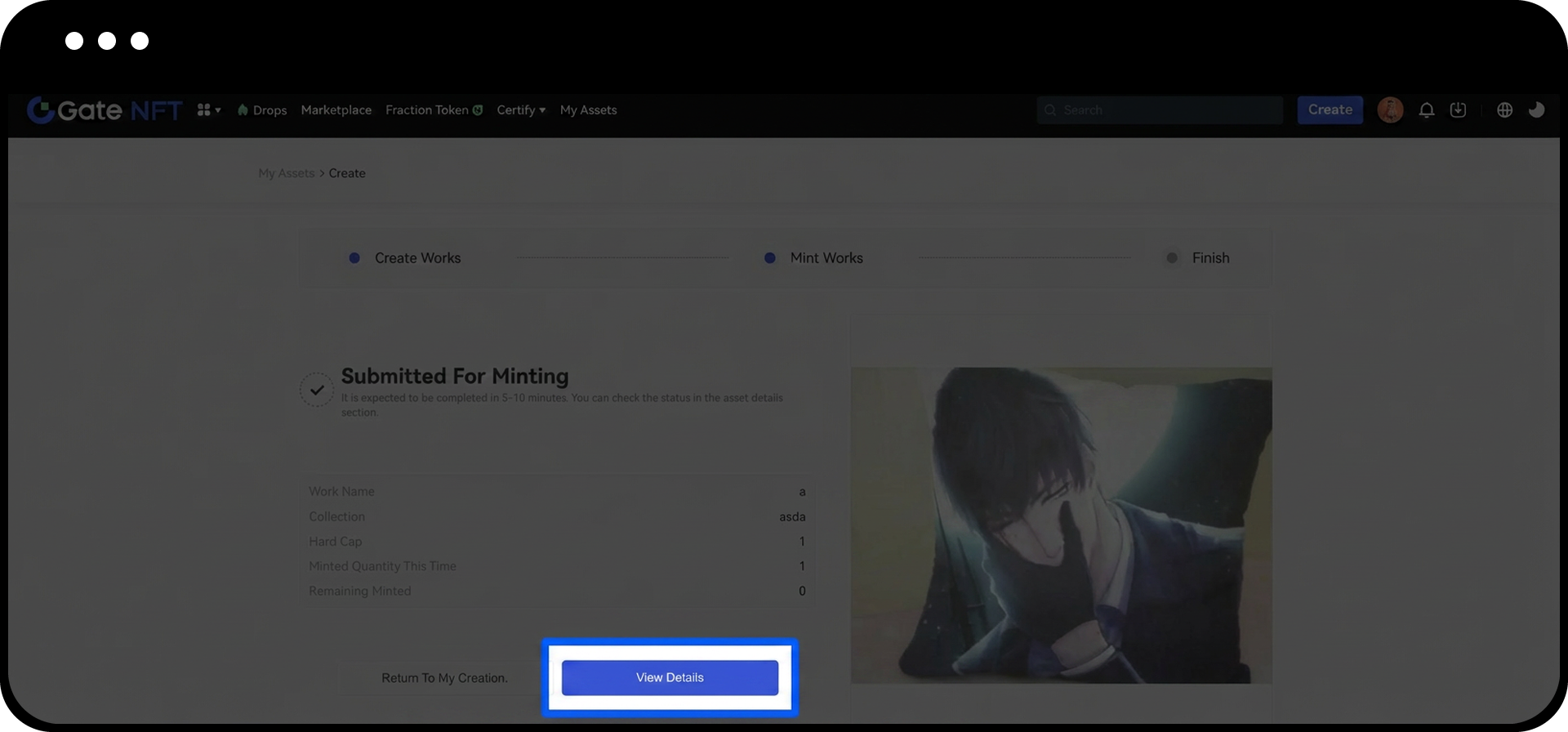
- Click "Mint Now" to submit the request.
Option A: Mint Now
After submitting the request, click "View Details" to view the minting progress on the creation details page. The minting process typically completes within 5-10 minutes.
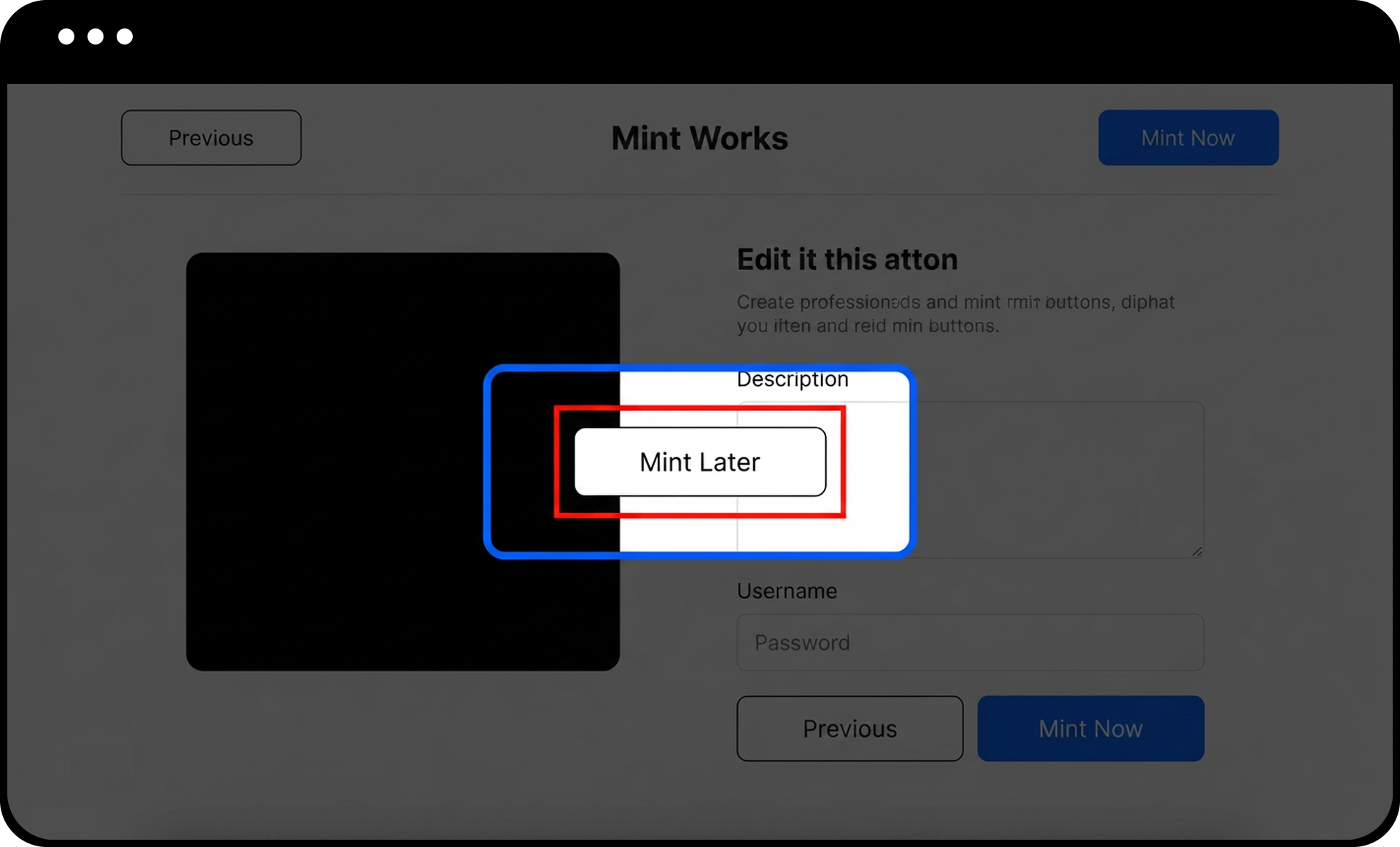
Option B: Mint Later
Click "Mint Later" to save your work and start the minting process later from the creation details page.
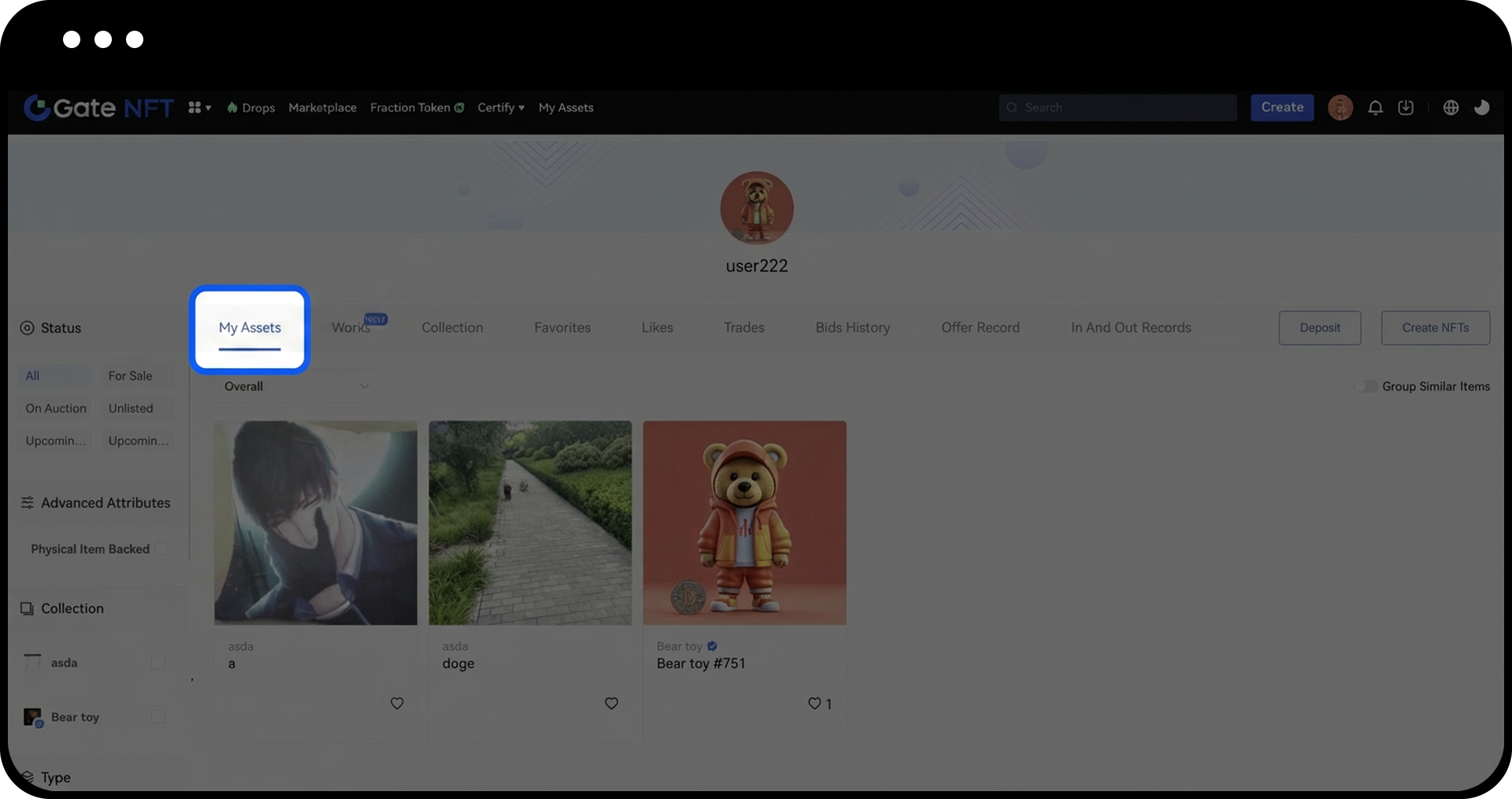
Step 6: Verify Your Minted NFT
After the work is successfully minted, navigate to the "My Assets" page to view your NFT.
Notes
- Gate NFT only provides the platform for minting, trading, and storage of NFTs. The platform cannot determine copyright, quality, physical objects, or implied value of NFTs. Users must conduct their own due diligence before trading.
- NFT transactions occur at low frequency. After being minted and listed, it may take time for the NFT to sell. Transactions cannot be undone once completed.
- NFTs are blockchain digital assets. Loss of private keys or wallets may cause irreversible loss of assets. Properly secure your private keys and wallets.
- The platform currently supports only selected external mainstream platforms. The receiving address is not the spot wallet address. Verify the deposit address and supported contracts before depositing assets to avoid irretrievable losses.
- Content information cannot be changed once the work is minted. Upload and verify all content carefully before minting.
- Gate NFT supports the issuance of multiple copies of works. Verify the quantity before trading to ensure accurate valuation.
- Works displayed or sold on Gate NFT may have copies on other platforms or public chains. Users should verify this information independently before trading.
FAQ
Q1: Can I edit my NFT after it has been minted?
A: No, content information cannot be changed once the work is minted. Ensure all details are correct before completing the minting process.
Q2: How long does it take to mint an NFT?
A: The minting process typically completes within 5-10 minutes after submitting the request. You can check the progress on the creation details page.
Q3: What is the difference between "Mint Now" and "Mint Later"?
A: "Mint Now" immediately submits your NFT for minting, while "Mint Later" saves your work configuration and allows you to initiate the minting process at a later time from the creation details page.
Q4: Can I create multiple copies of the same NFT?
A: Yes, by enabling the "Allow Copies" function during NFT creation, you can mint multiple copies of the same work. The default quantity is 1 to maintain uniqueness.
Q5: How do royalties work for NFT resales?
A: You can set royalties between 0-10% when creating your NFT. This percentage will be automatically credited to your account each time your NFT is resold by other users.
Disclaimer
The content provided herein is for reference and educational purposes only and does not constitute any financial, investment, trading, or legal advice, nor does it constitute an offer or solicitation to buy or sell any digital assets. Gate makes no express or implied representations or warranties regarding the accuracy, completeness, or timeliness of the information contained herein. Product features, interfaces, rules, and fee structures may be updated or adjusted at any time. Please refer to the latest announcements and the actual information displayed on the Gate platform for the most accurate details.
Digital asset investments involve significant risk, and prices may fluctuate substantially. You may lose the entire amount of your investment. Please make decisions cautiously based on your own financial situation and risk tolerance after fully understanding the associated risks. If necessary, you are advised to consult an independent professional financial or legal advisor.
For more information about potential risks, please refer to Gate's Risk Disclosure and User Agreement.
