


The liquidation alert feature on Gate helps users receive notifications when their maintenance margin ratio (MMR) approaches a preset threshold. This allows users to manage risk and avoid liquidation.
Web Version
1. Access Trading Settings:
- Log in to your Gate account.
- Go to the futures page and click on "Trading Settings" in the top-right corner.
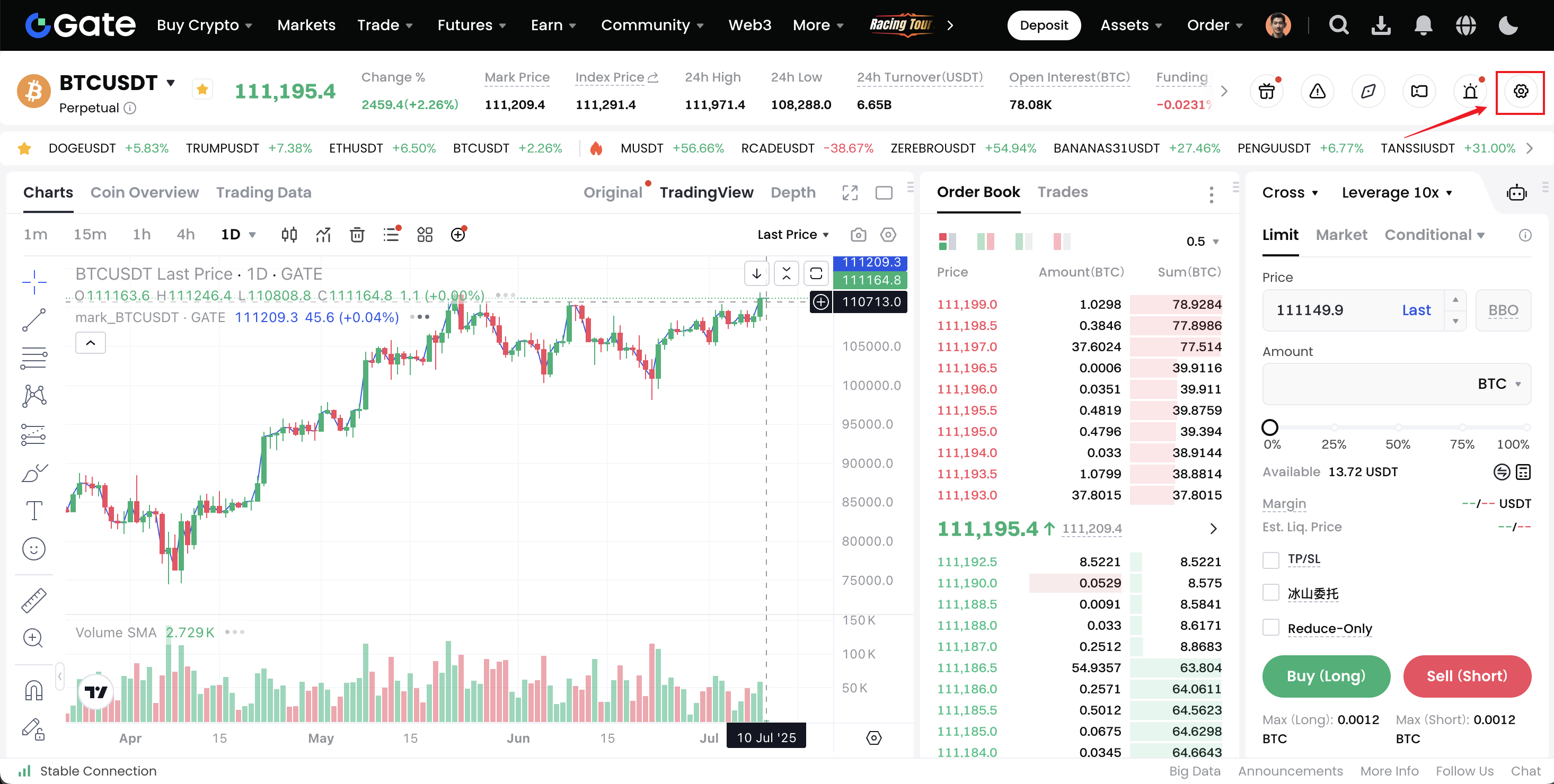
2. Enable Liquidation Alert:
- In the trading settings page, find "Notification Settings" — "Liquidation Alert".
- By default, the liquidation alert feature is enabled. Click "Edit>" to enter the customization settings.
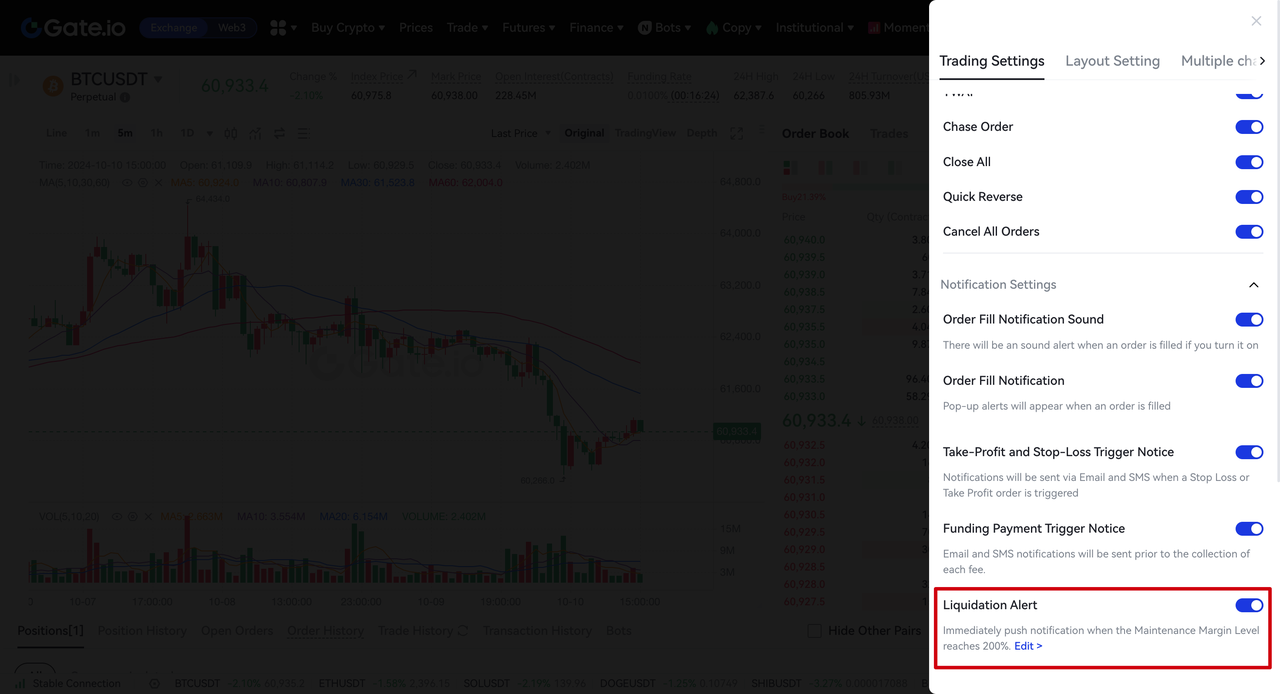
3. Customize Liquidation Alert Threshold:
- In the pop-up liquidation alert customization window, you can select 300%, 200% or 150% as the MMR alert threshold. The default is 200%.
- If no new threshold is selected, the save button will be unavailable. After adjusting, click "Save" to confirm.
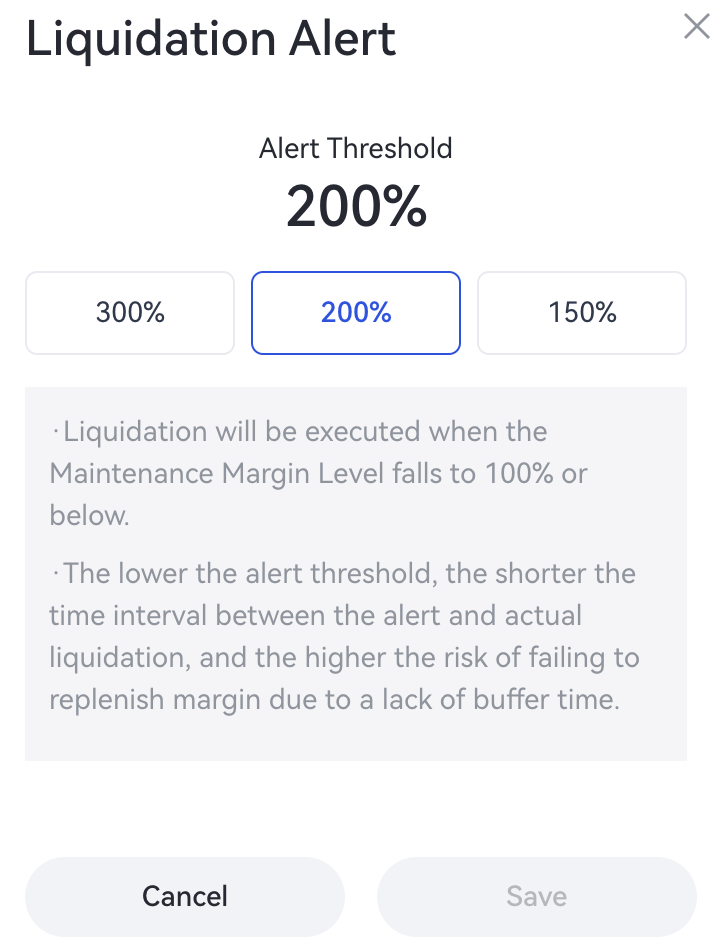
4. Send Notifications:
-
The system will normally send a notification. However, during extreme market conditions, delivery may be delayed. We recommend monitoring your account and open positions directly on the platform to manage risk in a timely manner.
-
Notifications are sent every 30 minutes. If a related alert has already been delivered within the last 30 minutes, the system will check and send the next notification by another 30 minutes.
5. Disable Alert Notifications:
If the liquidation alert feature is turned off, no related notifications will be sent. When the feature is re-enabled, it will automatically restore to the default threshold settings.
App Version
1. Access Futures Settings:
- Open Gate App and log in to your account.
- Tap the settings button with three dots in the upper right corner on the futures trading page.
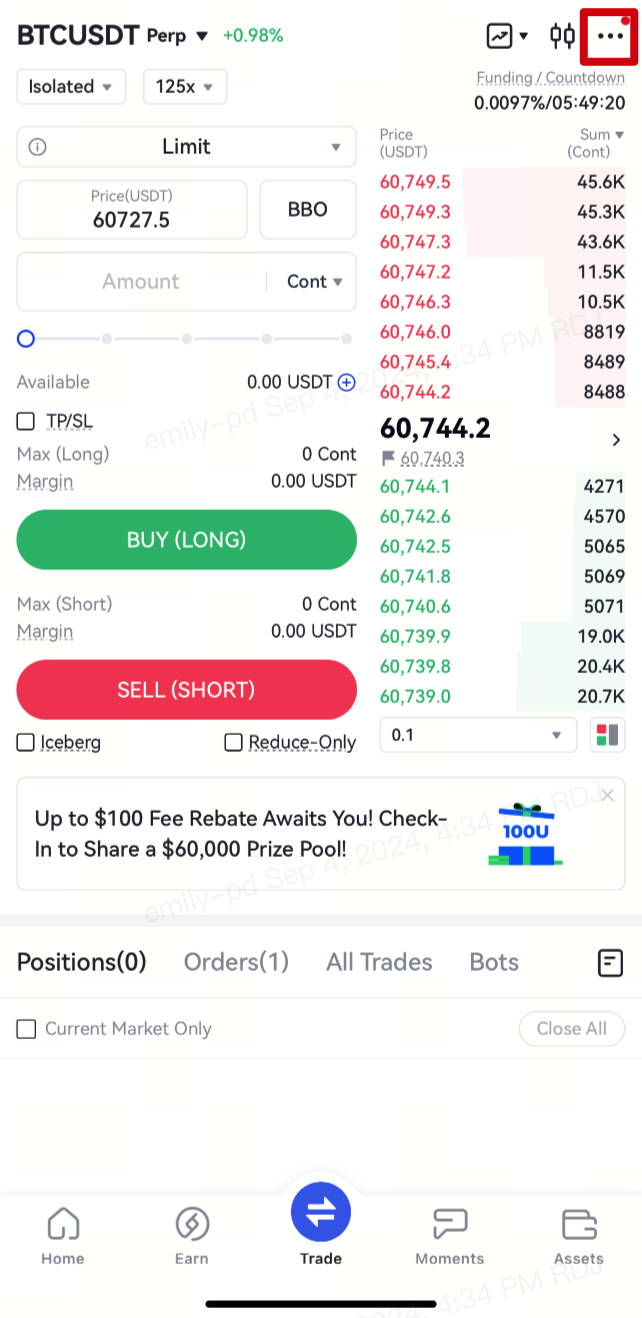
- Select "Trade Settings".
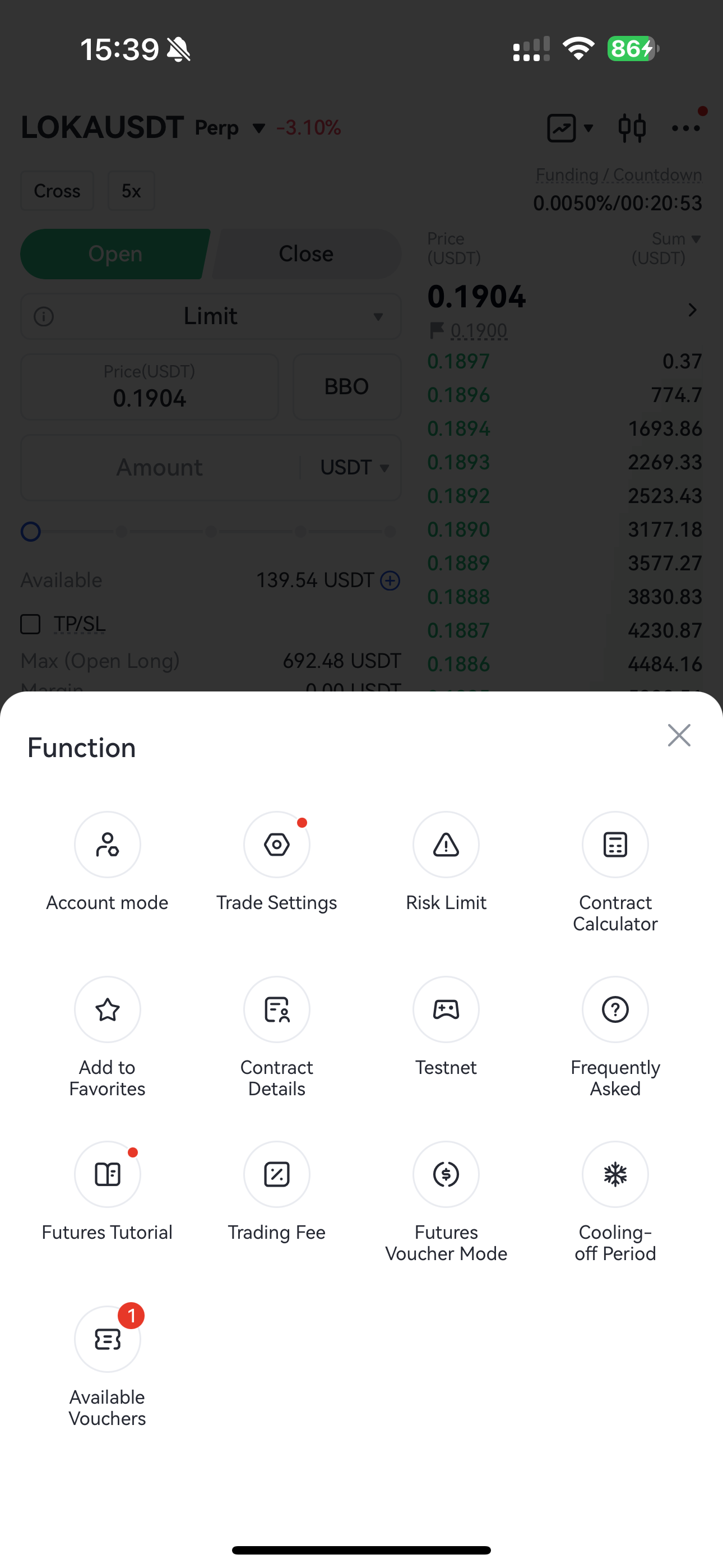
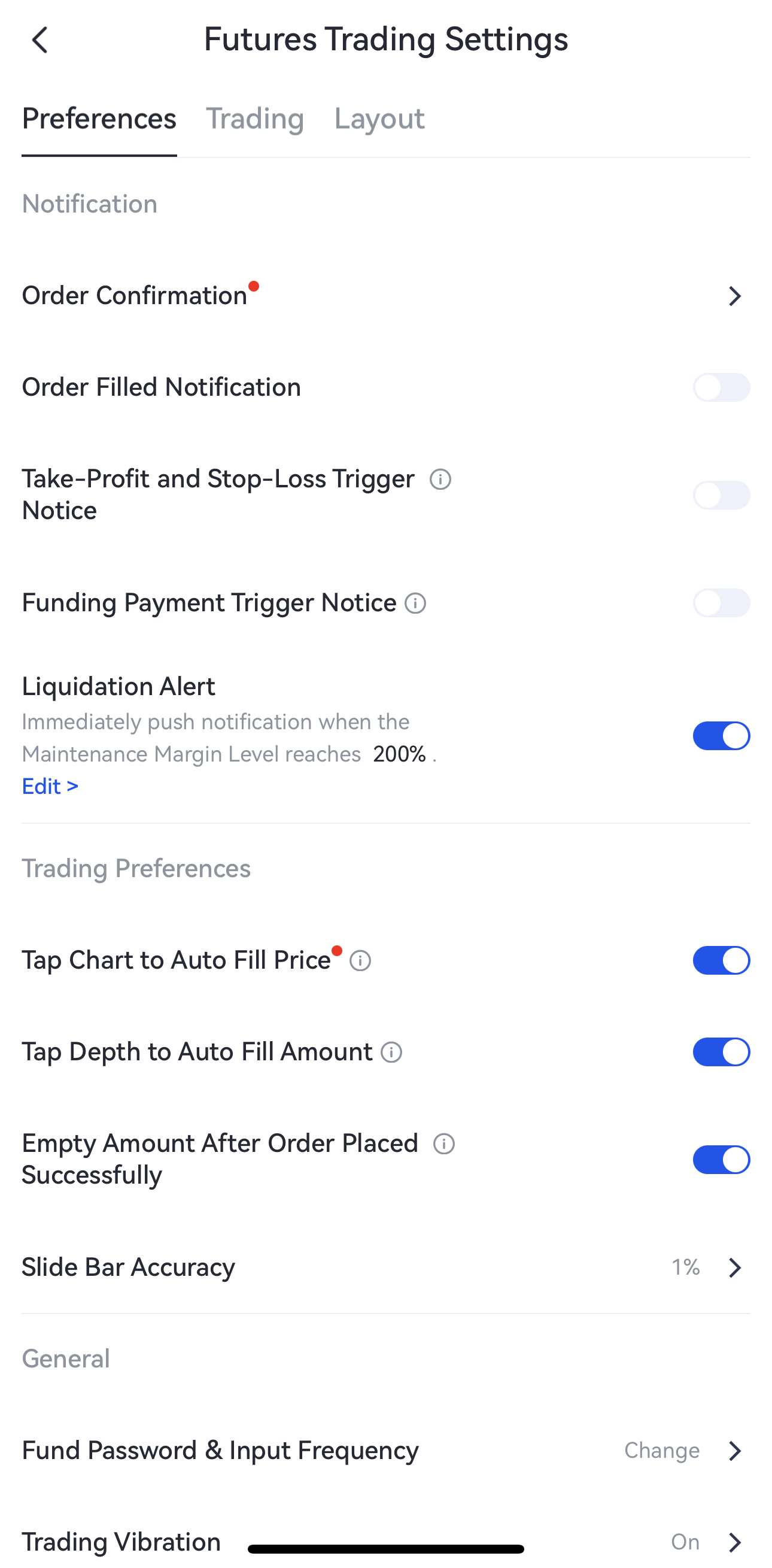
2. Enable Liquidation Alert:
- In the Futures Trading Settings page, find "Notification" — "Liquidation Alert". (Note: This feature is enabled by default.)
- Tap "Edit>" to enter the customization page.
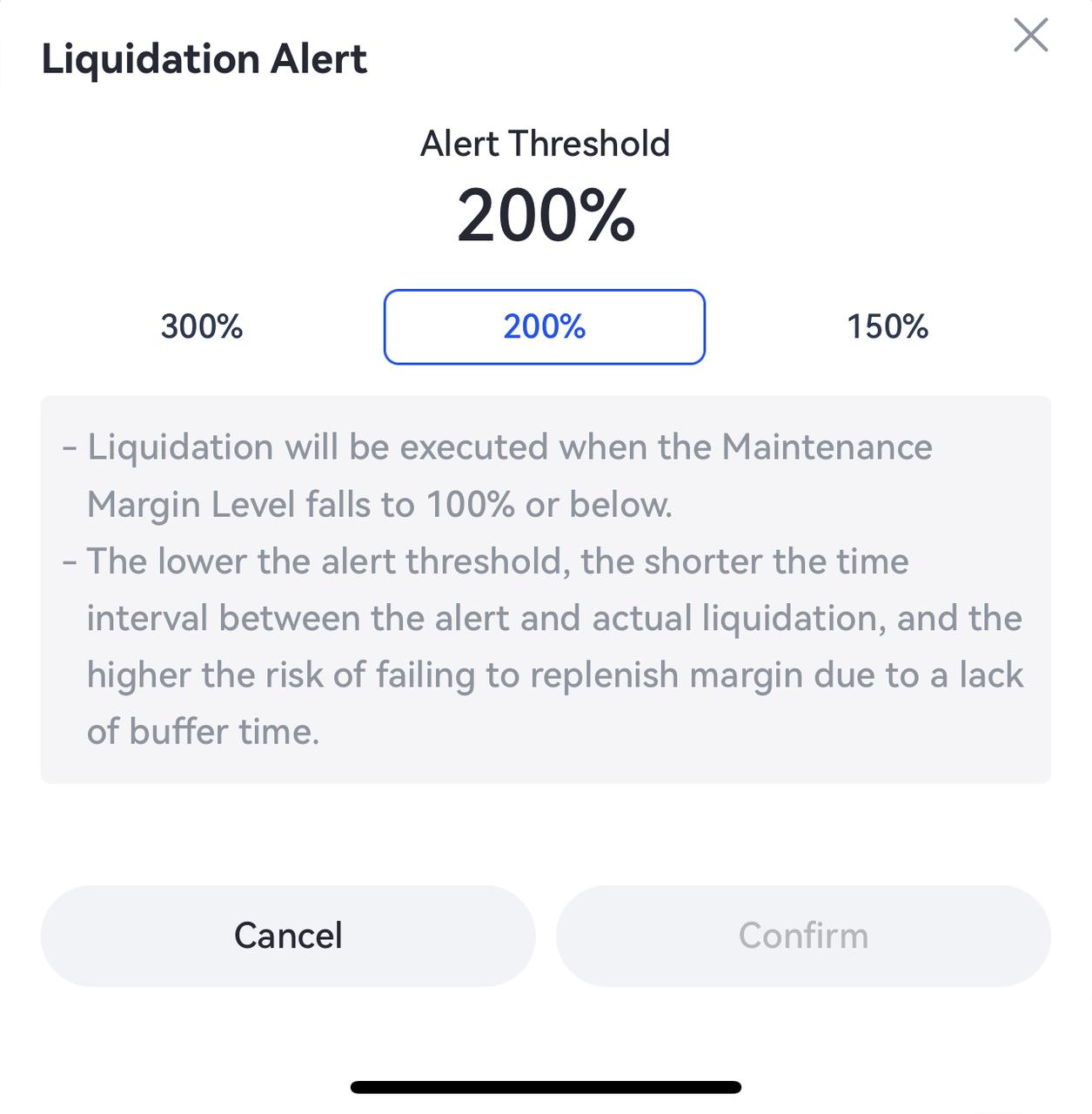
3. Customize Liquidation Alert Threshold:
- In the pop-up liquidation alert customization window, you can select 300%, 200% or 150% as the MMR alert threshold. The default is 200%.
4. Send Notifications:
-
The system will normally send a notification. However, during extreme market conditions, delivery may be delayed. We recommend monitoring your account and open positions directly on the platform to manage risk in a timely manner.
-
Notifications are sent every 30 minutes. If a related alert has already been delivered within the last 30 minutes, the system will check and send the next notification by another 30 minutes.
5. Disable Alert Notifications:
If the liquidation alert feature is turned off, no related notifications will be sent. When the feature is re-enabled, it will automatically restore to the default threshold settings.
Gate reserves the final right to interpret the product.
For further assistance, please visit the Gate official support page or contact our customer support team.
The content provided herein is for reference and educational purposes only and does not constitute any financial, investment, trading, or legal advice, nor does it constitute an offer or solicitation to buy or sell any digital assets. Gate makes no express or implied representations or warranties regarding the accuracy, completeness, or timeliness of the information contained herein. Product features, interfaces, rules, and fee structures may be updated or adjusted at any time. Please refer to the latest announcements and the actual information displayed on the Gate platform for the most accurate details.
Digital asset investments involve significant risk, and prices may fluctuate substantially. You may lose the entire amount of your investment. Please make decisions cautiously based on your own financial situation and risk tolerance after fully understanding the associated risks. If necessary, you are advised to consult an independent professional financial or legal advisor.
For more information about potential risks, please refer to Gate's Risk Disclosure and User Agreement.
