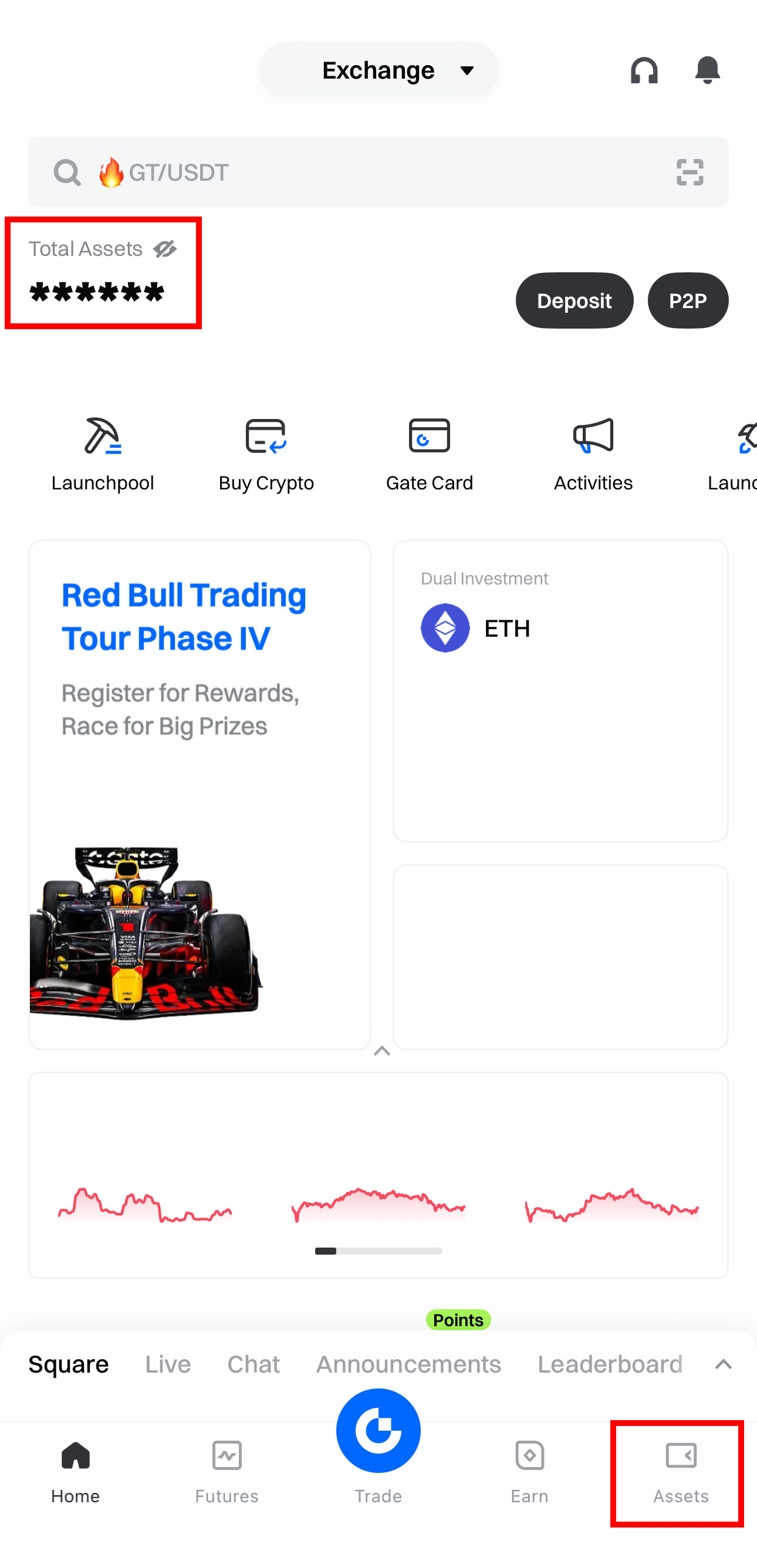
Step 1: Click [Total Assets] in the top-left corner or [Assets] in the bottom-right corner.
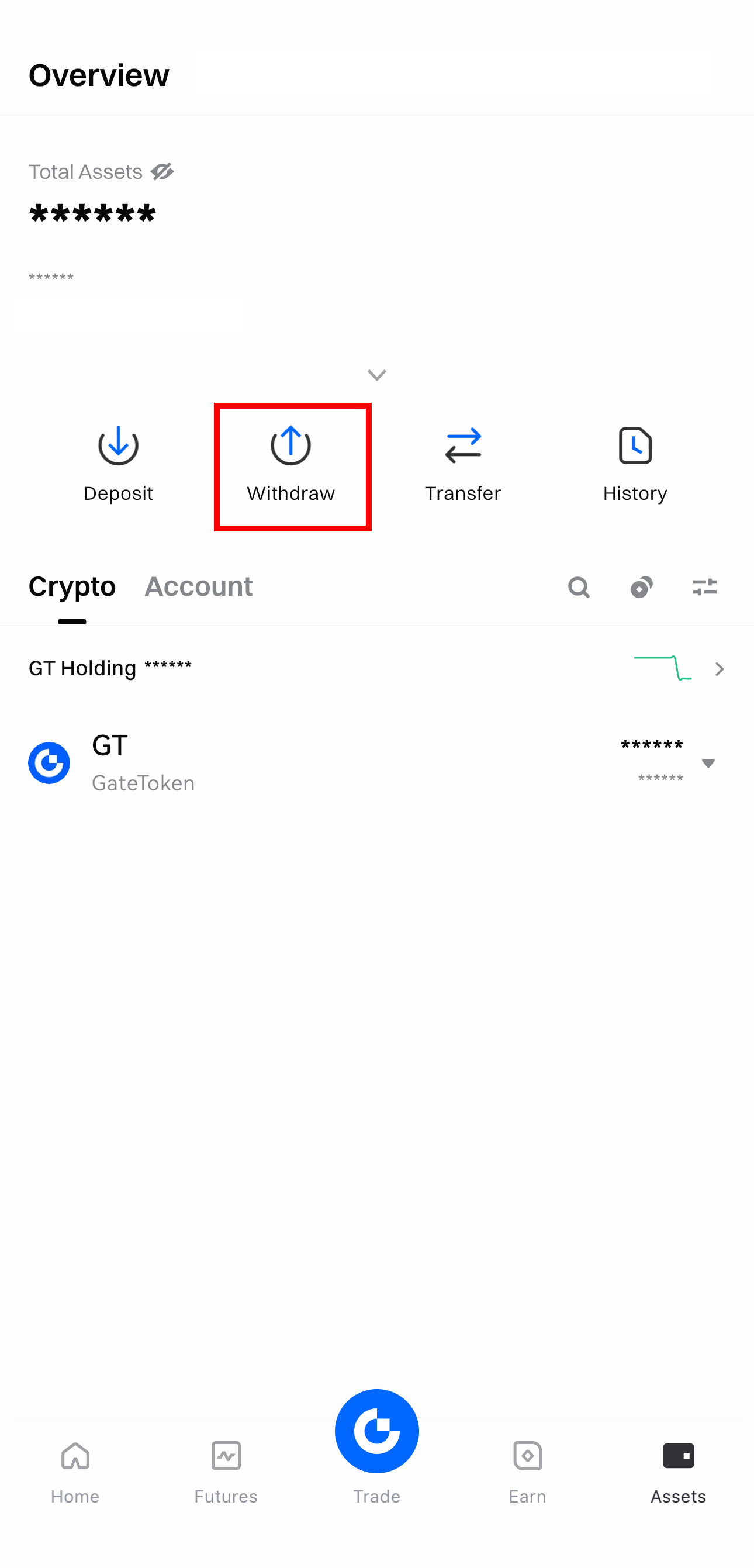
Step 2: Click [Withdraw].
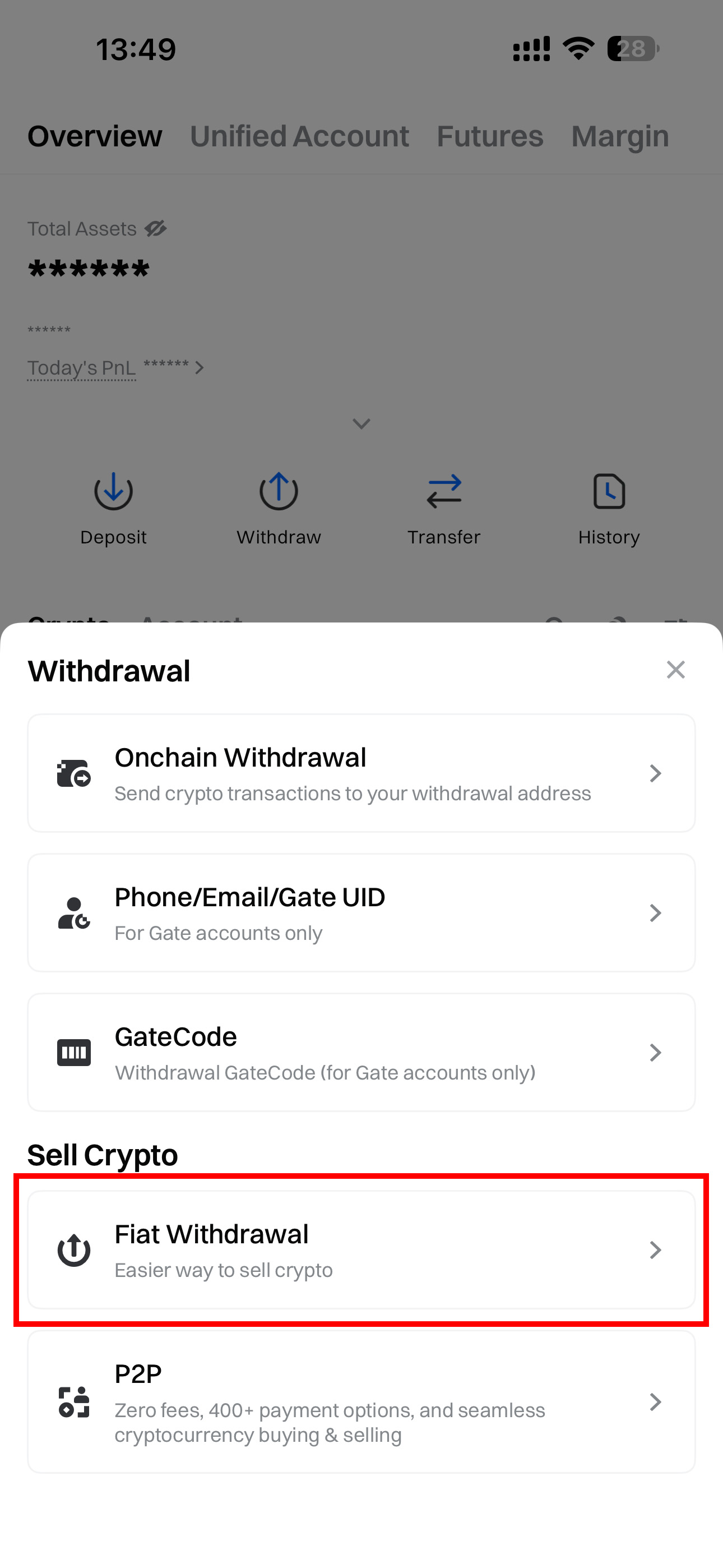
Step 3: Click [Fiat Withdrawal].
Step 4: Enter withdraw amount.
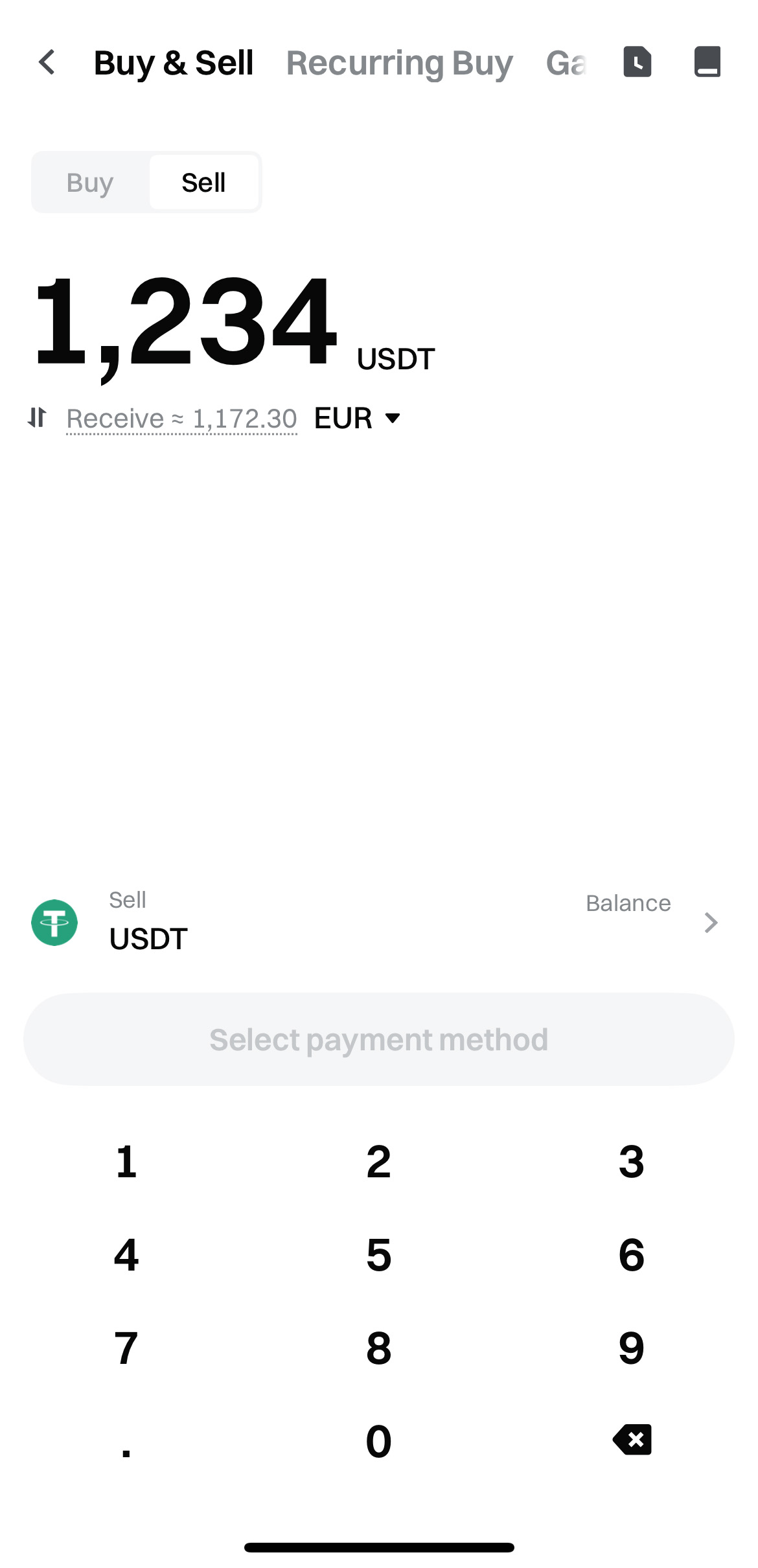
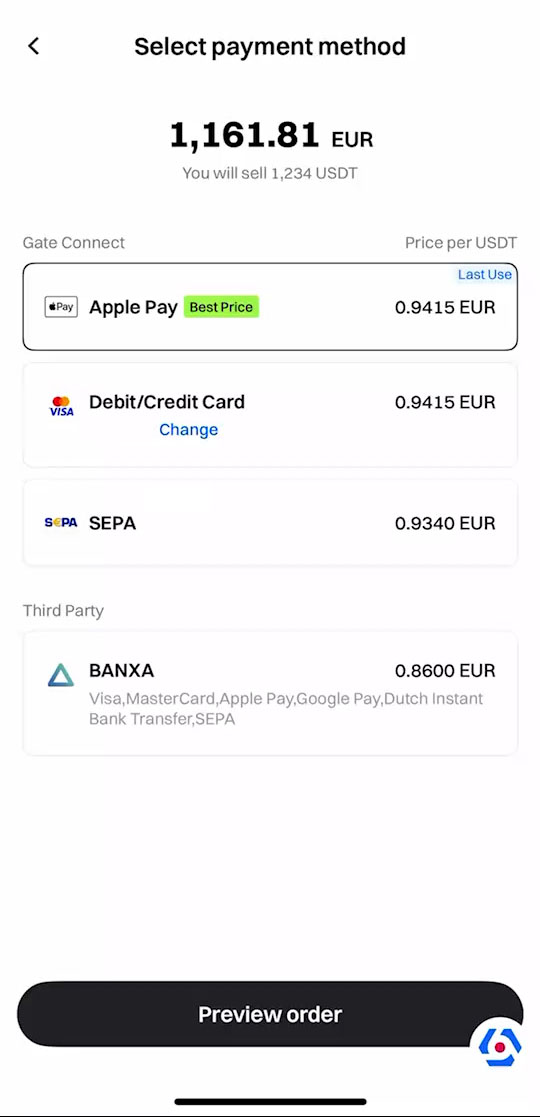
Step 5: Select the payment method [Apple Pay] and click [Preview Order].
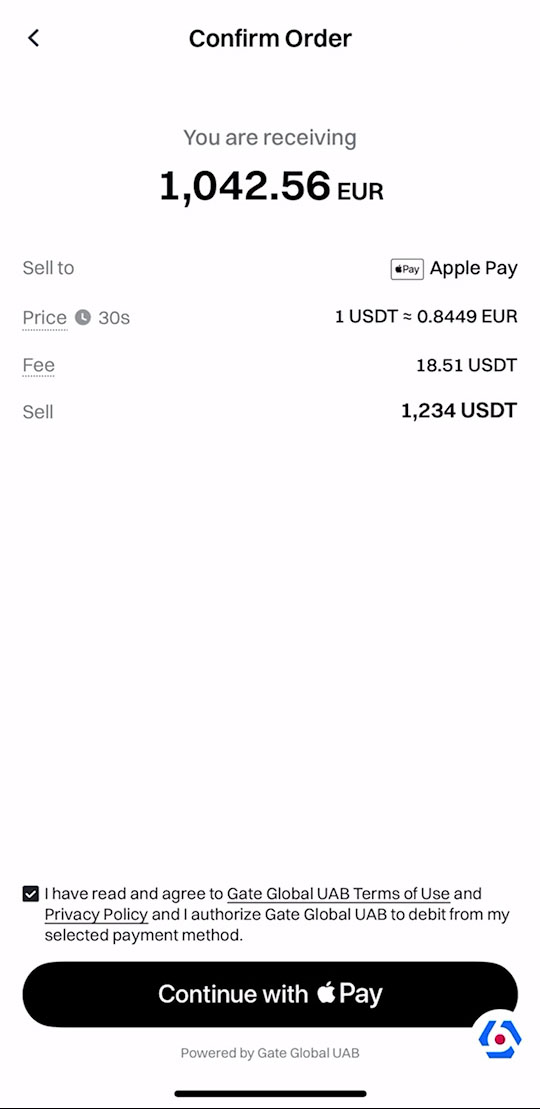
Step 6: Confirm the withdrawal details and check the user agreement, then click [Continue with Apple Pay].
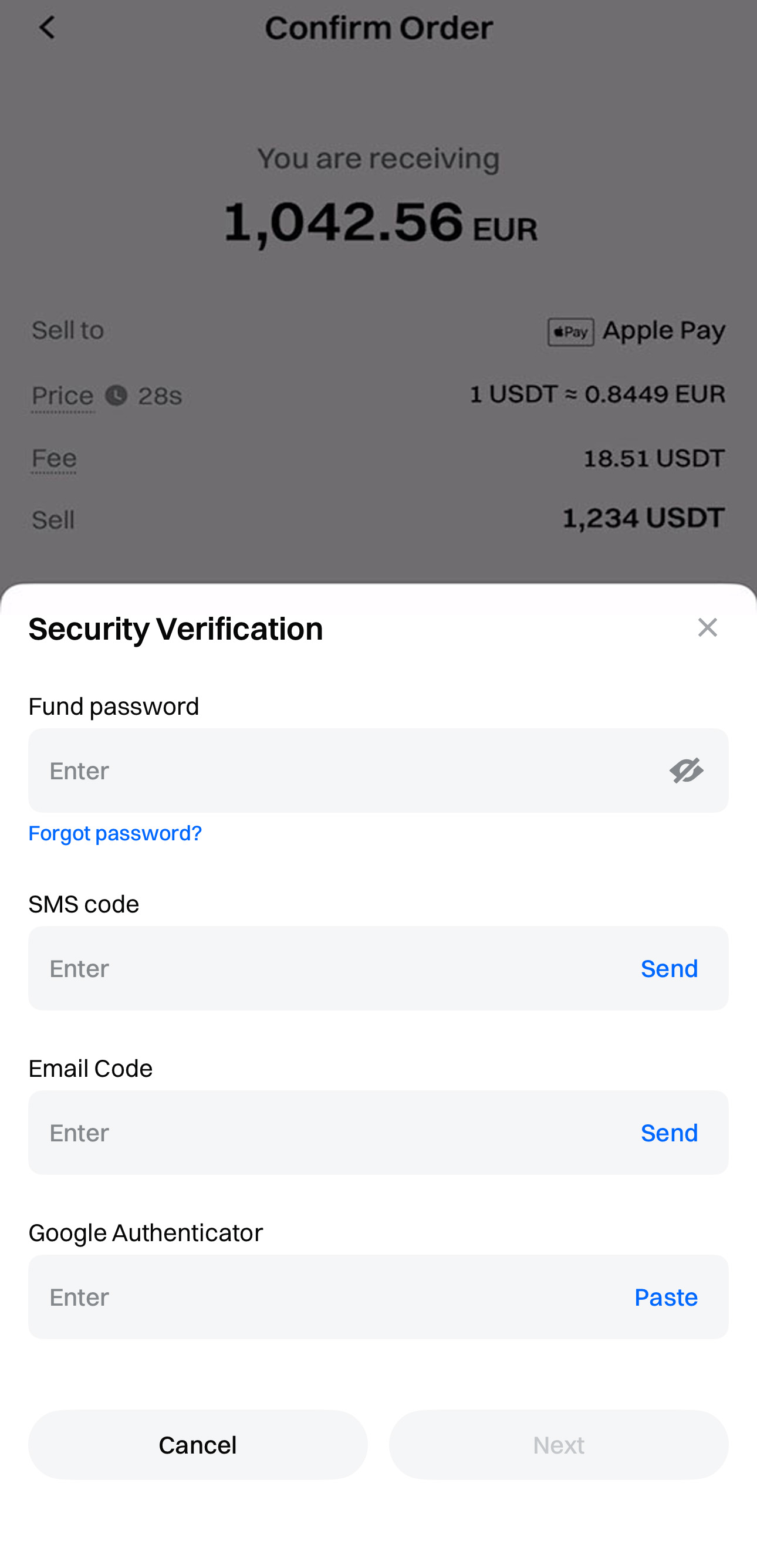
Step 7: Enter your fund password, SMS verification code, email verification code and Google Authenticator information, then click [Next].
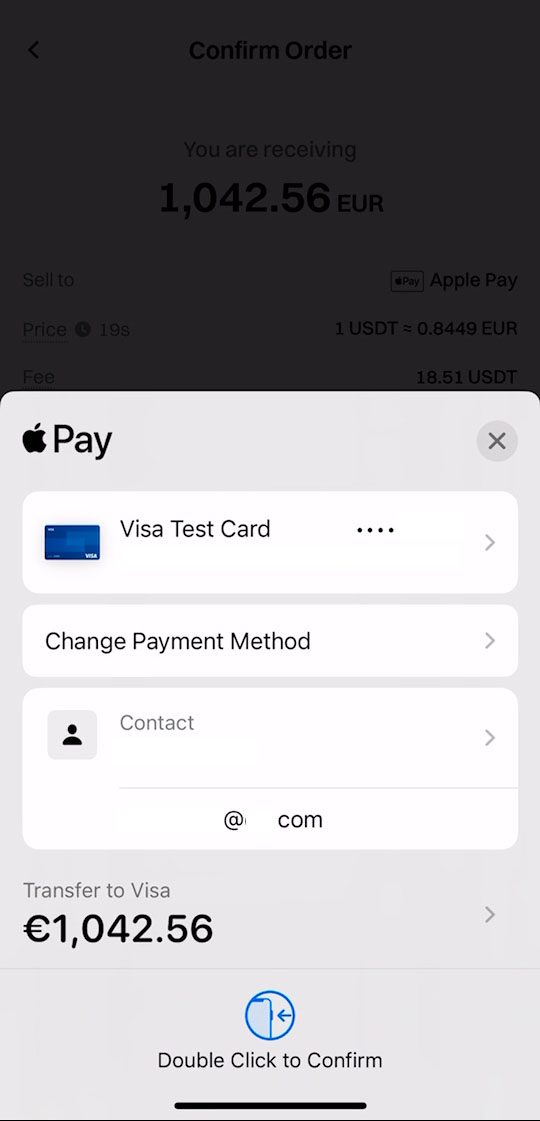
Step 8: Redirect to Apple Pay page and confirm the withdrawal amount.
Step 9: Wait for the order to be completed.
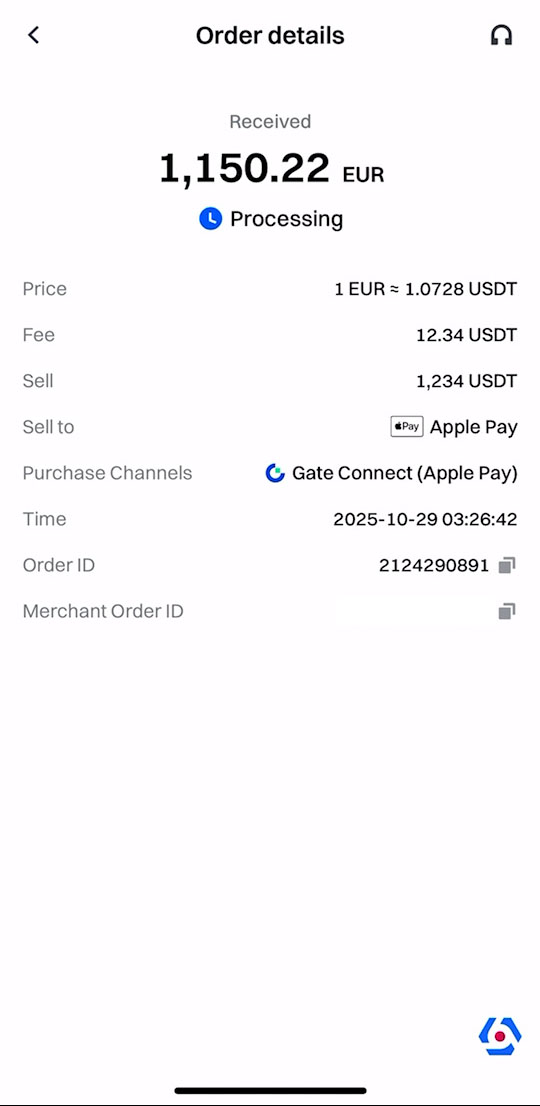
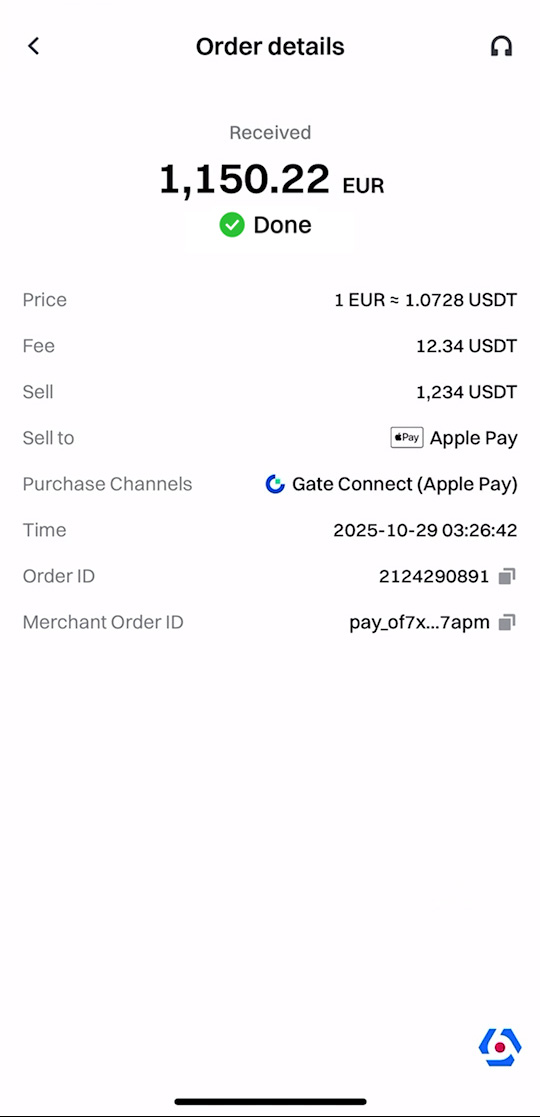
Step 10: Withdraw completed.