


1.Start Futures Leading
WEB: Enter “Copy Trading” homepage - click on “Parameters setup” - set parameters
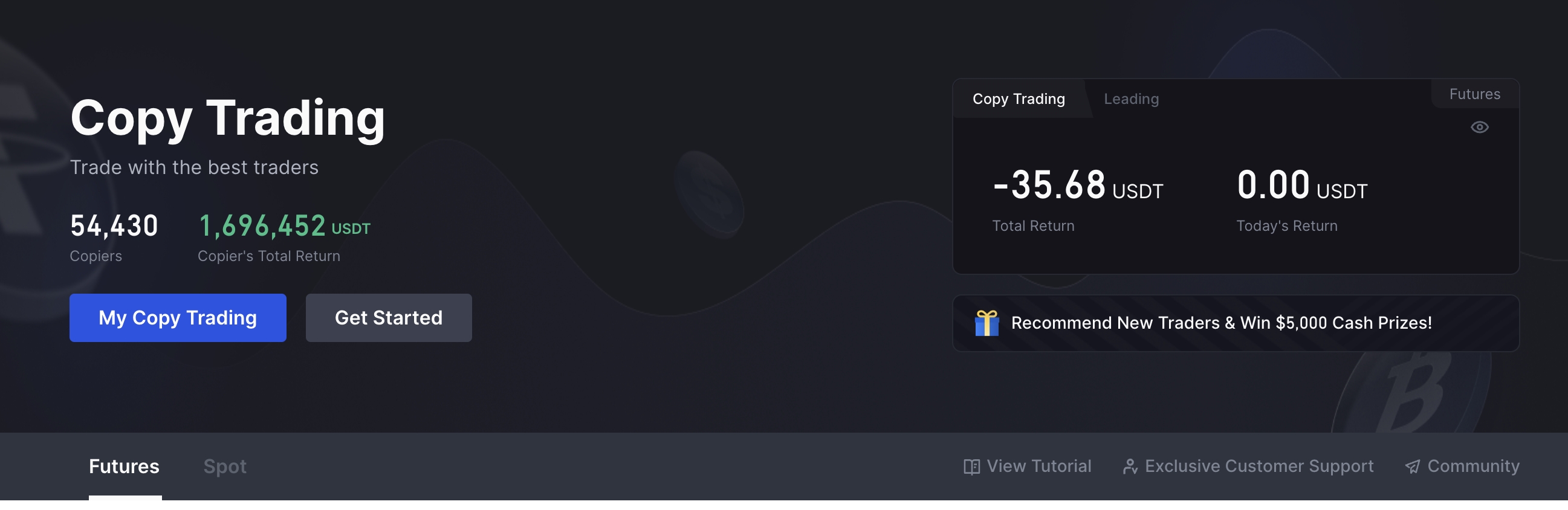
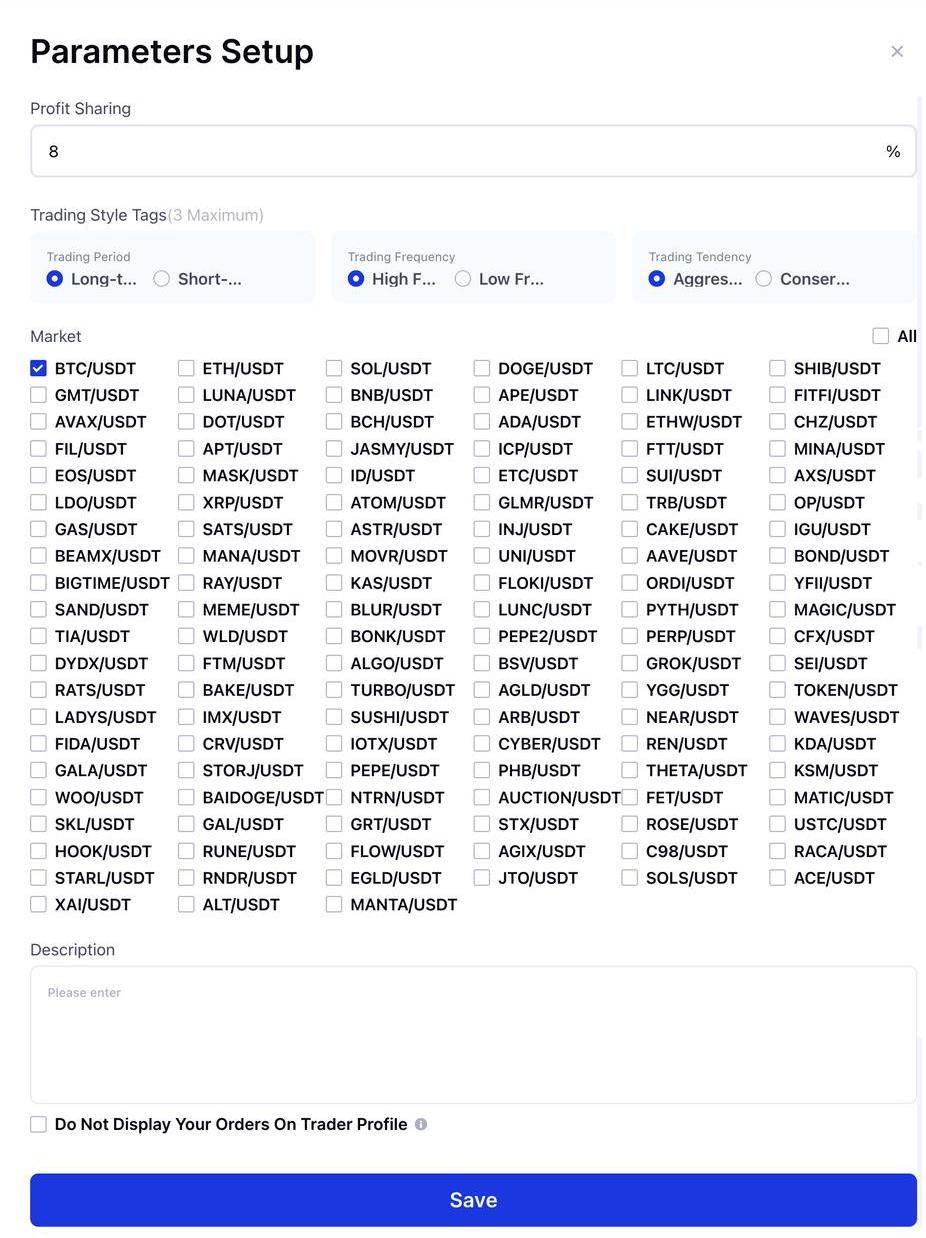
APP: Enter “Copy Trading” homepage - click on “Total Assets” - select “Lead” - click on “Parameters setup” - setup parameters - start leading.
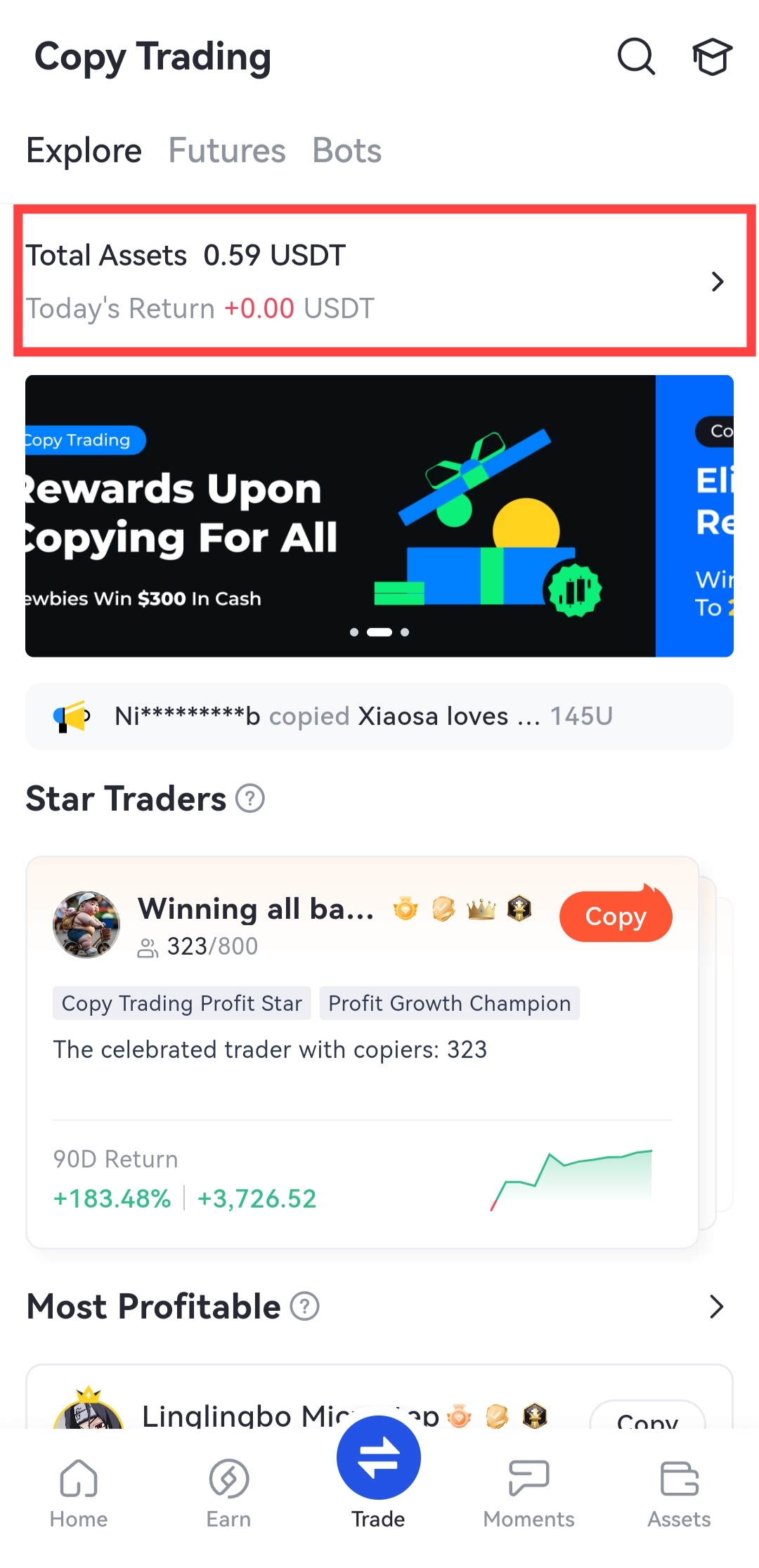
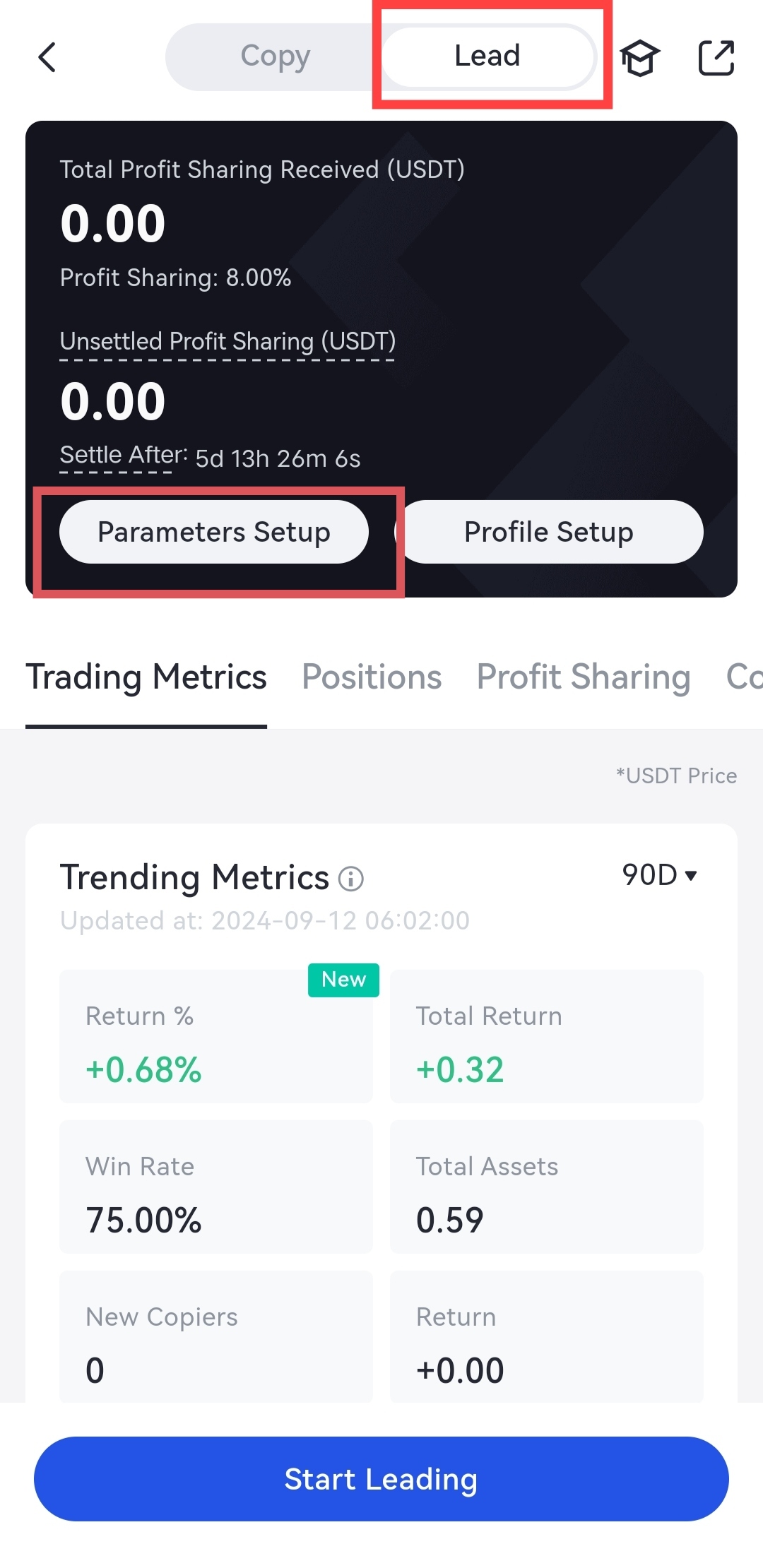
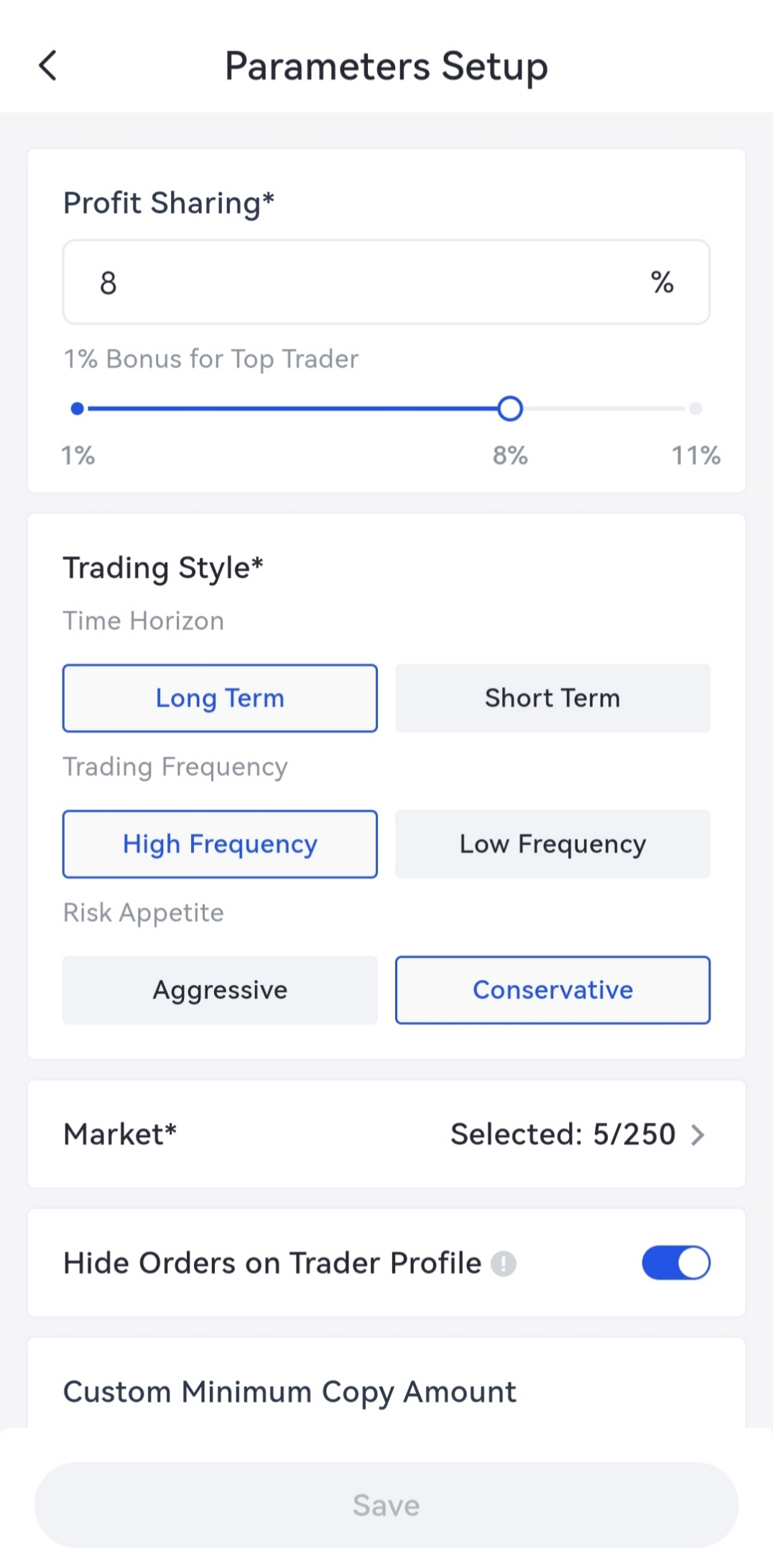
Note: Lead Traders are expected to complete the parameters setup as soon as possible after successful application. Otherwise, their homepage will be hidden and they will enter the cooling-off period. Please refer to .
2. Set Risk Limits
Risk limits are a risk mechanism established to prevent significant impacts on Futures market prices due to a large number of forced liquidations in the market. By setting certain restrictions on the number of positions a user can hold, it reduces the potential impact in extreme market situations, where selling pressure exceeds the maintenance margin ratio.
If a user wishes to hold more positions, they can increase their risk limits, but this will also raise the maintenance margin ratio (which will correspondingly require an increase in the initial margin ratio, thereby reducing the allowable leverage).
Please check How to Avoid Copy Trade Failures Caused by Risk Limits?
Note: After lead traders set the risk limits, the copiers will copy synchronously. Lead traders should set risk limits carefully to avoid harming the rights and interests of copiers.
3.Maintain Leading Orders
1.Check Order Information
WEB:
After creating your leading orders, you can go to the home page of copy trading-“My Copy Trading”-”Leading Mode” to check the leading information including trading metrics, order information, profit sharing, copiers data, etc.
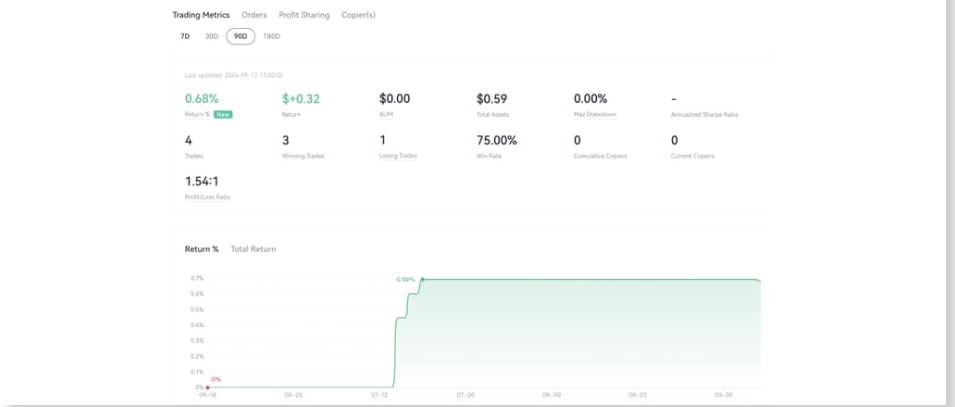
APP:
After creating your leading orders, you can check the leading information under “Lead” including trading metrics, order information, profit sharing, copiers data, etc.
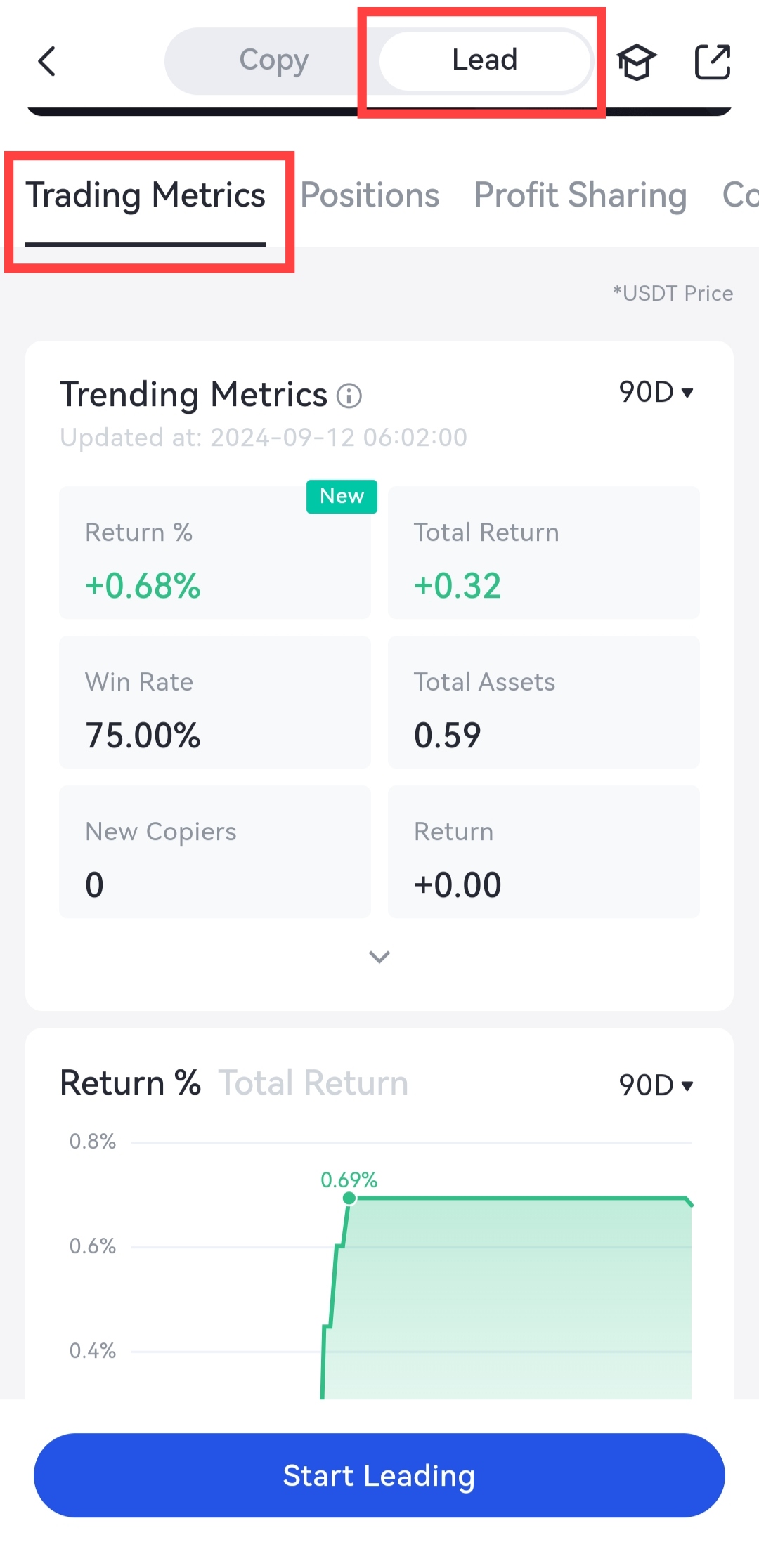
2.Close/Add Positions Reasonably
If you need to close a position, you can:
WEB:
Enter “Leading Mode’’ page - click on “close the position” in the list of Order Info - go to “Leading” and the position will be closed at the market price immediately. Closing position orders are displayed in historical order.

APP:
Enter “My Copy Trading” - “Lead” - “Positions” - “Close Position” and the position will be closed at the market price immediately. Closing position orders are displayed in historical order.
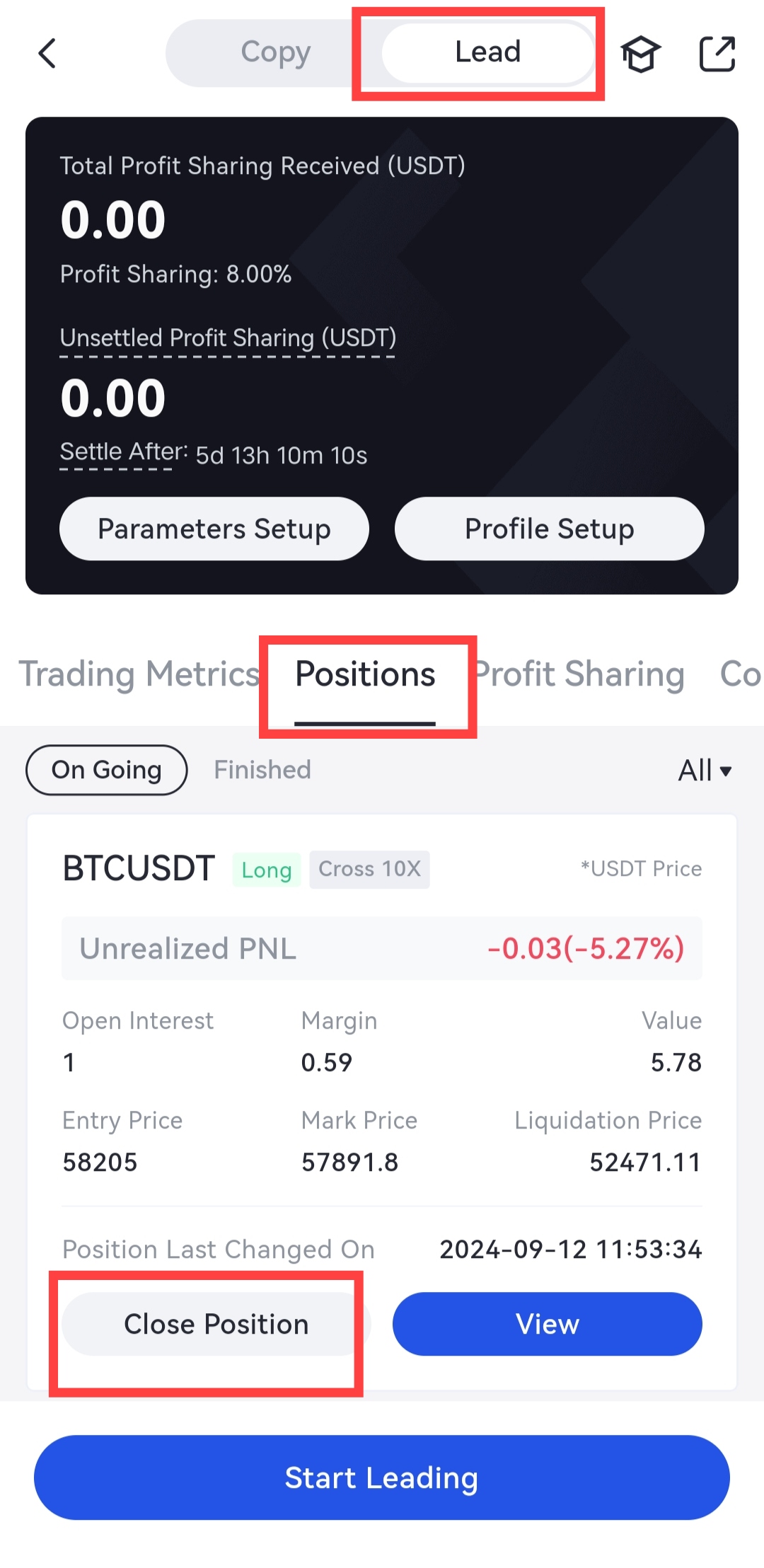
3. Remove Copiers Under Specific Circumstances
How to remove copiers
WEB: Click on [My Copy Trading - Leading Mode] - Tab of the Current Copiers - click on the [Remove] button to remove the current copiers.
APP: Click on [My Copy Trading - Lead - Copiers] - Tab of the Current Copiers - click on the [Remove] button to remove the current copiers.
The specific logic is as follows:
Click on the pop-up box after removal. Backstage will determine the removal result, which is divided into:
Removed unsuccessfully: including the following situations: (1) the current copier is in a loss state, (2) there is currently a copying position, (3) there is an order which is partially/fully finished;
Removed successfully: the current copier is in a non-loss state, instead he’s in a profitable state or has no copying returns (and no copying position), including the following situations: (1) no order, (2) there is an order but not filled.
After successful removal:
Immediately remove this user from the copying list. If the copier already has a copying order, the system will immediately cancel the order. Then the copy funds will be returned to the spot account of the copier.
Tip:
Trader: Promp message on interface: “Remove successfully”
Copier: Prompt message in platform notifications: “XXX is removed from the copying list by the trader”
Note:
This function is used to safeguard the interests of traders and prevent users from viciously copying. Traders are advised to use this feature with caution and pay attention to the benefits of each copier!
Gate reserves the final right to interpret the product.
Disclaimer
The content provided herein is for reference and educational purposes only and does not constitute any financial, investment, trading, or legal advice, nor does it constitute an offer or solicitation to buy or sell any digital assets. Gate makes no express or implied representations or warranties regarding the accuracy, completeness, or timeliness of the information contained herein. Product features, interfaces, rules, and fee structures may be updated or adjusted at any time. Please refer to the latest announcements and the actual information displayed on the Gate platform for the most accurate details.
Digital asset investments involve significant risk, and prices may fluctuate substantially. You may lose the entire amount of your investment. Please make decisions cautiously based on your own financial situation and risk tolerance after fully understanding the associated risks. If necessary, you are advised to consult an independent professional financial or legal advisor.
For more information about potential risks, please refer to Gate's Risk Disclosure and User Agreement.
