


Застосовні інструкції
Ця стаття стосується: веб-платформи Gate
Підготовка перед початком: реєстрація та вхід до акаунта Gate завершені
Орієнтовний час виконання: 3 хвилини
Мета
Цей гайд допоможе вам скопіювати стратегії торгових ботів, створені іншими провідними трейдерами на веб-платформі Gate.
Кроки
Крок 1: Ознайомтеся з функцією Copy Bot
Copy Bot дозволяє вам відтворювати торгових ботів, створених іншими користувачами (сигнальними провайдерами). Ви можете переглядати результати роботи ботів, створених іншими користувачами, у розділах Leaderboard або Bot Square і обирати стратегію трейдера для копіювання, орієнтуючись на такі показники, як річна дохідність, загальний прибуток і час роботи бота.
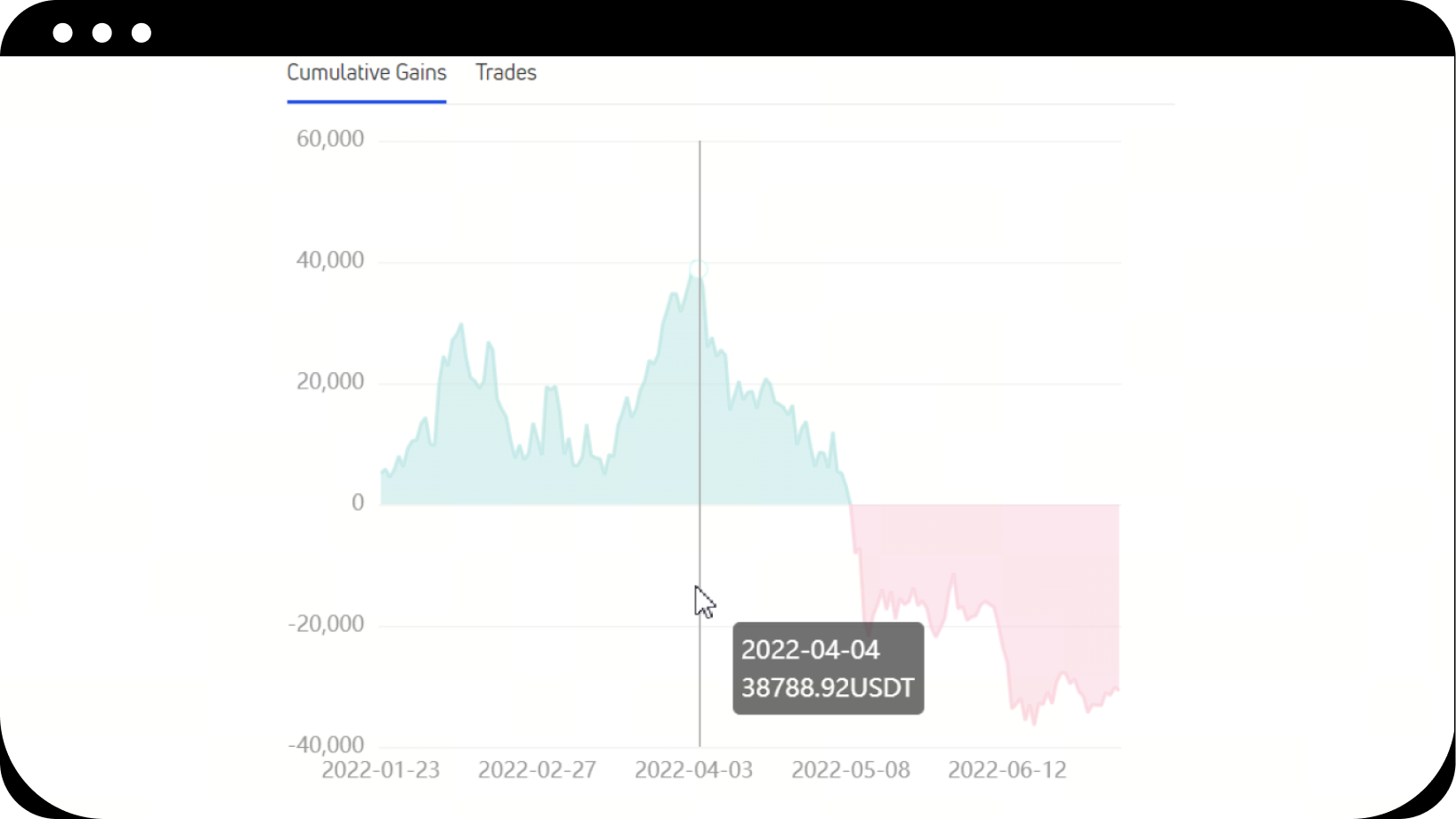
Розуміння кривої прибутку:
- Червона крива: означає, що бот знаходиться в збитку відносно моменту створення
- Зелена крива: означає, що бот у прибутку відносно моменту створення
- Висхідний тренд: бот був прибутковим у цей період
- Низхідний тренд: бот був збитковим у цей період
Крок 2: Перейдіть до Bot Square або Leaderboard
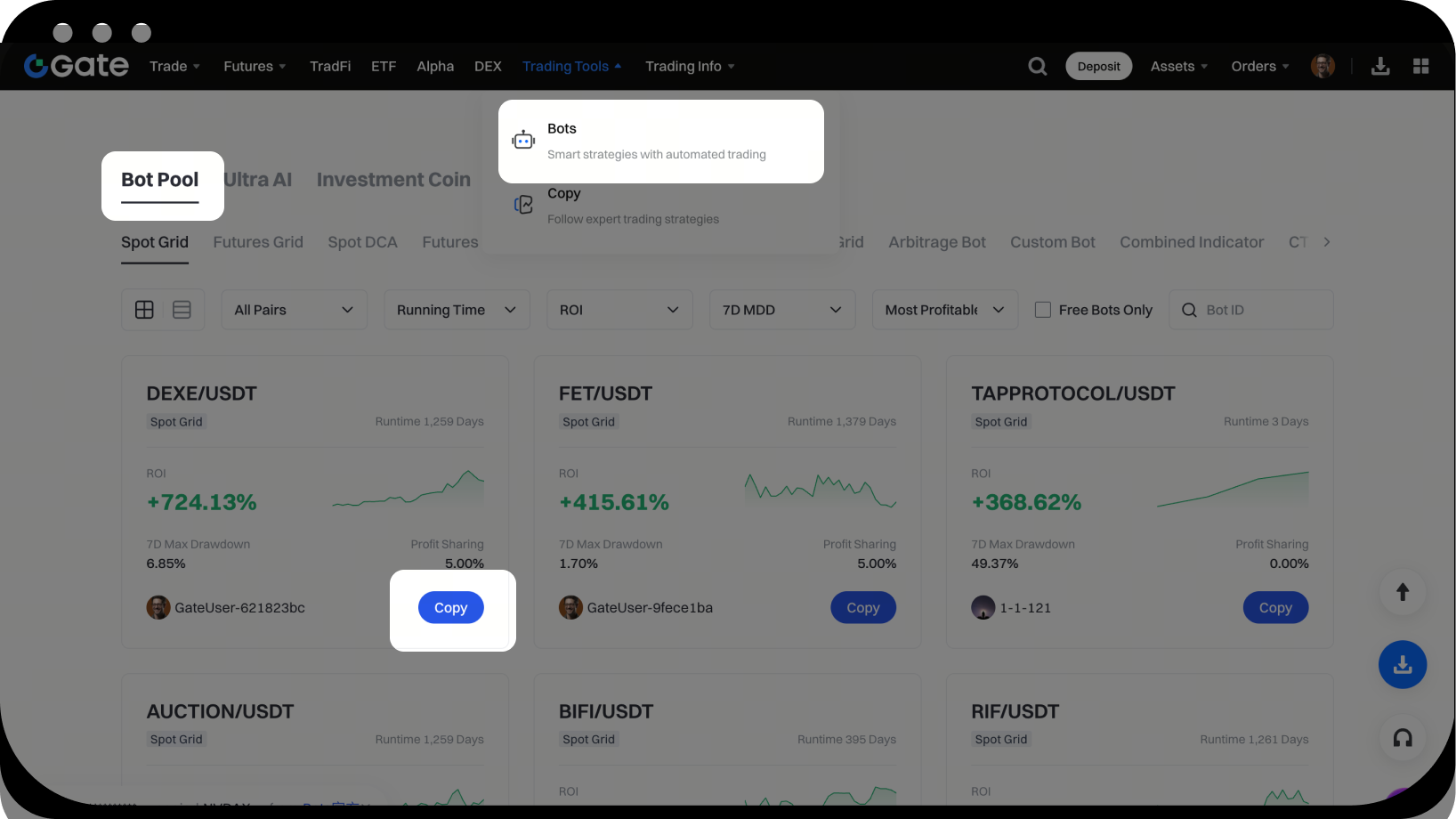
- Натисніть Trading - Trading Bots - Bot Square
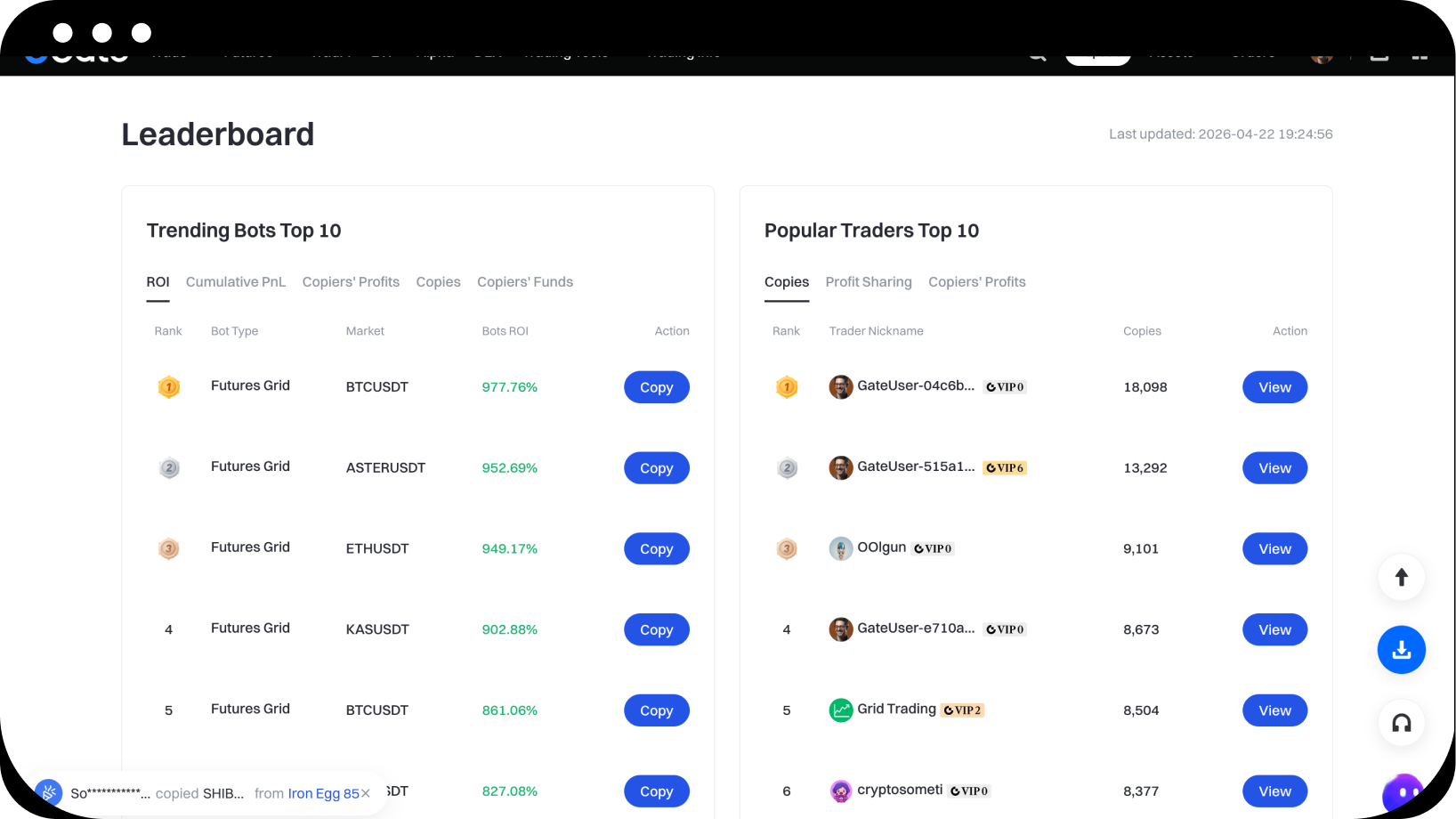
- Або натисніть Leaderboard, щоб перейти на сторінку лідерборду
Крок 3: Оберіть та скопіюйте бота
- Перегляньте список ботів у Bot Square або на Leaderboard
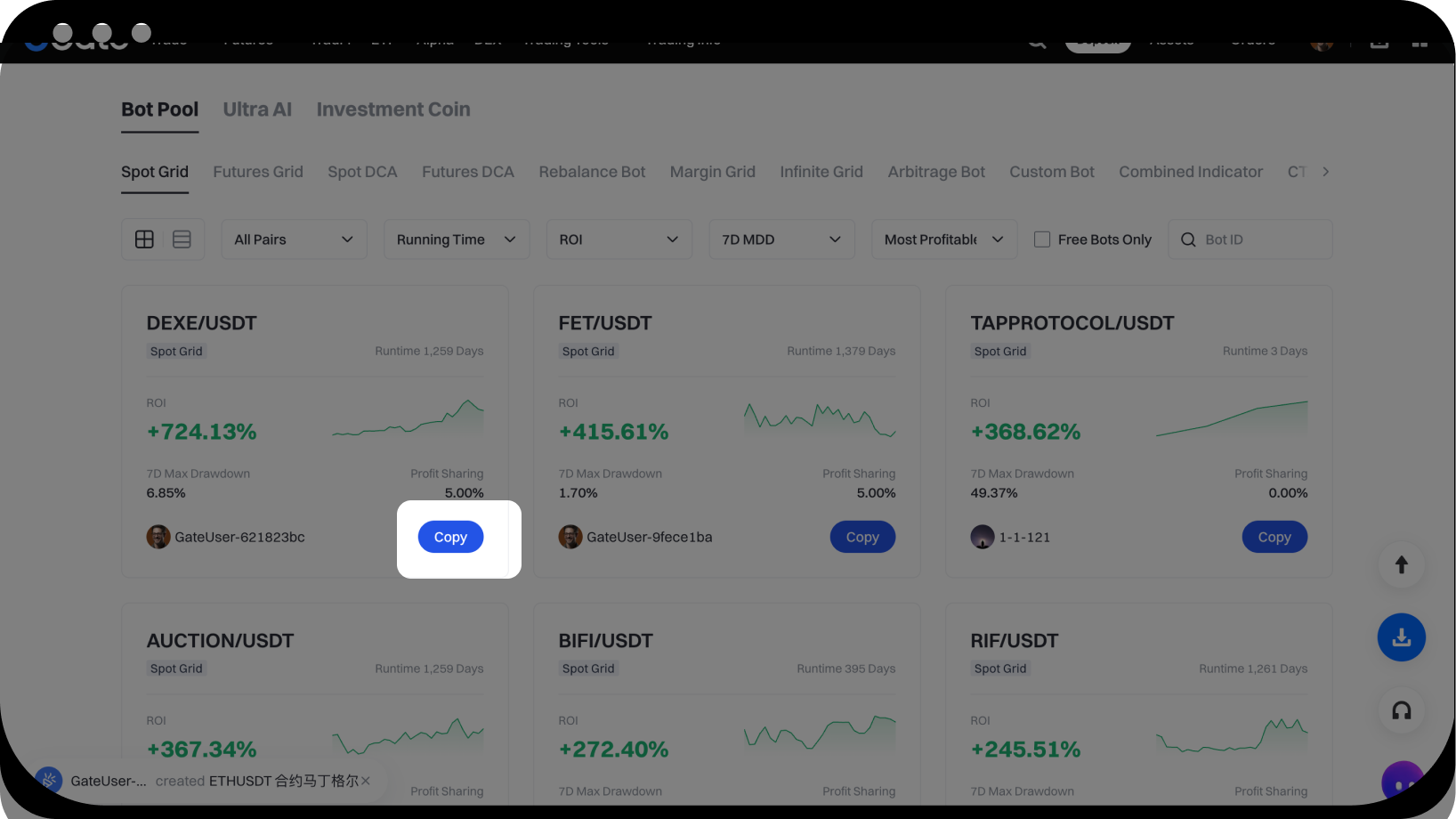
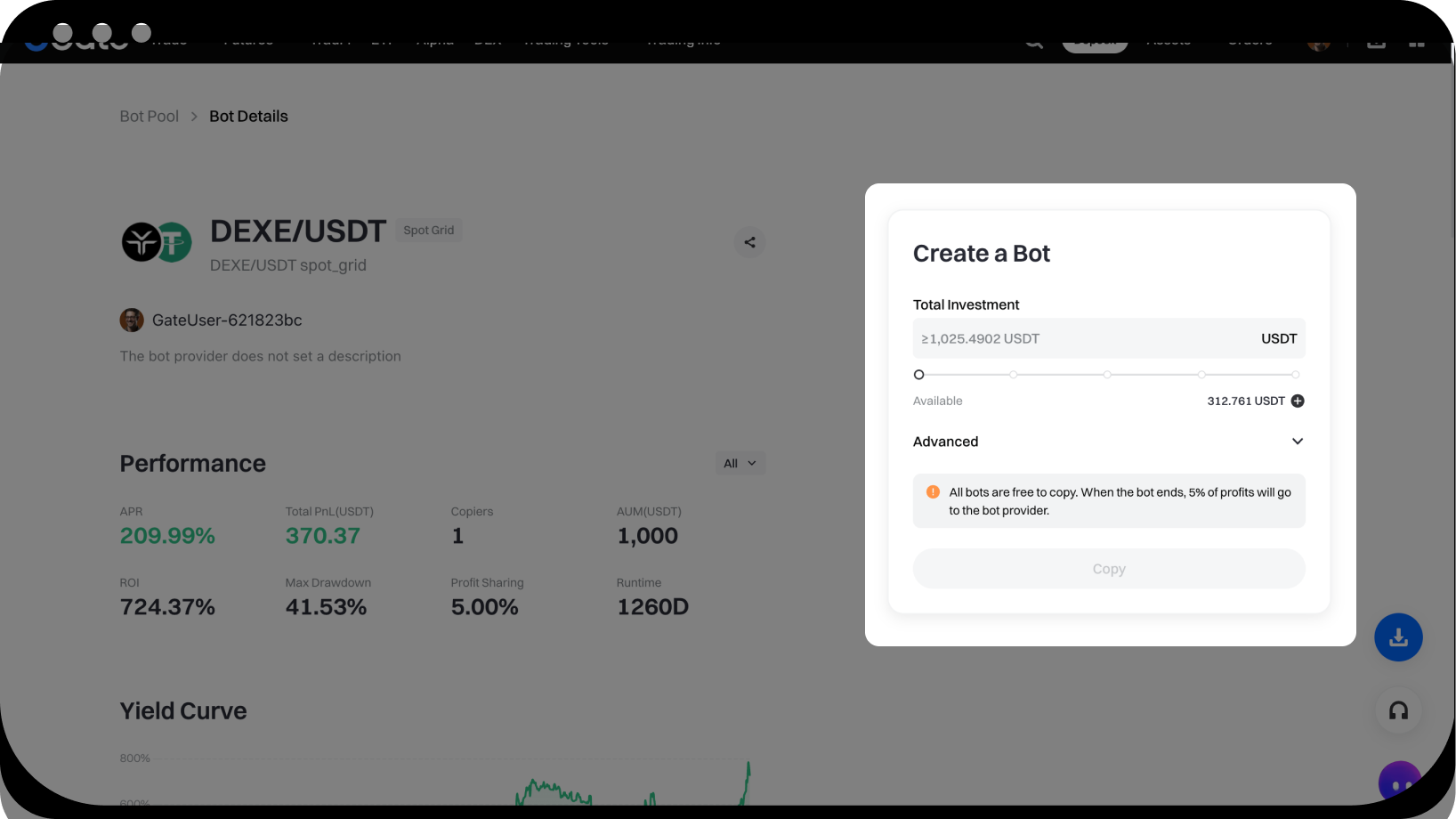
- Натисніть кнопку Copy біля обраного вами бота
- На сторінці створення введіть суму інвестиції та інші параметри
- Натисніть для підтвердження та створення власного бота
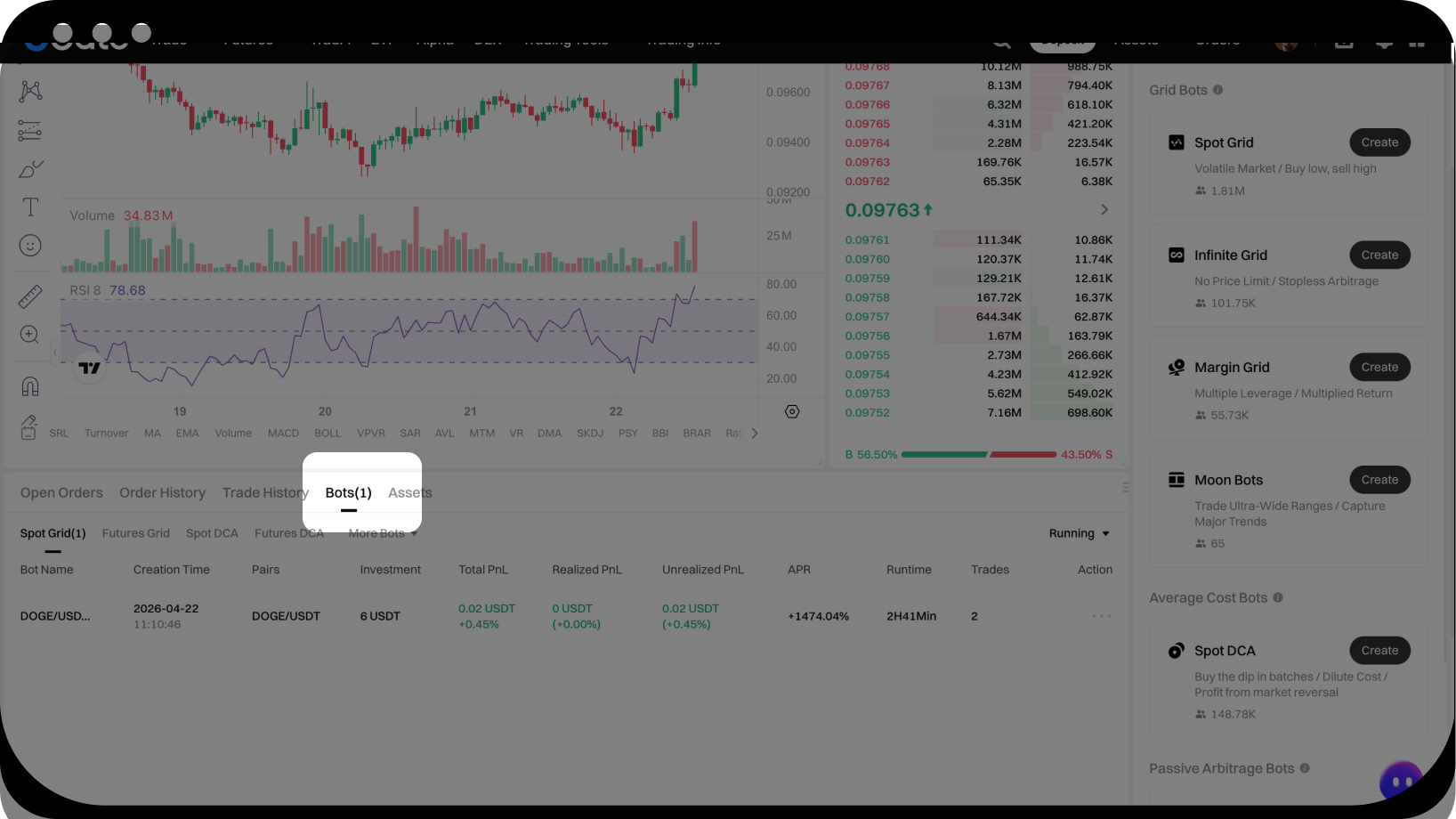
Крок 4: Перегляньте свої скопійовані боти
- Відкрийте сторінку торгівлі з K-line, у нижній області ордерів натисніть Trading Bots
Відмова від відповідальності
Наданий тут зміст призначений лише для ознайомлення та освітніх цілей і не є фінансовою, інвестиційною, торговою чи юридичною порадою, а також не є пропозицією або закликом купувати чи продавати будь-які цифрові активи. Gate не надає жодних прямих чи непрямих заяв або гарантій щодо точності, повноти чи актуальності інформації, що міститься тут. Функціонал продукту, інтерфейси, правила та структура комісій можуть оновлюватися або змінюватися у будь-який час. Для отримання найактуальнішої інформації звертайтеся до останніх оголошень і фактичних даних, що відображаються на платформі Gate.
Інвестиції в цифрові активи пов'язані зі значними ризиками, а ціни можуть суттєво коливатися. Ви можете втратити всю суму своїх інвестицій. Приймайте рішення обережно, враховуючи власний фінансовий стан і рівень толерантності до ризику після повного розуміння супутніх ризиків. За потреби рекомендується звернутися до незалежного професійного фінансового чи юридичного радника.
Щоб отримати додаткову інформацію про потенційні ризики, зверніться до Розкриття інформації про ризики та Угоди користувача Gate.
