


What is an IV Order?
An IV order allows you to place an order based on the Implied Volatility (IV) instead of directly entering a price. The system will automatically convert your preset IV into a corresponding price and place the order in the order book.
IV Order Window on Gate
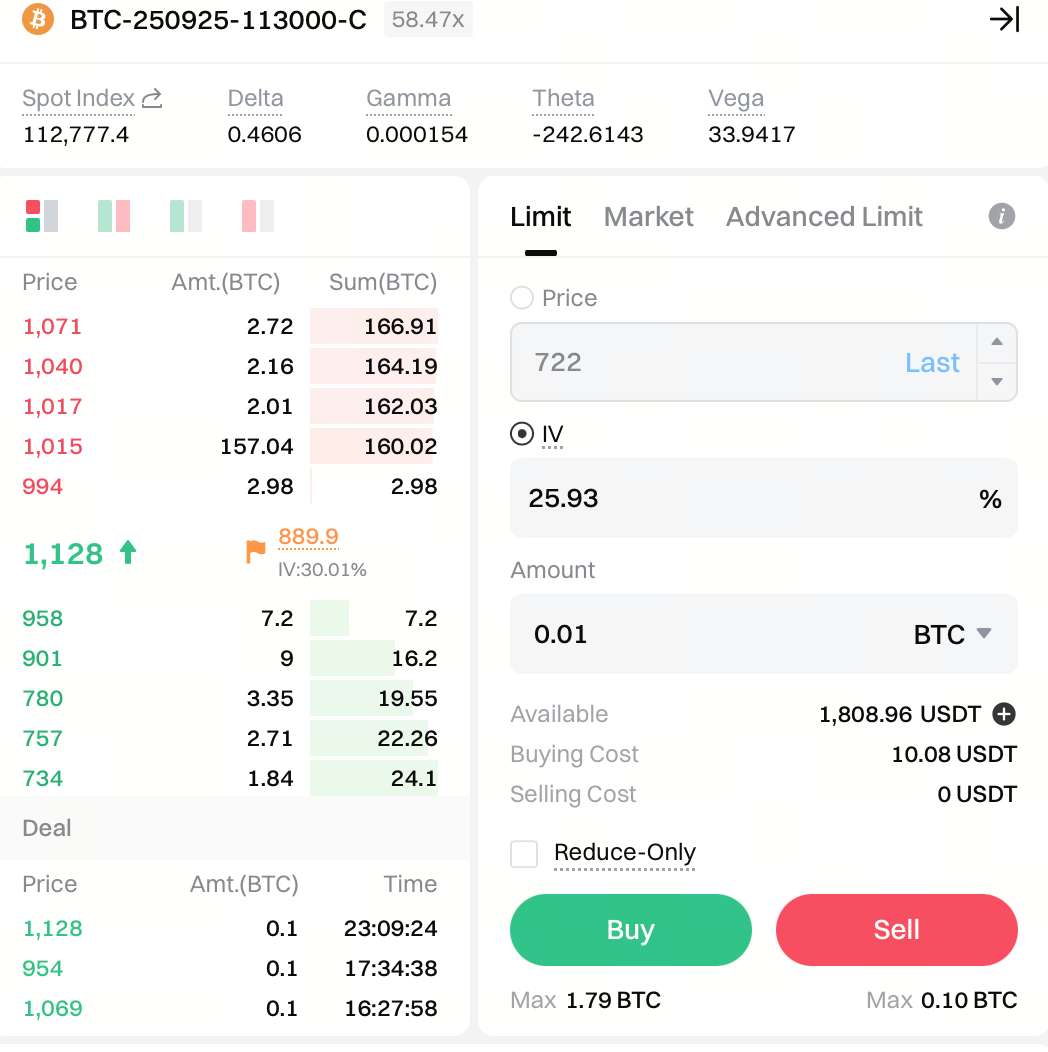
1. Checkbox
Order placement interface: A two-option checkbox lets you select either Price or IV. Once one option is selected, the other will be grayed out and uneditable.
2. IV Input Field
Default value: Pre-filled with the mark IV.
Input rules: After entering an IV, the system will calculate and fill in the corresponding price in real time. The input precision must be kept to two decimal places (e.g., xx.xx%).
Price conversion logic: The price converted from the IV will be rounded down to the nearest minimum tick size of the coin. For example, if the IV order price for BTC is 300.45, the actual order price will be 300.
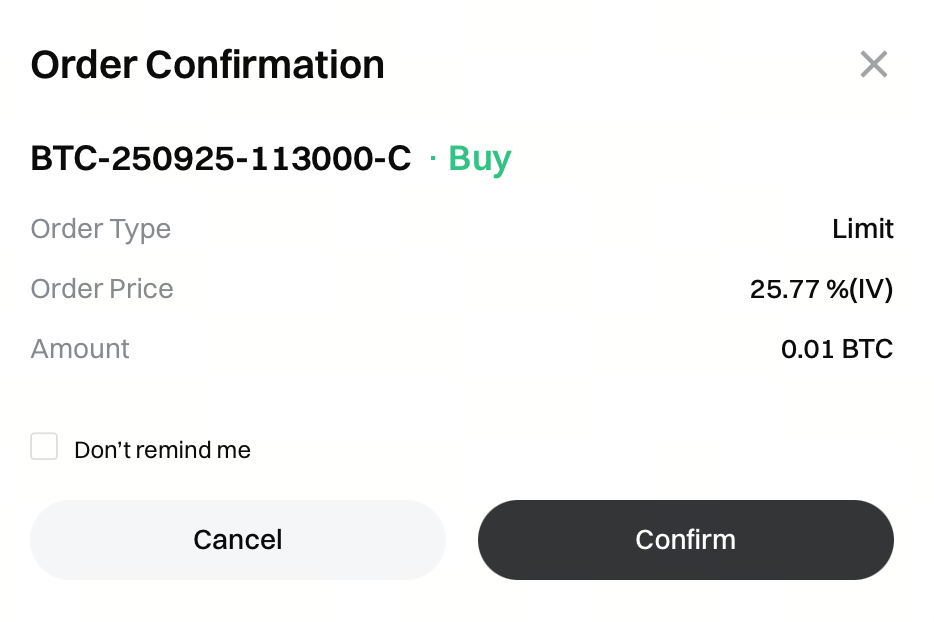
3.Order Confirmation Pop-up
Order price: Displays the IV value entered by the user at the time of order placement, as shown in the example below.
Edit/Cancel Orders
-
In the Open Orders tab, the IV value of the order will be shown, and the data updates in real time based on the latest IV and order price.

-
In the Edit Order pop-up, the last price field shows the current price and its corresponding IV. Tapping the IV field automatically fills the input with that IV for editing (as shown below).
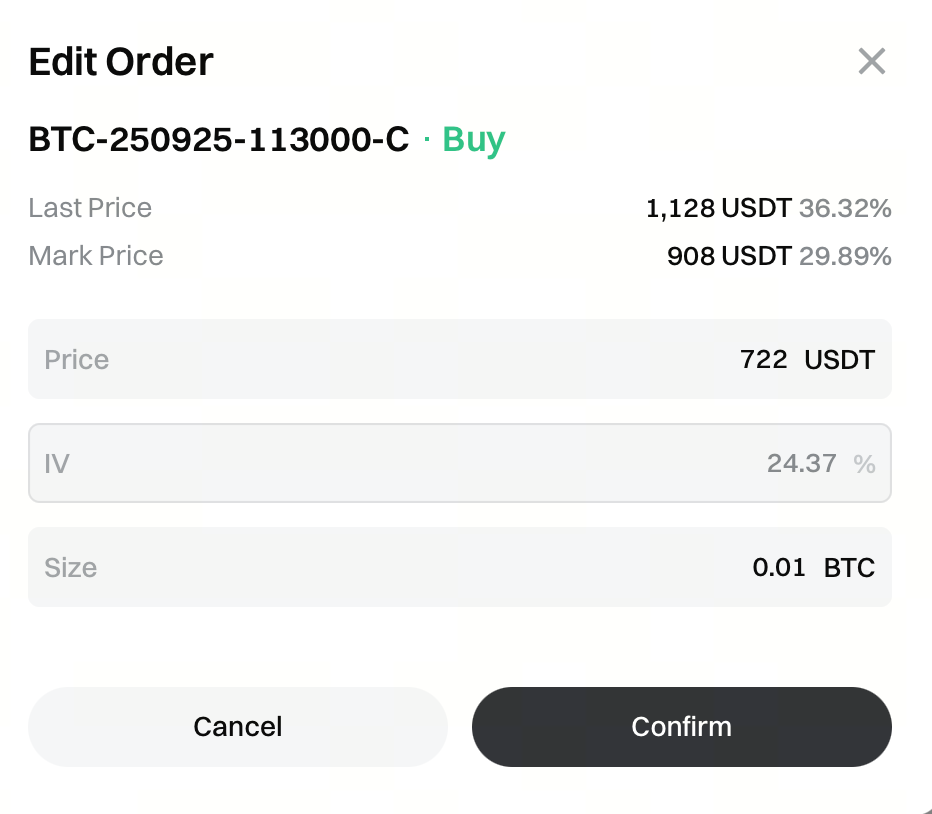
Notes:
- Edits can only be made to fields consistent with the original order method. For example, if the order was placed using IV, only the IV can be edited; the price field will be grayed out and uneditable.
- The amount field can be edited regardless of the order method used.
IV Orders in Order History
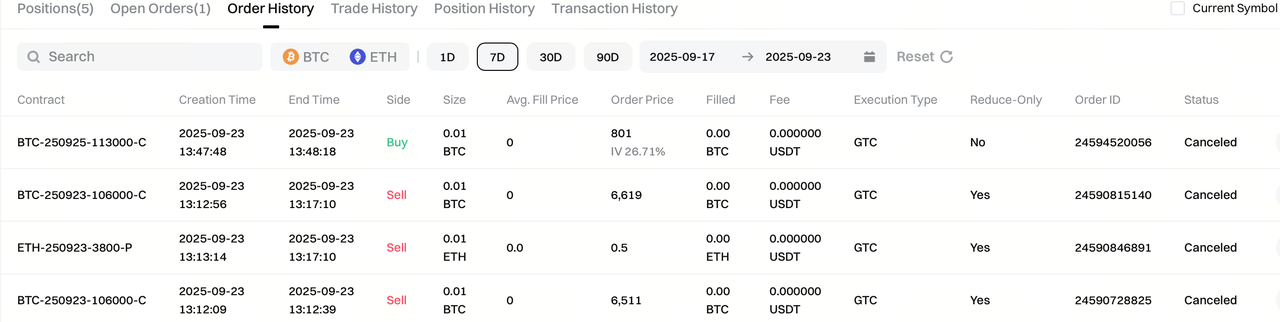
The price of an IV order is shown as the price at which the last order was matched, with the IV value entered at placement noted beside it. Example: 12222 (IV: 75%).
