


Gate Exchange’s official integration with TradingView has become an indispensable tool for professional traders, seamlessly connecting market analysis with trade execution. According to the official announcement, users can now place real-time orders directly from TradingView’s advanced chart interface, leveraging over 20 chart types and more than 400 built-in technical indicators, all while relying on Gate’s multi-layered security system to safeguard their trades.
The Value of a Powerful Partnership
The integration of Gate and TradingView has fundamentally transformed the workflow for cryptocurrency traders. This collaboration not only streamlines the trading process but also boosts analytical efficiency, making professional-grade tools readily accessible.
In traditional trading setups, users often switch back and forth between analysis platforms and trading platforms, which can result in missed opportunities. Now, this unified solution creates a seamless loop between analysis decisions and trade execution. One Gate user shared on social media: "Sixteen hours a day—this is how I consistently find bottom entry points, anticipate market reversals in advance, and trade comfortably when trends shift."
The core advantage of this integration lies in combining the most sophisticated charting tools with reliable trade execution. Since its launch in 2011, TradingView has grown into one of the world’s most powerful market analysis platforms, covering more than 150 global markets.
Preparation Before Linking Accounts
Before you begin, make sure you meet the basic requirements and have the necessary accounts ready. Clear preparation is key to a successful integration.
First, you’ll need valid accounts for both Gate Exchange and TradingView. If you don’t have them yet, you can sign up on their respective official websites. It’s worth noting that TradingView offers a range of membership plans, from a free basic version to premium tiers. While the free version supports essential charting functions, paid plans unlock more customization and advanced features.
Next, ensure your network connection is stable. We recommend using a desktop browser, as mobile operations are more limited. Also, make sure your Gate account has completed the required identity verification to ensure a smooth linking process.
Finally, prepare a tool to record important information—you may need to note down API keys or authorization codes. It’s also a good idea to visit Gate’s TradingView integration landing page (gate.com/tradingview-integration) to learn about the latest features and important updates.
Step-by-Step Linking Guide
Connecting your Gate account with TradingView is straightforward. Just follow the system prompts to complete the authorization.
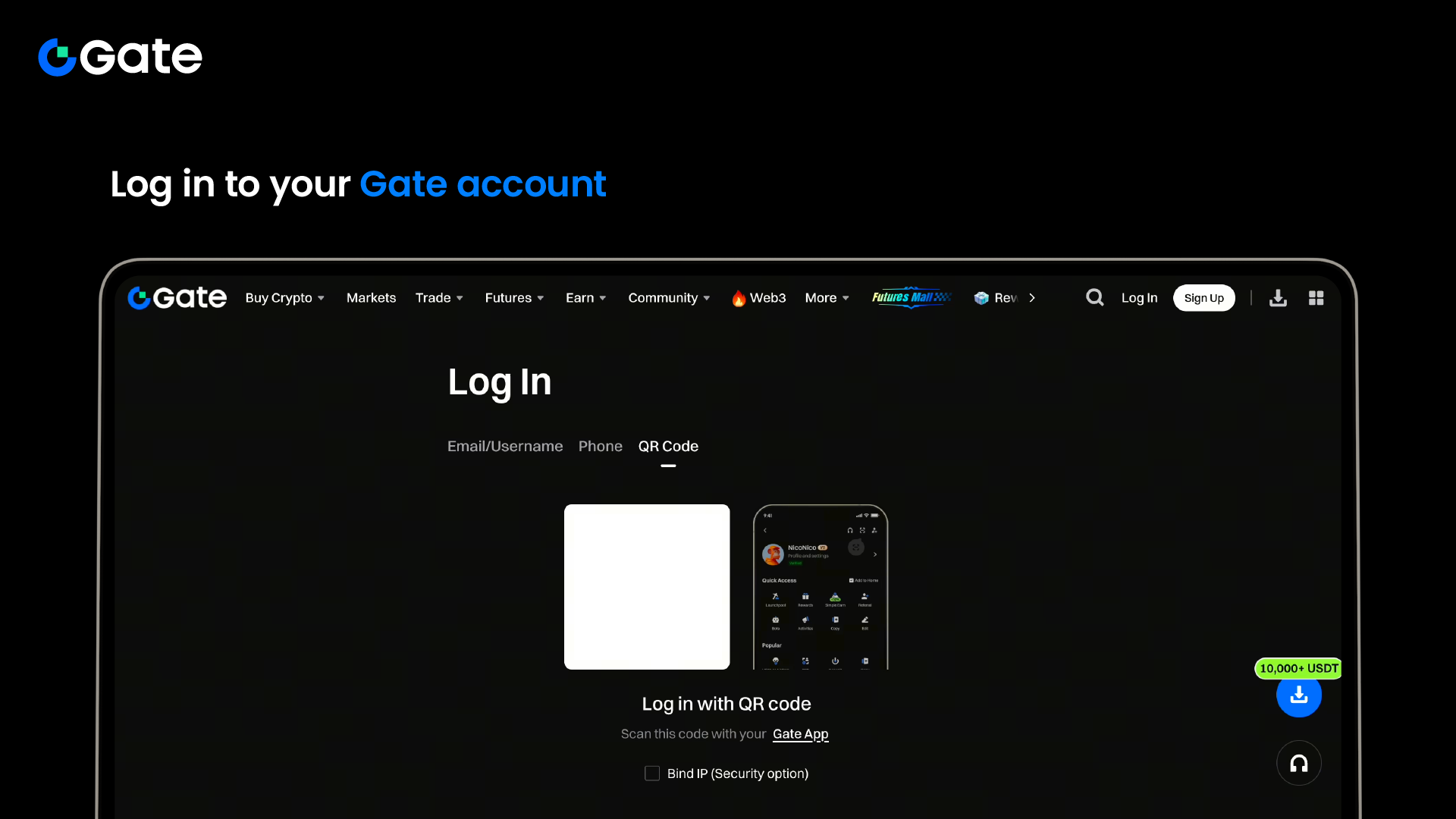
Step 1: Log in to your Gate account
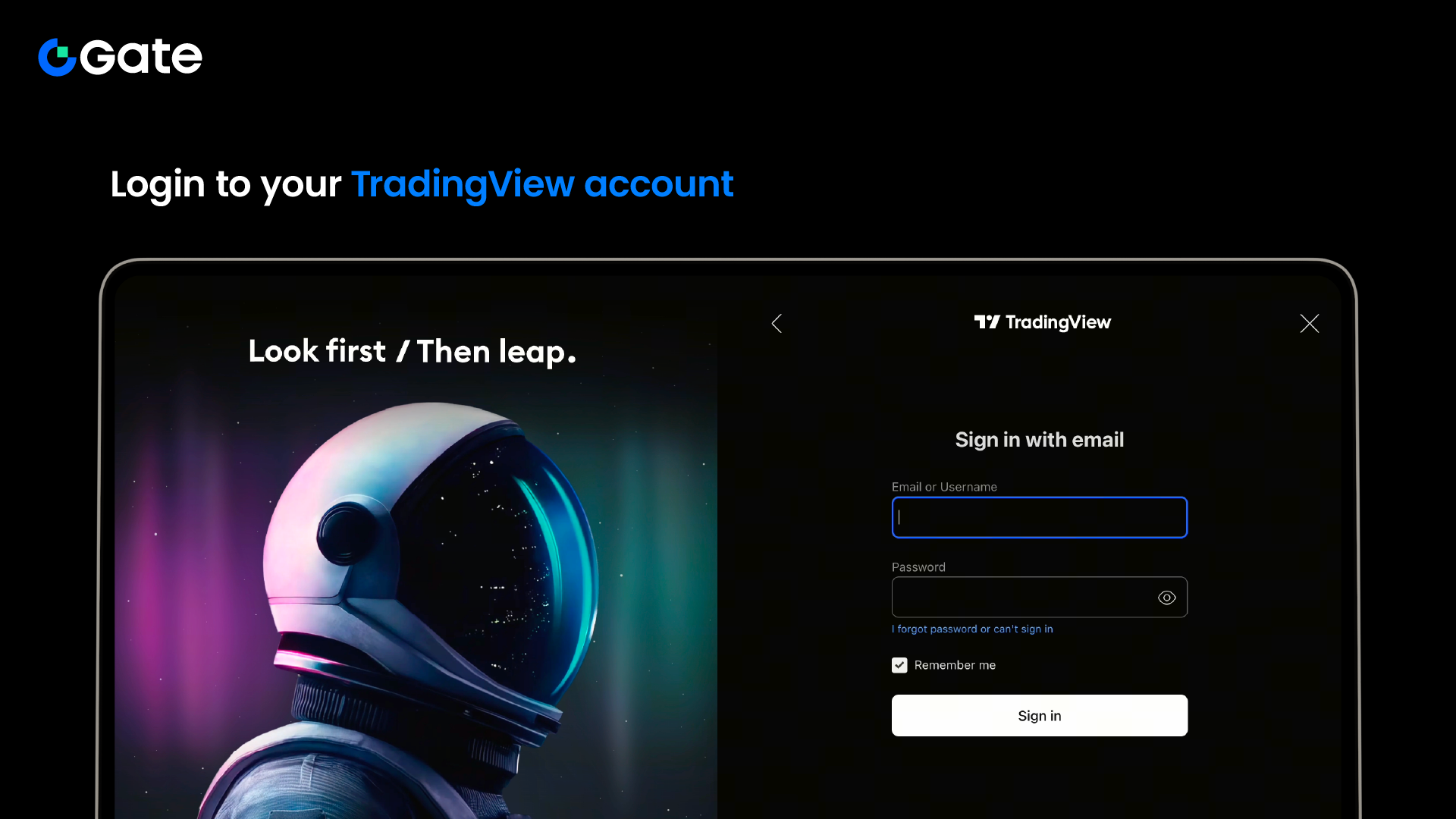
Step 2: Log in to your TradingView account
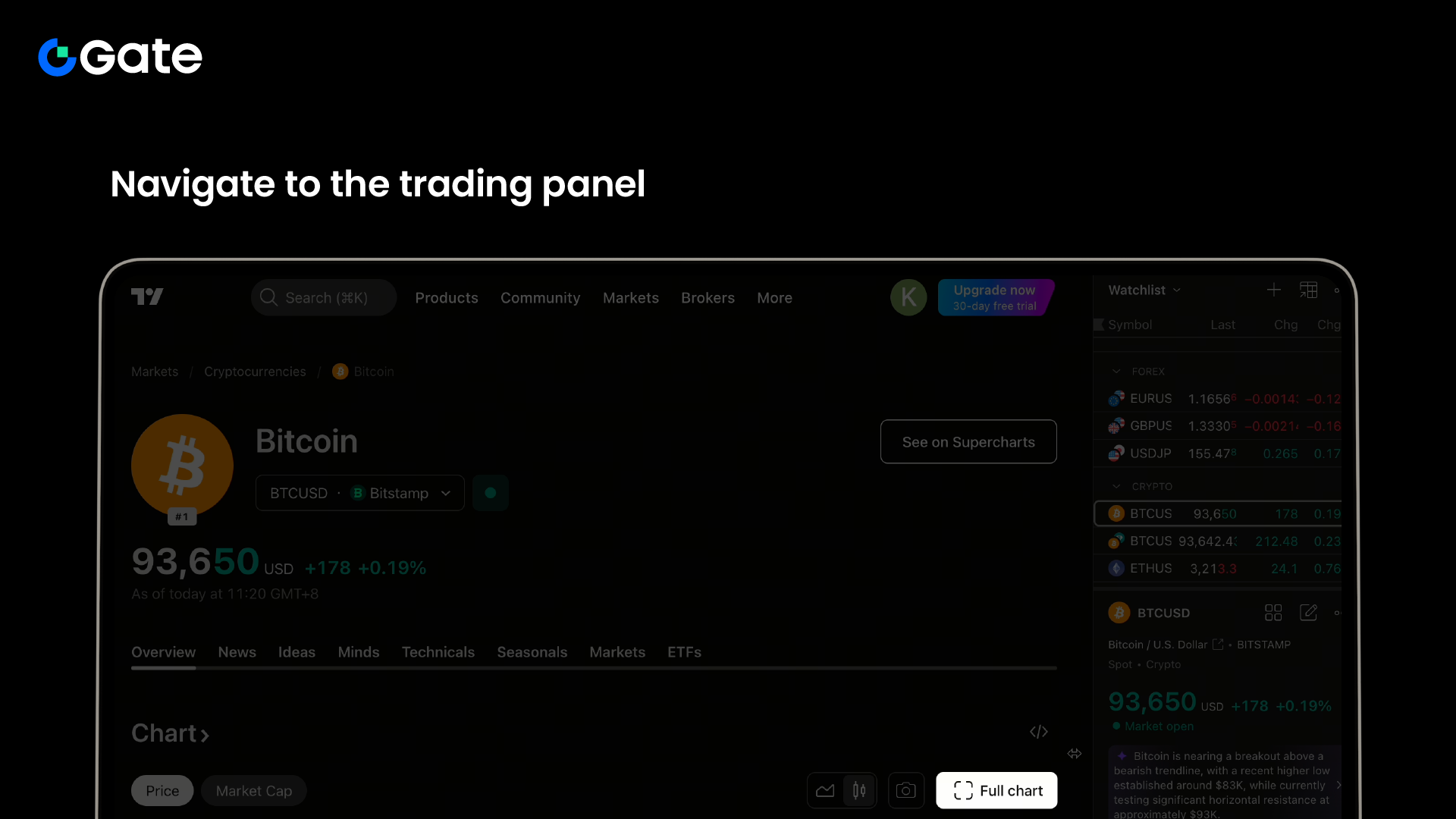
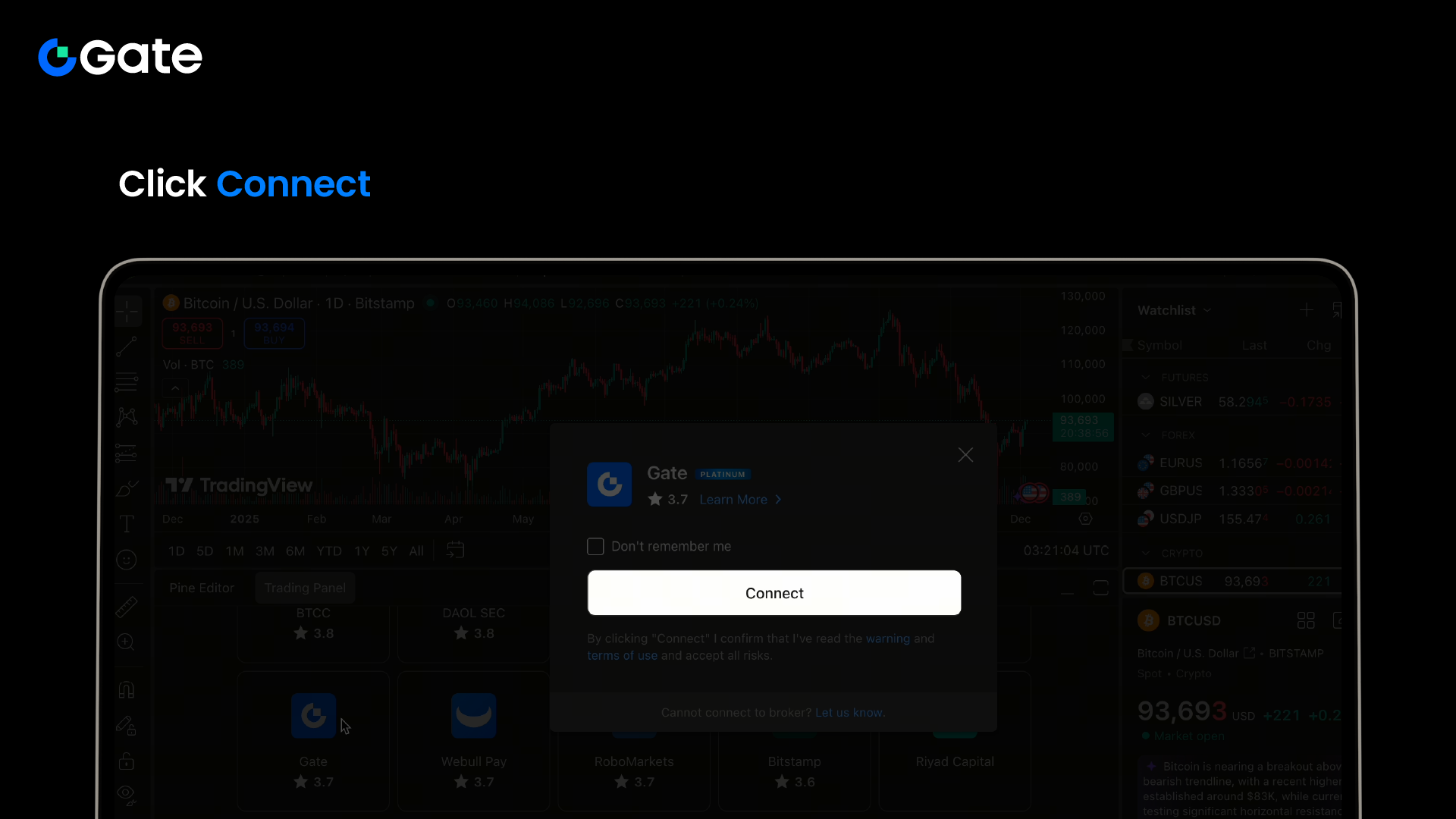
Step 3: Open any cryptocurrency chart (such as the BTC/USDT chart), then click "Trading Panel" at the bottom of the chart interface
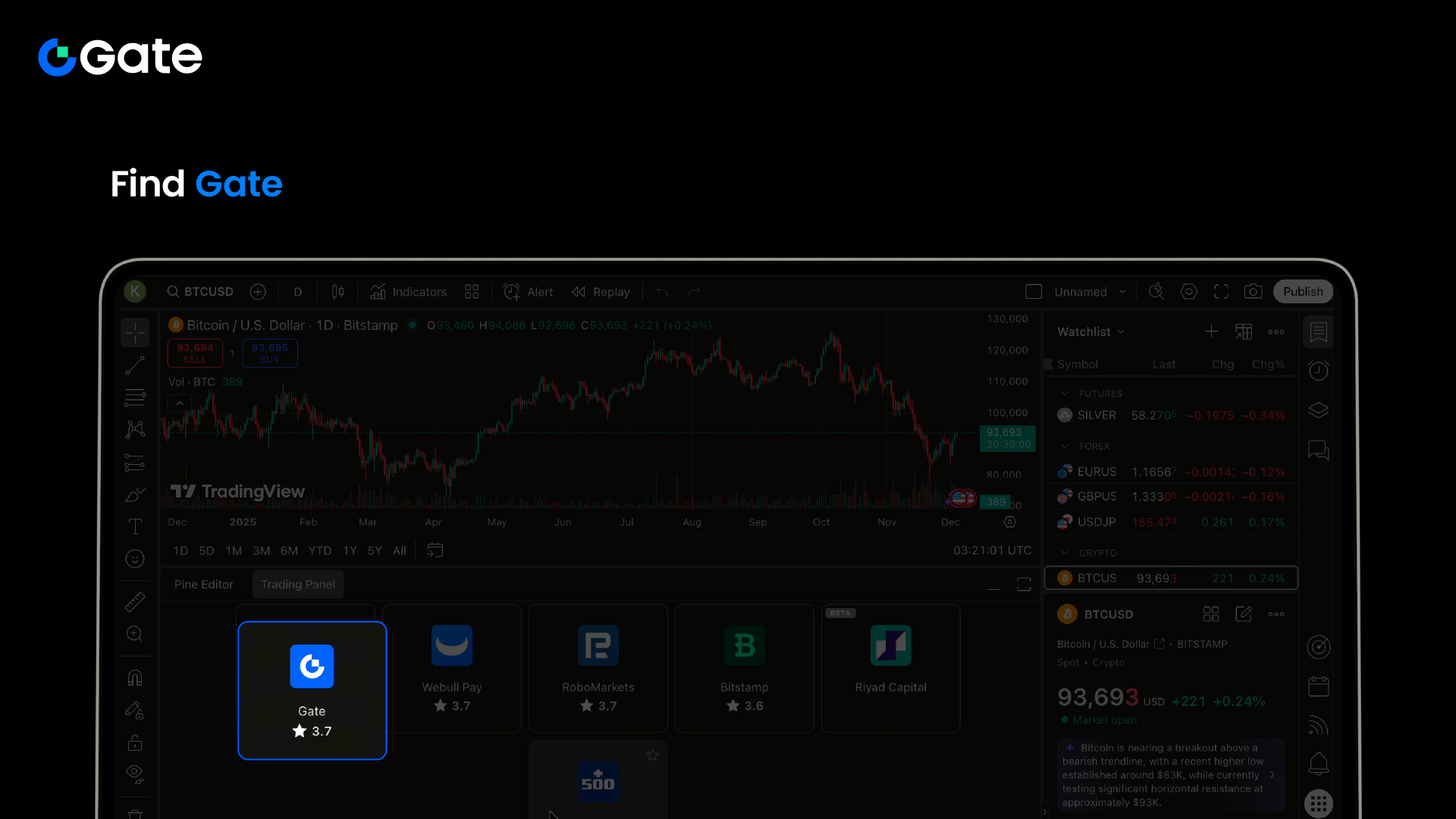
Step 4: Find and select "Gate" in the broker list—you may need to scroll to locate it
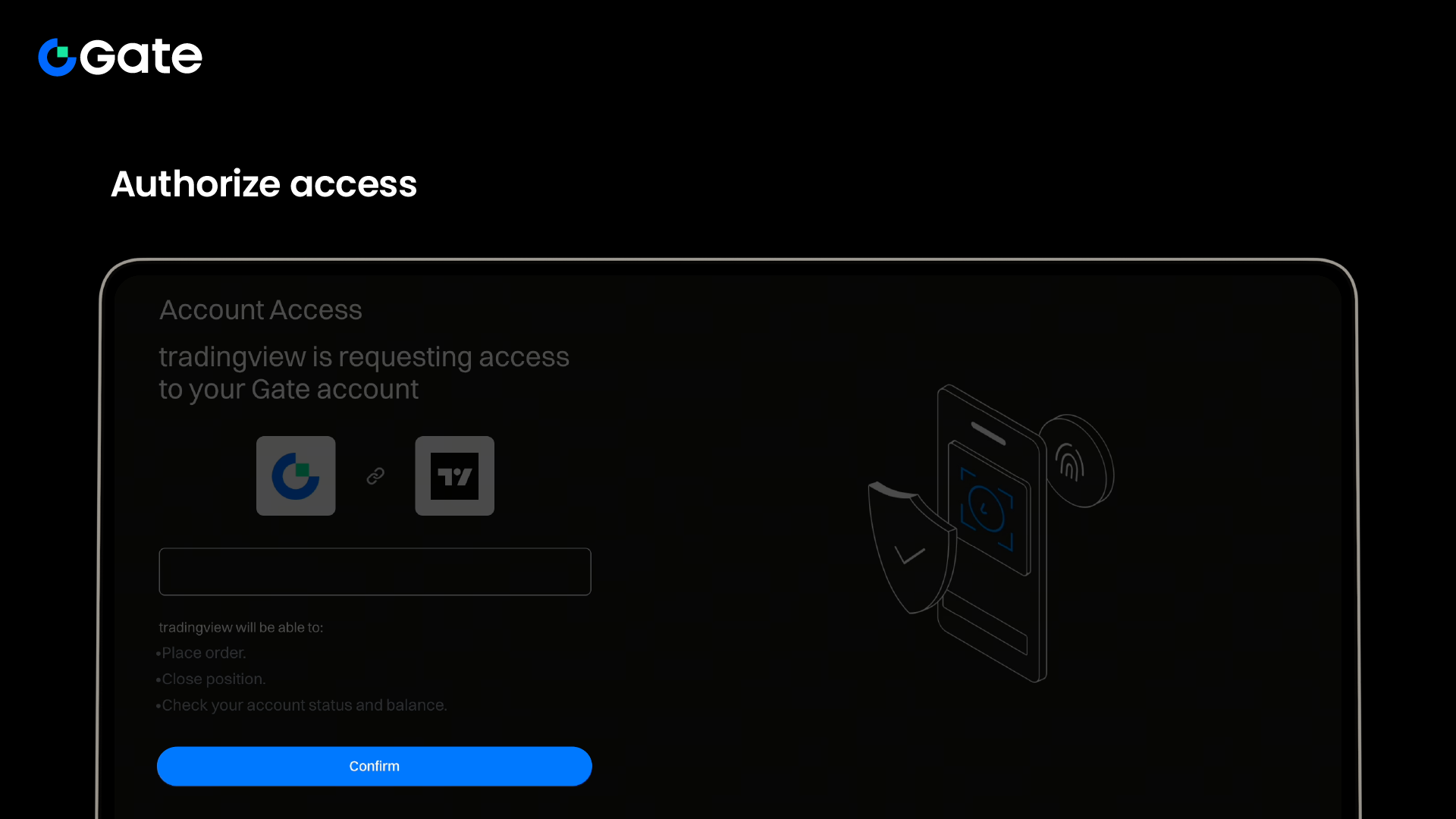
Step 5: Follow the prompts to connect and authorize,confirm access and trading permissions
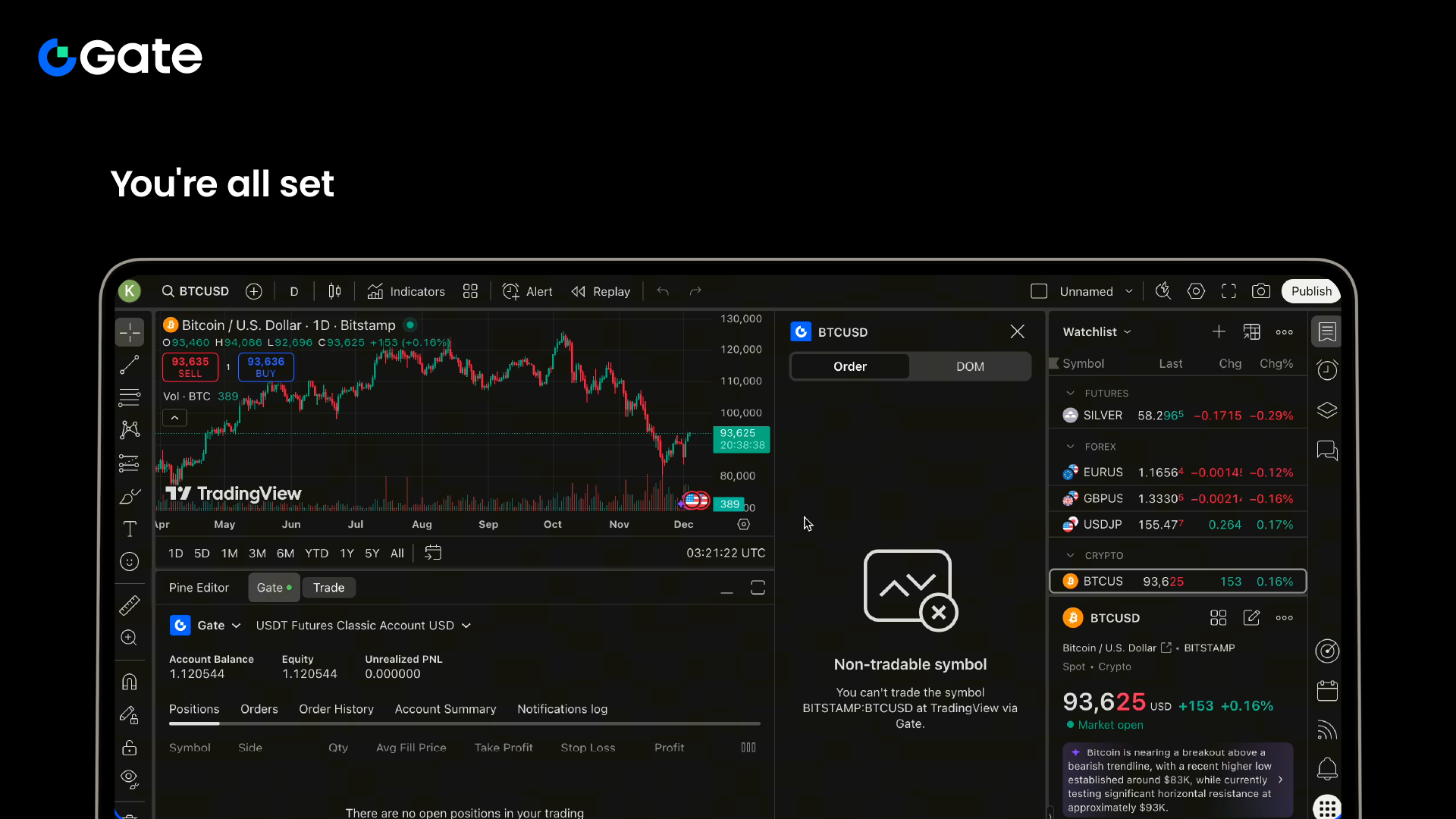
Step 6: Verify the connection is successful; check the panel display and account information
The key step in the linking process is authorization. When you click "Connect," the system will redirect you to Gate’s authorization page, where you’ll confirm permission for TradingView to access your Gate trading account. This authorization is secure and follows the standard OAuth protocol, meaning you never have to enter your Gate account password directly on TradingView. As one user described: "My entire desktop screen is through TradingView—each chart has its own setup, ready to trade, monitoring momentum/dynamics/structure."
Once connected, the original "Trading Panel" will be replaced by the "Gate" tab, displaying your account balance, positions, and order information below. You can now execute trades directly from the chart.
Core Features After Linking
After linking, Gate users gain access to a suite of powerful features within TradingView, significantly enhancing both trading experience and analytical efficiency.
Table: Core Features After Gate-TradingView Integration
| Feature Category | Specific Features | Application Value |
|---|---|---|
| Trade Execution | Place orders directly from charts, set limit/market orders | Respond instantly to market changes |
| Account Management | View balances, positions, order history | Fully grasp account status |
| Analysis Tools | 400+ technical indicators, 110+ drawing tools | In-depth market analysis |
| Strategy Automation | Signal strategy trading bots | Automatically execute trading strategies |
| Risk Management | Set stop-loss/take-profit, trailing stops | Control trading risk |
One of the standout features is the signal-based strategy trading bot. Users can configure trading strategies on TradingView, and when the system generates buy or sell signals, the Gate trading bot will automatically execute corresponding long or short positions. This automated process enables fully unattended trading, which is ideal for those who can’t monitor the market continuously. By setting scientific percentage parameters for take-profit points, this smart trading method frees users from being tethered to the market.
Another powerful feature is the advanced chart analysis toolset. Users not only have access to TradingView’s rich array of indicators and tools, but can also seamlessly integrate these with Gate’s trading functions.
Advanced Applications and Tips
Once you’ve mastered the basics, exploring advanced applications can unlock even greater potential from this integration. Using advanced techniques, you can optimize your strategies and gain a competitive edge.
Automated trading with signal strategy bots is a key advanced feature. First, users select or create a trading strategy on TradingView—such as the "Zhiying Tianxia Super Trend V1" strategy. Then, link these strategies to the Gate trading bot platform, setting parameters for trading pairs, margin, leverage, and order size. When preset conditions are met, the system automatically sends trading signals to Gate for execution.
Multi-timeframe analysis is another effective technique. By monitoring charts across different time intervals on TradingView, traders gain a more comprehensive market perspective. An experienced trader shared: "I use a full desktop screen, with each chart set up individually to observe momentum, dynamics, and structure."
Custom indicators and alerts help traders seize opportunities in real time. TradingView allows users to create personalized indicator combinations and set price or technical alerts based on these indicators. When conditions are met, the system notifies users via pop-up, email, or mobile notification.
Troubleshooting Common Issues
You may encounter technical or operational issues while using this integration. Knowing the solutions will help you navigate the service smoothly.
Connection failures or interruptions are among the most common problems. First, check that your network connection is stable, and ensure both your Gate and TradingView accounts are logged in properly. If issues persist, try clearing your browser cache or switching browsers. Also, check if any browser extensions might be interfering with the connection.
If the Trading Panel doesn’t show the Gate option, it could be due to regional restrictions or account status. Make sure your Gate account has completed all required verification steps and that your region supports this feature. Sometimes, trying to connect on a different cryptocurrency chart before switching to your target trading pair can resolve the issue.
Order execution delays may result from market volatility or network latency. During extreme market conditions, all trading platforms may experience slight delays. If the problem continues, check the service status pages for TradingView and Gate, or contact customer support.
Security concerns are always a priority for users. It’s important to know that the Gate-TradingView integration uses industry-standard security protocols, and the trading authorization process does not store your Gate login credentials on TradingView. Gate’s multi-layered security system and cold storage solutions provide additional protection for your assets.
From TradingView’s professional charting to Gate’s secure trade execution, connecting the two means every price movement on your screen can become a real trading opportunity. As one user described their complete trading experience: "Sixteen hours a day, monitoring momentum, dynamics, and structure, finding bottom entry points, and predicting market reversals." With simple analysis tools fused with a powerful trading platform, the days of switching interfaces and missing opportunities are over. Now, every chart pattern and technical breakout can instantly translate into actionable trading decisions.


