


利用方法
-
対象:Gateアプリ
-
前提条件:ステーキングが完了していること
-
所要時間の目安:2分
目的
このガイドでは、Gateアプリでステーキング注文のステータスや収益の詳細を確認する方法を解説します。
手順
ステップ1:ステーキングページへアクセス
-
Gateアプリを開き、アカウントにログインします
-
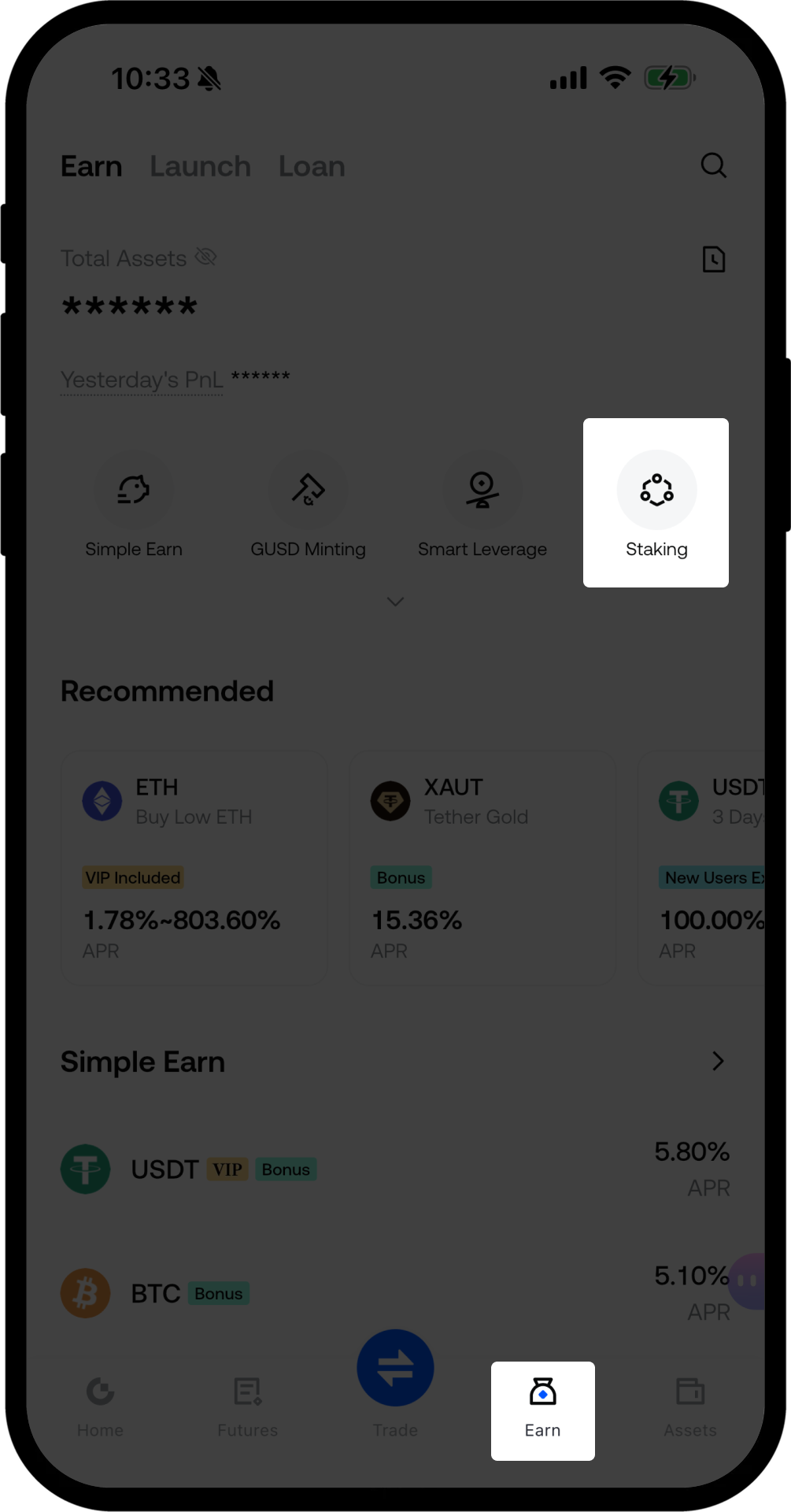
下部ナビゲーションバーのEarnボタンをタップします
-
Stakingを選択してページに入ります
ステップ2:ファイナンス履歴ページへ移動
-
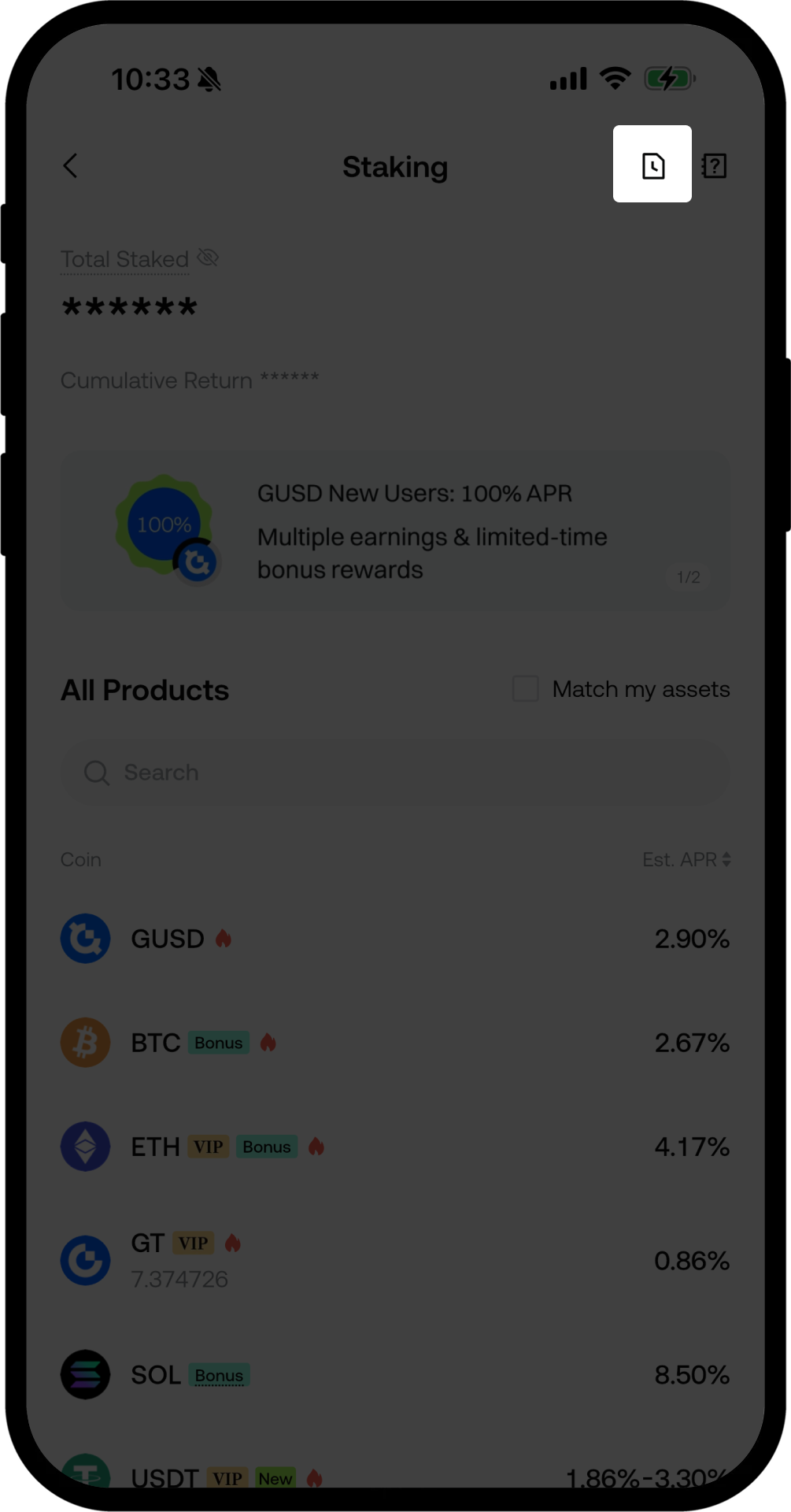
Stakingページで、右上のポジションアイコンをタップします
-
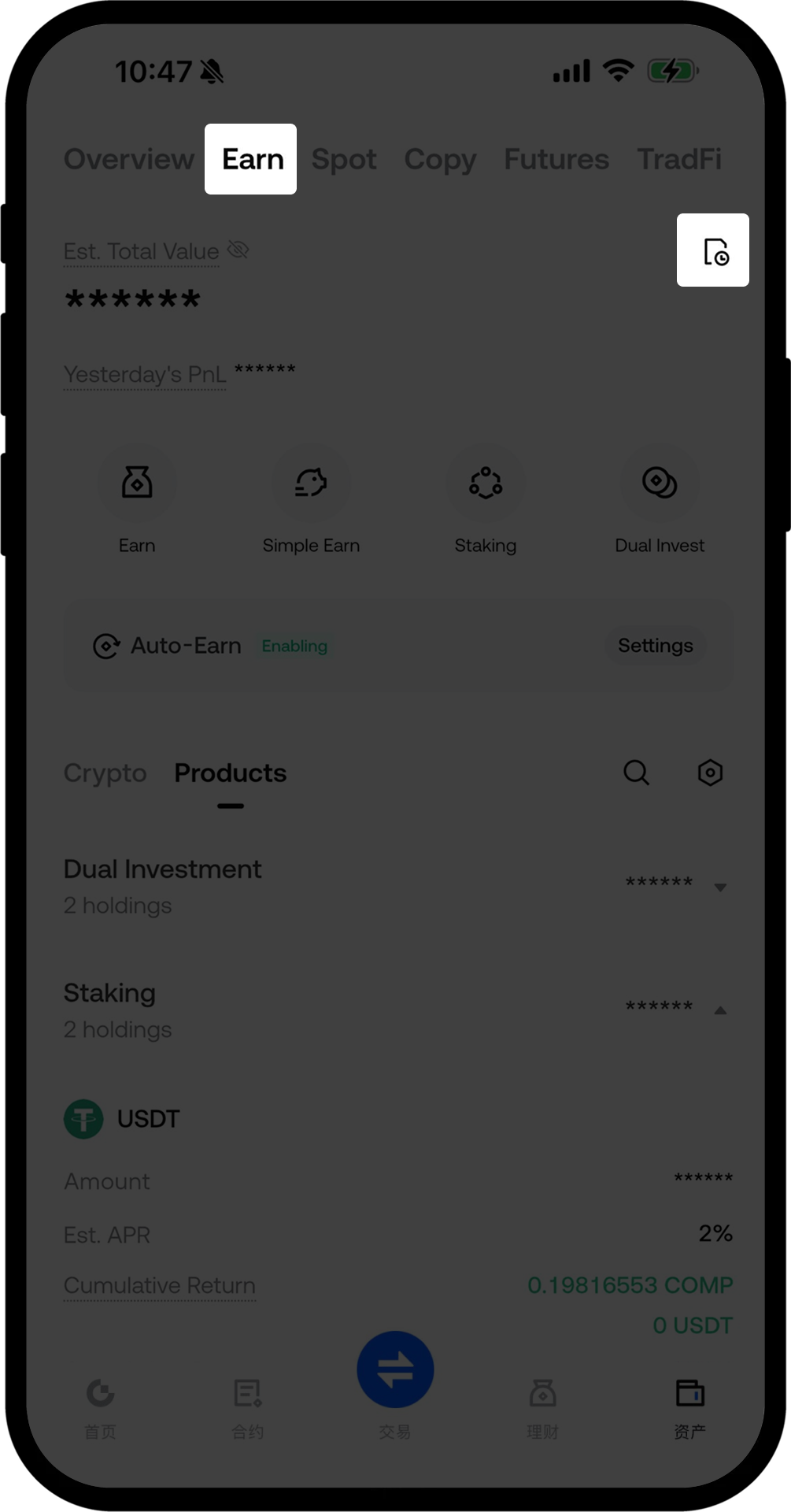
Earnページで、右上の履歴アイコンをタップします
ステップ3:ステーキング注文状況の確認
-
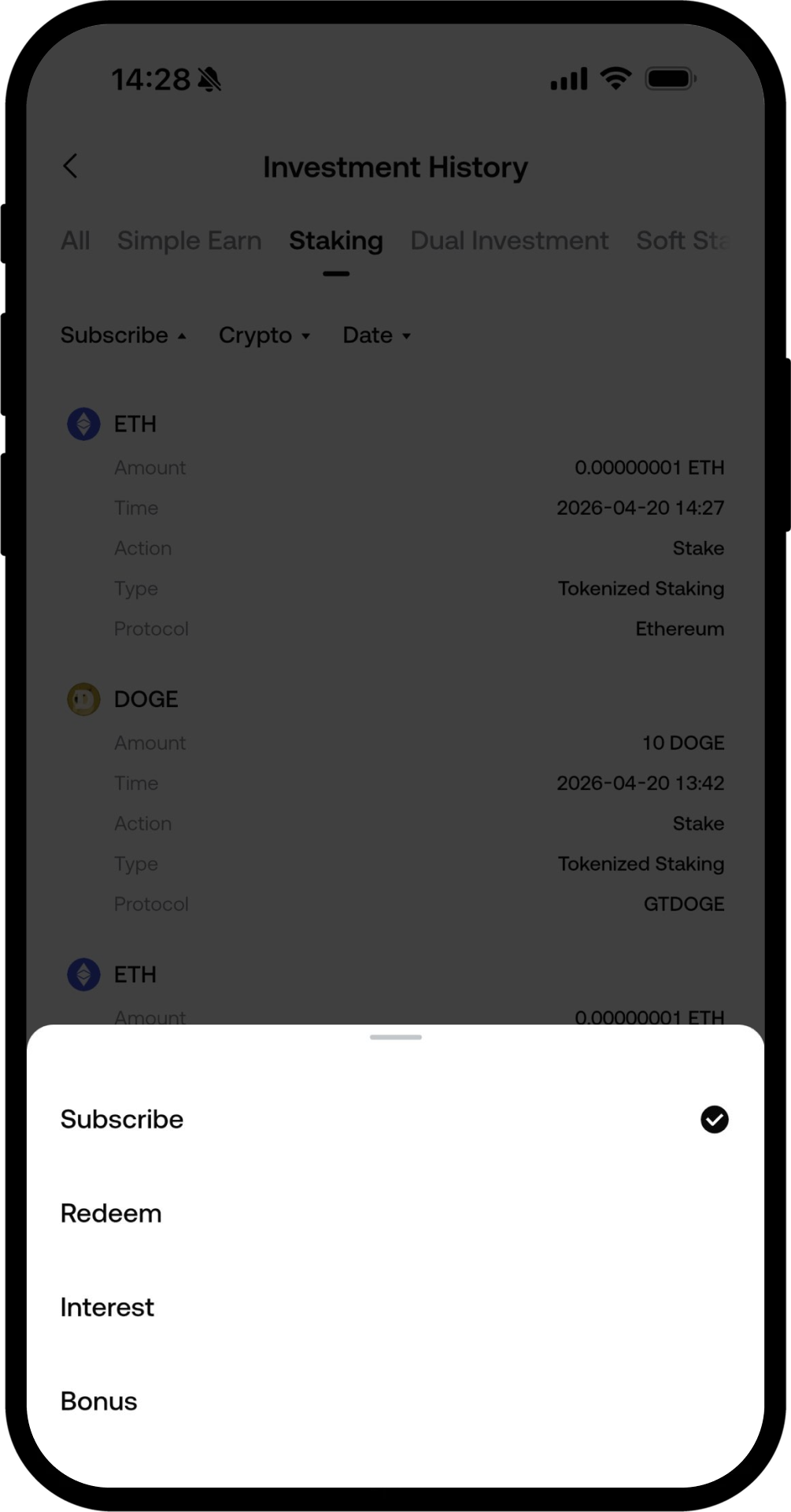
Investment HistoryページでStakingをタップします
-
フィルターオプションを使って、さまざまな注文タイプを確認できます:
-
Subscribe:ステーキング記録の確認
-
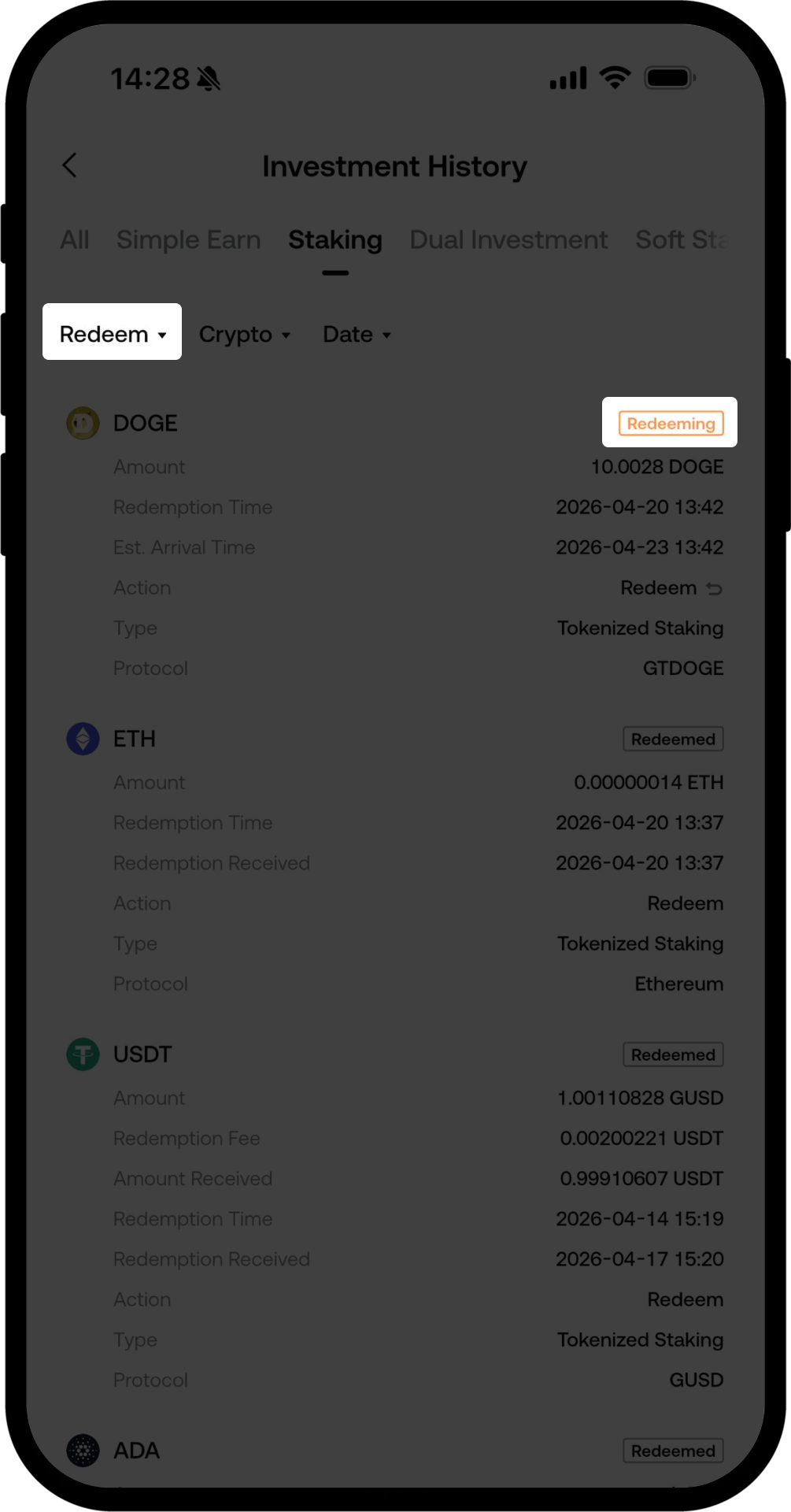
Redeem:償還進捗の確認
-
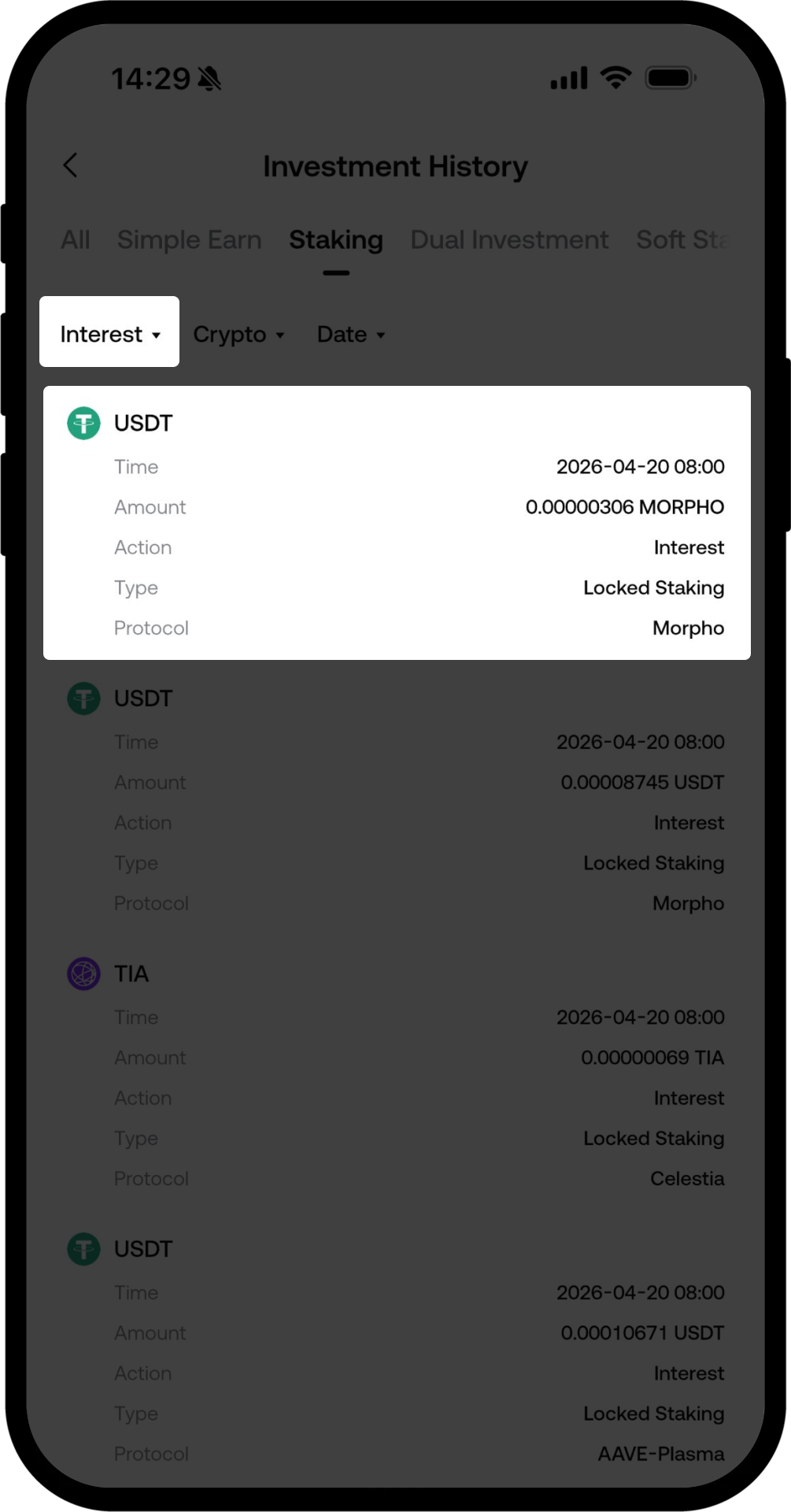
Interest:利息分配記録の確認
-
Bonus:追加報酬記録の確認
-
ステップ4:償還状況の確認
Redeemオプションをタップすると、資産の現在の償還状況や、到着予定時刻を確認できます。
ステップ5:収益の詳細を確認
-
Interestオプションをタップして、過去の利息分配の詳細を確認します
-
Bonusオプションをタップして、配布された追加報酬の詳細を確認します
注意事項
-
償還の到着時間はトークンによって異なります。具体的なスケジュールは、ステーキングページの商品詳細をご確認ください。
-
償還期間中は、資産はステーキング報酬や追加報酬を獲得しません。
-
報酬が正しく付与されているかを確認するため、定期的に収益分配記録をチェックすることをおすすめします。
よくあるご質問
Q1: 収益記録が表示されないのはなぜですか?
A: ステーキング注文が利息の発生を開始しているかご確認ください。通常、ステーキングが完了した翌日から収益が発生し、報酬は定期的にアカウントへ分配されます。
Q2: 償還の到着にはどれくらいかかりますか?
A: 償還の所要時間はトークンによって異なり、一般的に1日から28日程度かかります。ステーキングページの商品詳細や、償還注文の詳細で到着予定時刻をご確認ください。
Q3: 償還期間中も報酬を獲得できますか?
A: いいえ。償還期間中は、資産はステーキング報酬や追加報酬を獲得しません。償還が開始されると、収益計算は停止します。
免責事項
本コンテンツは参考および教育目的のみであり、金融、投資、取引、または法律に関する助言を構成するものではなく、いかなるデジタル資産の売買の申込みまたは勧誘を構成するものでもありません。Gateは、本コンテンツに含まれる情報の正確性、完全性、適時性について、明示または黙示のいかなる表明または保証も行いません。商品機能、インターフェース、ルール、手数料体系は、いつでも更新または調整される場合があります。最も正確な詳細については、最新のお知らせおよびGateプラットフォーム上に表示される実際の情報をご参照ください。
デジタル資産への投資には重大なリスクが伴い、価格は大幅に変動する可能性があります。投資額の全額を失う可能性があります。関連するリスクを十分に理解したうえで、ご自身の財務状況とリスク許容度に基づき、慎重に判断してください。必要に応じて、独立した専門の金融または法律アドバイザーへ相談することを推奨します。
想定されるリスクの詳細については、Gateのリスク開示およびユーザー契約をご参照ください。
