


الخطوة 1: تسجيل حساب Gate
يرجى تسجيل حساب Gate على تطبيق Gate أو الموقع الرسمي (https://www.gate.com/) وإكمال تحقق KYB.
ملاحظة: سيتم استخدام هذا الحساب أيضاً لإيداعات وسحوبات أموال التاجر.
الخطوة 2: تسجيل حساب تاجر
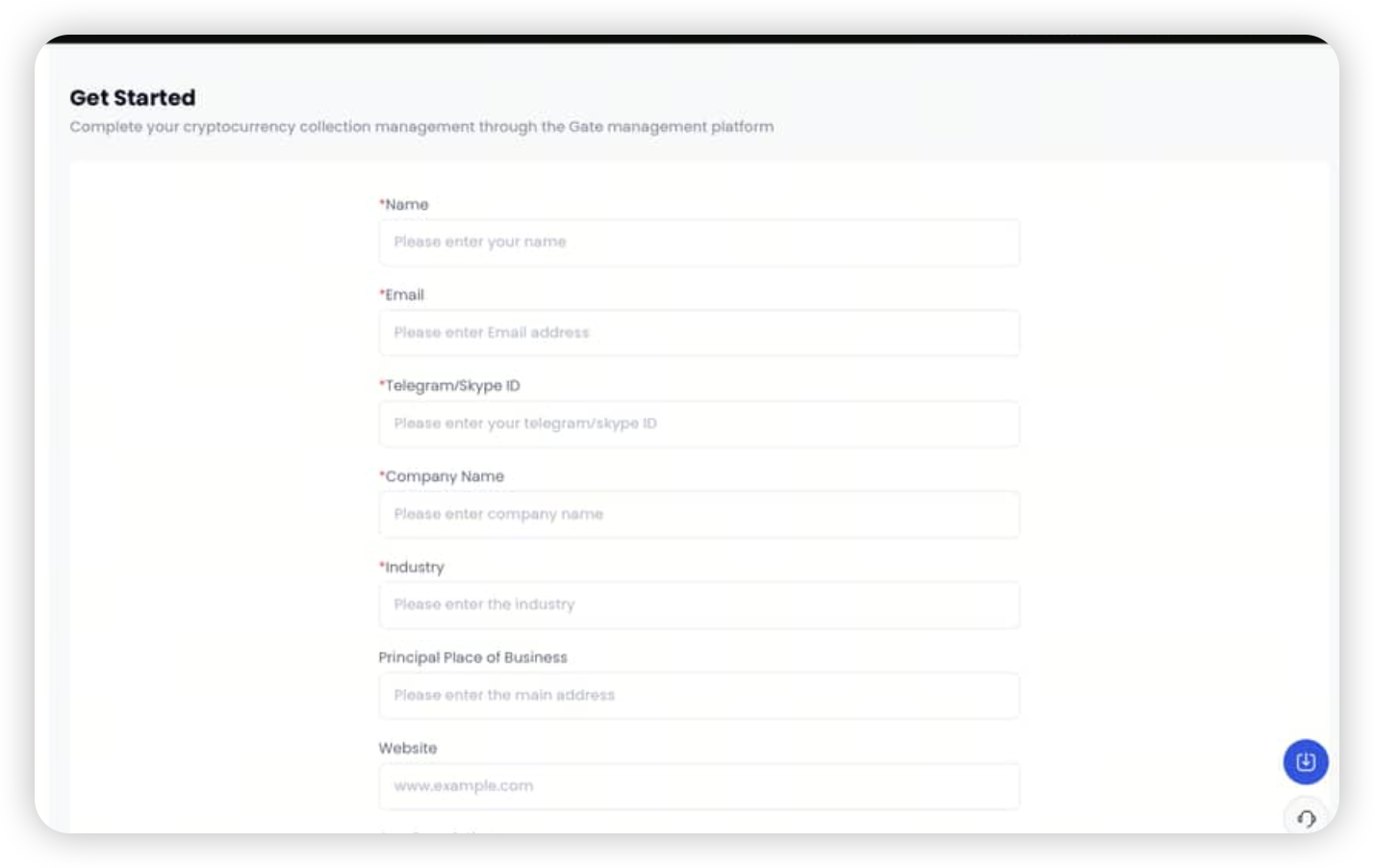
انتقل إلى هذه الصفحة: https://www.gate.com/pay-merchant ، واستخدم معرّف Gate UID الذي سجلته في الخطوة 1 لتنشيط حساب التاجر الخاص بك، واملأ المعلومات المطلوبة.
الخطوة 3: سحب الأموال من لوحة تحكم التاجر
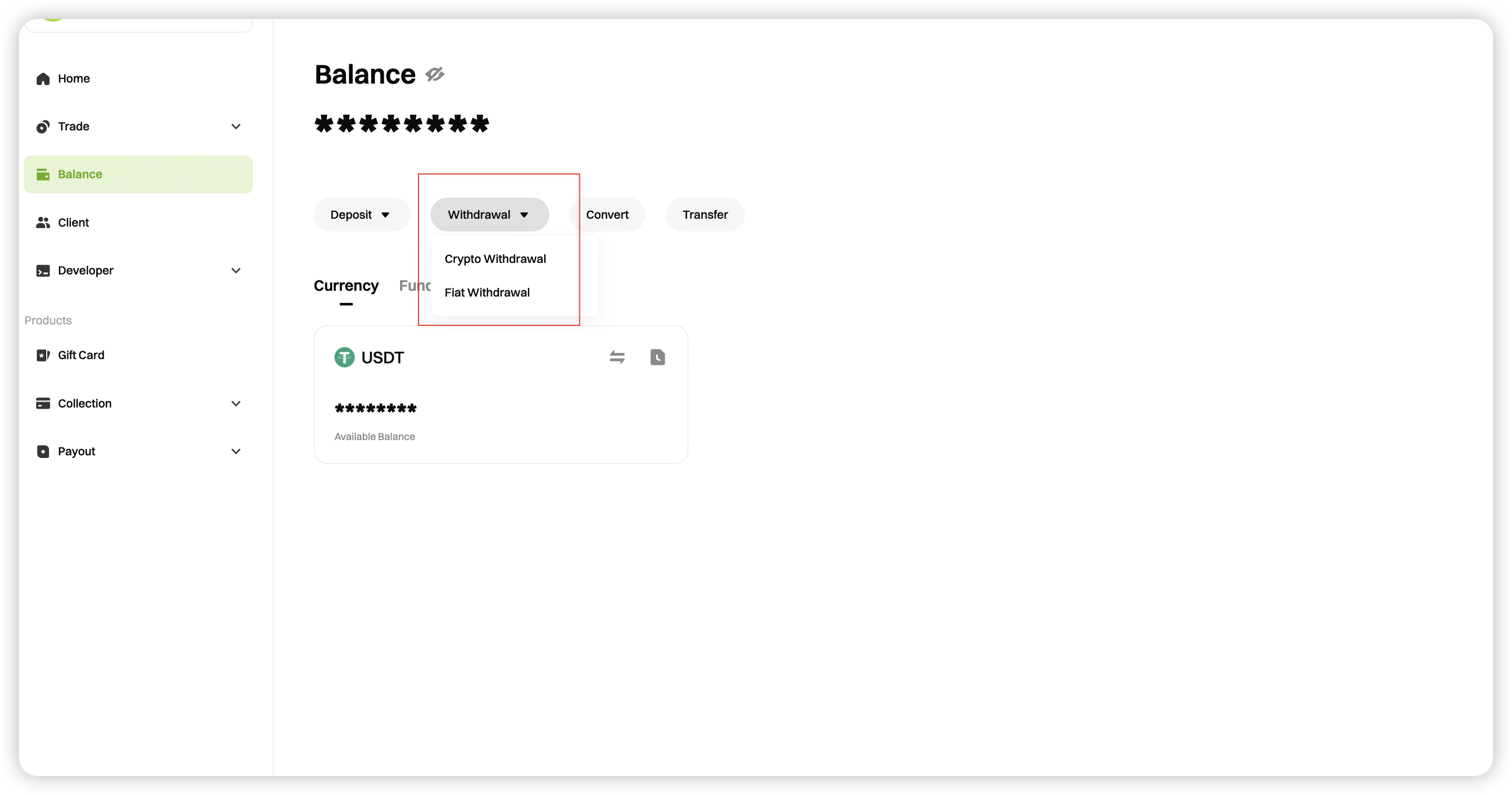
بمجرد التحقق من حساب التاجر الخاص بك، قم بتسجيل الدخول إلى لوحة تحكم التاجر، وانقر فوق [رصيد] - [سحب]، وحدد [سحب العملات الورقية].
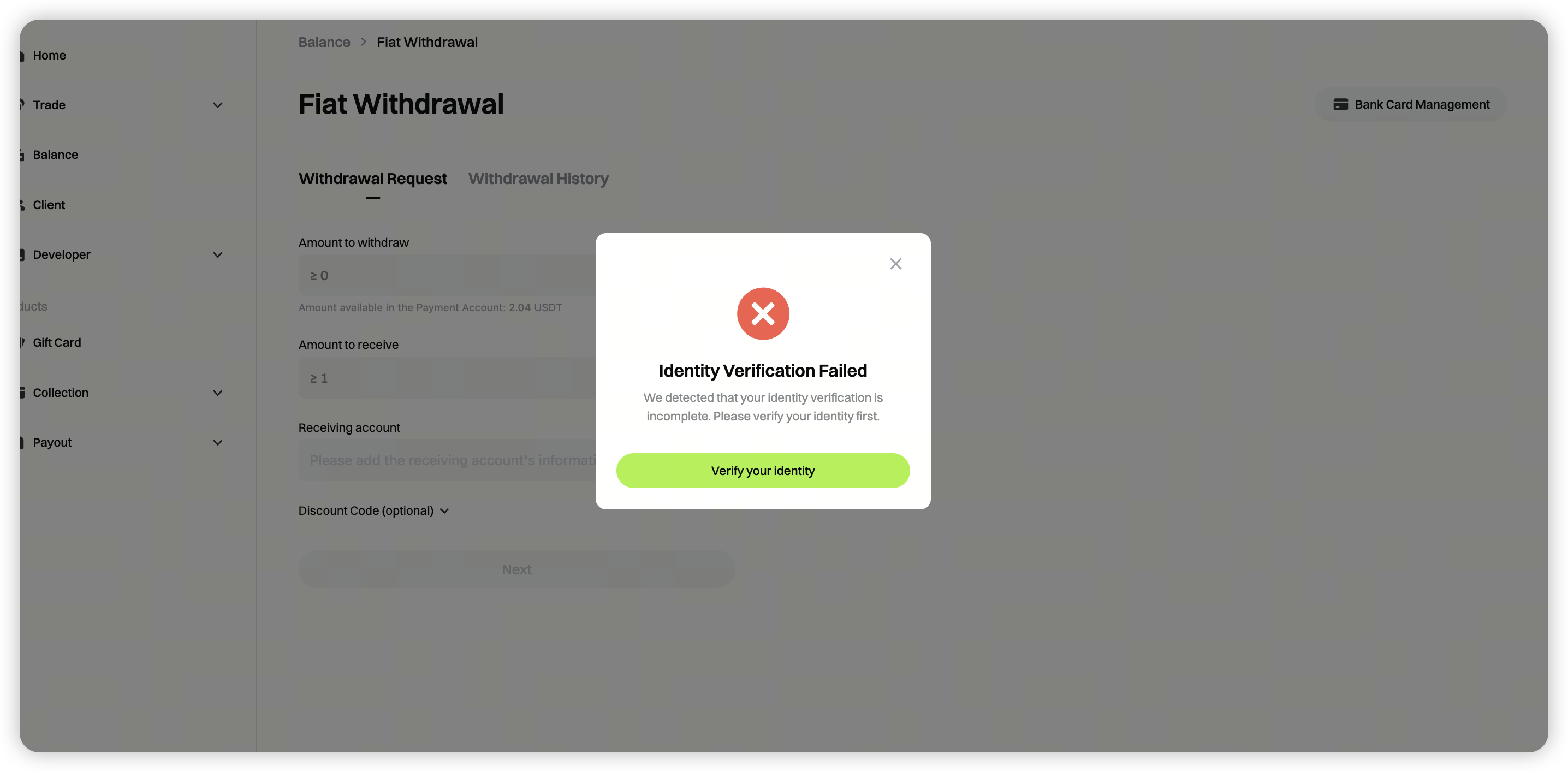
 إذا رأيت الرسالة **"فشل التحقق من الهوية"**، فانقر فوق **[تحقق الآن]** واتبع التعليمات لإكمال المعلومات المطلوبة.
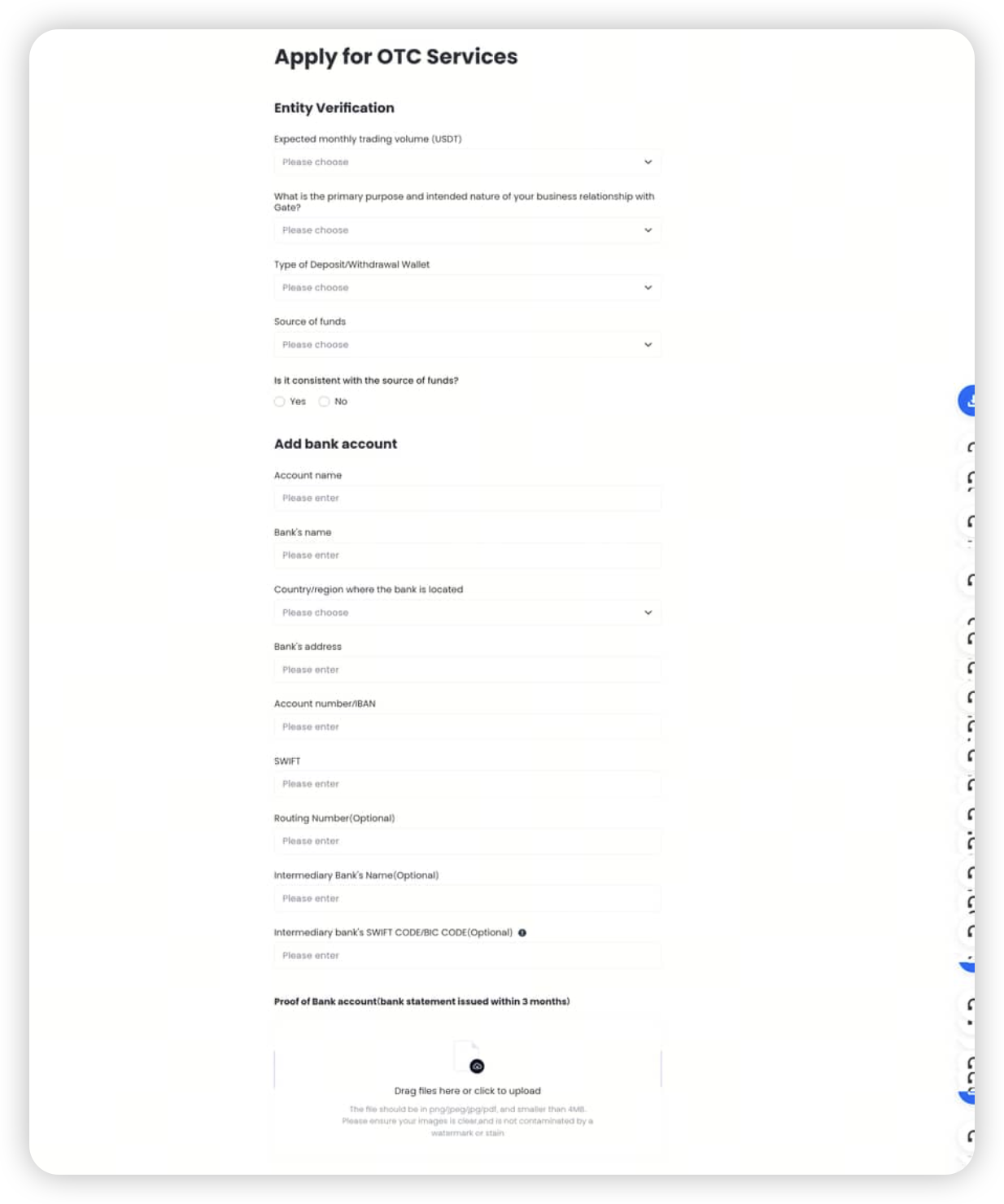
اتبع المطالبات لإكمال تحقق المؤسسة.
الخطوة 4: طلب السحب
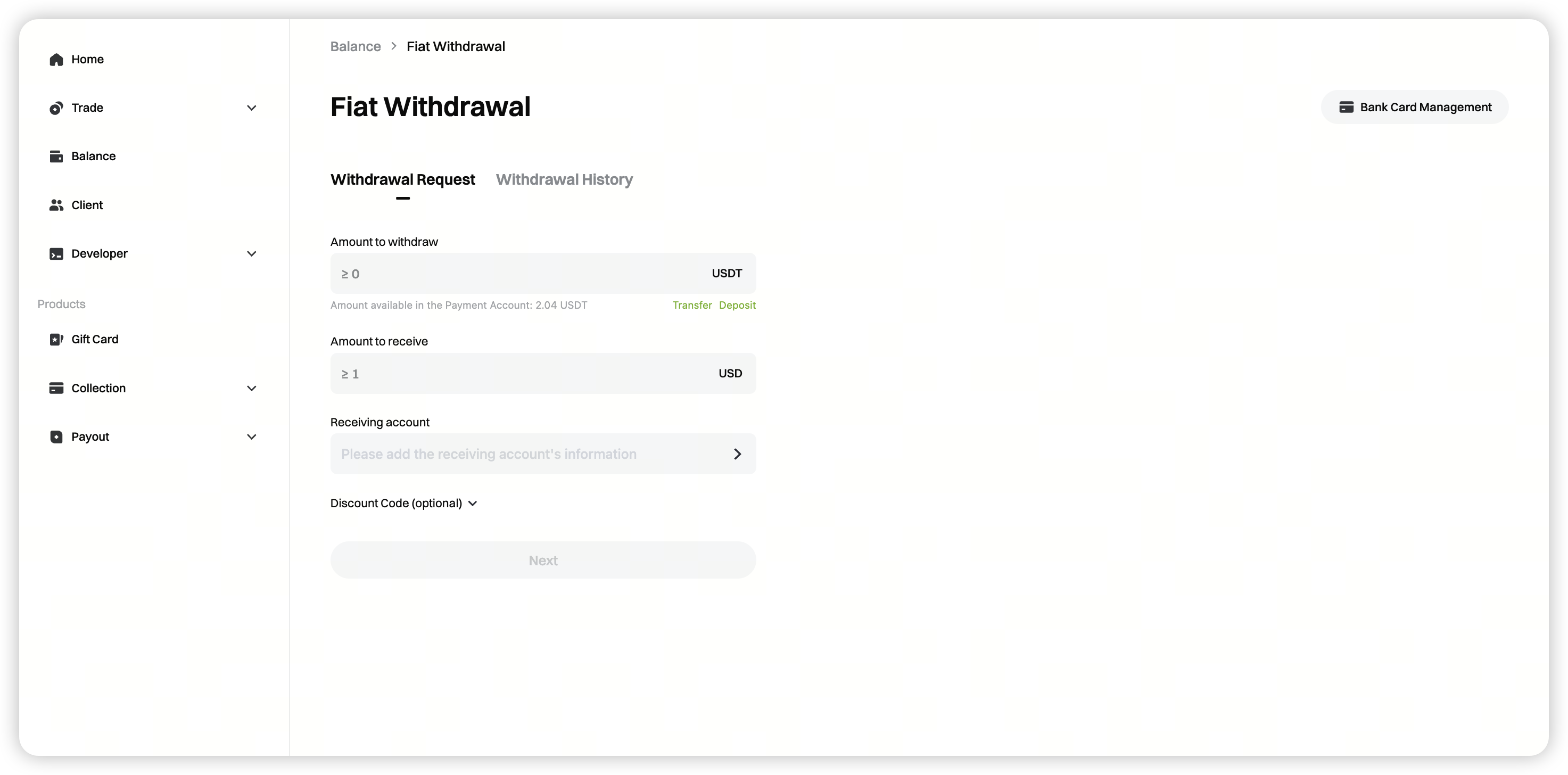
بعد الموافقة على تحقق مؤسسة OTC الخاص بك، عد إلى الصفحة، وأدخل مبلغ السحب، وحدد الحساب المستلم، وانقر فوق [التالي].
الحد الأدنى لمبلغ السحب: سيتم عرض الحد الأدنى للمبلغ ديناميكياً على الصفحة.
الخطوة 5: التحقق من حالة طلب السحب
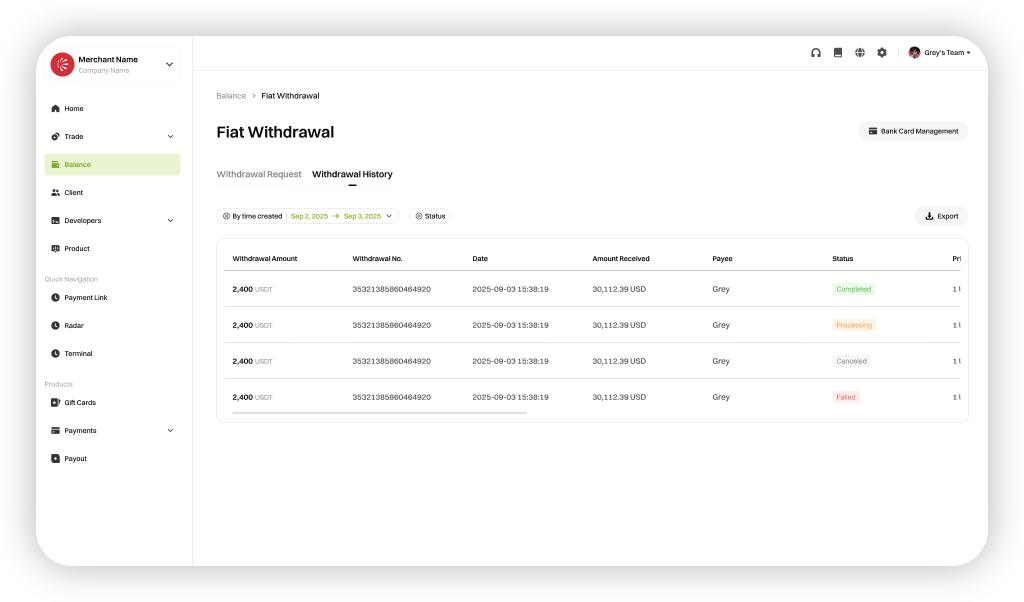
بعد اكتمال السحب، انتقل إلى [سجلات السحب] لعرض حالة طلبات السحب الخاصة بك.
إخلاء مسؤولية
المحتوى الوارد هنا مُقدَّم لأغراض مرجعية وتعليمية فقط، ولا يشكّل أي نصيحة مالية أو استثمارية أو تداولية أو قانونية، كما لا يُعد عرضًا أو دعوة لشراء أو بيع أي أصول رقمية. لا تقدّم Gate أي تعهدات أو ضمانات صريحة أو ضمنية بشأن دقة المعلومات الواردة هنا أو اكتمالها أو توقيتها. قد يتم تحديث أو تعديل ميزات المنتجات والواجهات والقواعد وهياكل الرسوم في أي وقت. يرجى الرجوع إلى أحدث الإعلانات والمعلومات الفعلية المعروضة على منصة Gate للحصول على أدق التفاصيل.
تنطوي الاستثمارات في الأصول الرقمية على مخاطر كبيرة، وقد تتقلب الأسعار بشكل ملحوظ. وقد تفقد كامل مبلغ استثمارك. يرجى اتخاذ قراراتك بحذر بناءً على وضعك المالي وقدرتك على تحمّل المخاطر بعد الفهم الكامل للمخاطر المرتبطة بذلك. وإذا لزم الأمر، يُنصح باستشارة مستشار مالي أو قانوني مستقل.
لمزيد من المعلومات حول المخاطر المحتملة، يرجى الرجوع إلى إفصاح المخاطر واتفاقية المستخدم الخاصة بـGate.
